
Versa Cash & Cash-i Review: Great Alternatives to Fixed Deposit (FD)!
Fixed Deposit, or FD, has always been people’s go-to way to save or deposit extra cash. The problem is, it locks your money in for a long time, or requires a high initial deposit to start with.
In this article, let’s look into Versa Cash and Versa Cash-i, a great alternative to FD in Malaysia. Personally, I've been using Versa since 2021 and I absolutely love it! In this post, let's explore if Versa is for you!
[NEW: Get 4.0% promo return rate with Versa Cash & Cash-i! Find out more at the end of this post!]
Highlights of Versa Cash & Versa Cash-i
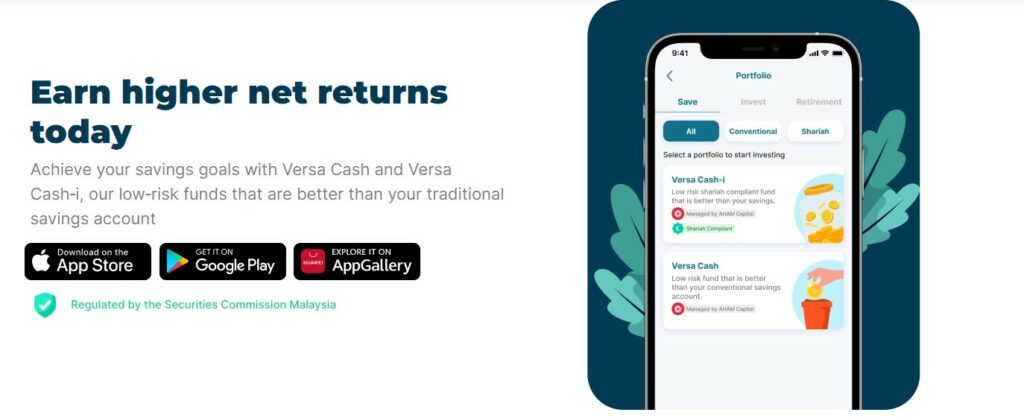
Introduced in 2021 and 2023 respectively, Versa Cash & Versa Cash-i are digital cash management services that provide users competitive returns like FD, but without the troublesome restrictions:
- Regulated: Versa is regulated by the Securities Commission (SC) of Malaysia.
- Conventional & Shariah-compliant version: Versa Cash is a conventional fund, while Versa Cash-i is a Shariah-compliant fund.
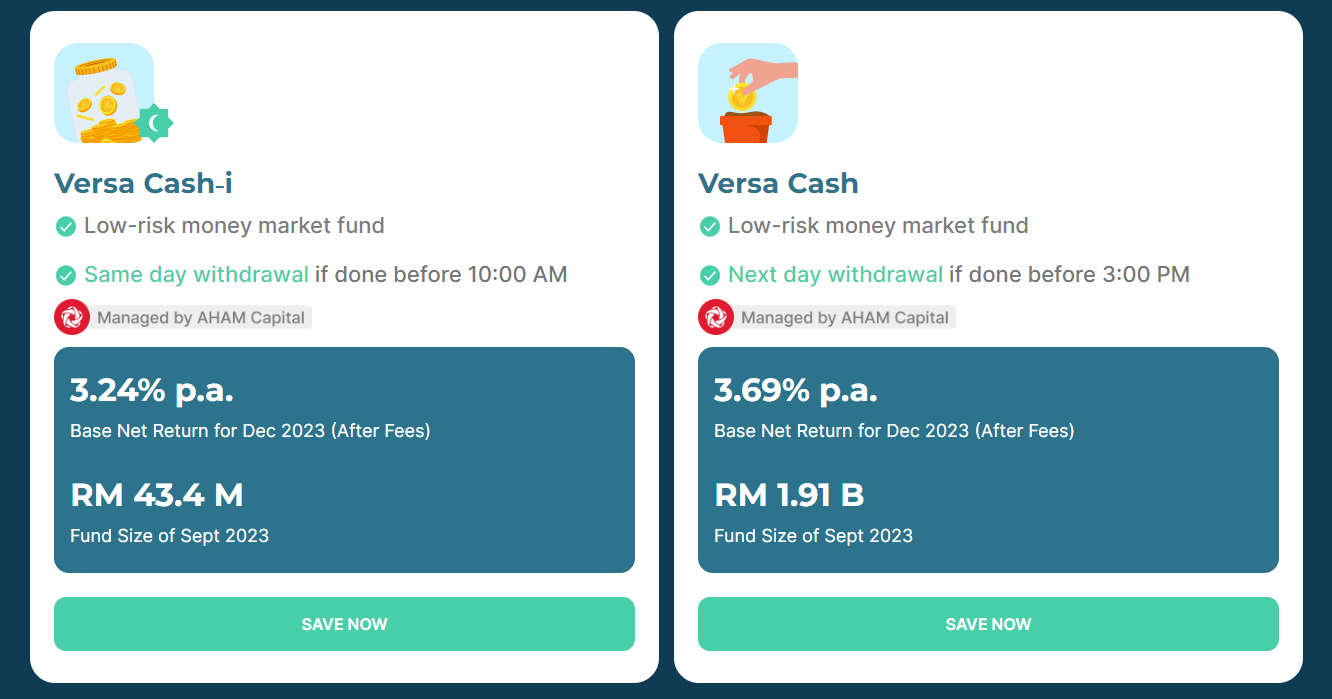
- Competitive Return: Through Versa Cash and Cash-i, users can earn a base net return between 3.24% - 3.69% per annum, which is on par with the rates of Fixed Deposit (FD).
- Low Risk: The underlying funds of Versa Cash and Cash-i are money market funds from AHAM Capital (formerly known as Affin Hwang). These funds invest users’ money in highly liquid & low-risk cash instruments.
- Flexible & Low Barrier of Entry: Malaysians aged 18 and above can start saving or investing via Versa from as low as RM1. Withdraw anytime without being charged penalty fees.
How do Versa Cash & Versa Cash-i work?
So, how exactly are Versa Cash and Cash-i able to deliver returns that are on par with FD?
This is possible because Versa helps invest users’ cash into money market funds (MMF). MMFs are funds that invest in Fixed Deposits and highly liquid, short-term cash equivalent instruments called Money Market Instruments:
- Essentially, Money Market Instruments are short-term debts issued by banks to accumulate short-term cash-pile to make up for the shortfall in their daily deposit reserve.
- Simply put, MMFs are lending money to banks when they buy these Money Market Instruments.
These instruments are relatively low-risk as they are backed by the banks. Moreover, they are highly liquid with short maturity periods. Regular redemption of matured Money Market Instruments allows MMF to provide a similar rate to FDs without having to lock up users’ capital.
For Versa Cash & Cash-i, the underlying MMFs that they invest in respectively are:
- Versa Cash: AHAM Enhanced Deposit Fund by AHAM Capital Asset Management (formerly Affin Hwang)
- Versa Cash-i: AHAM Aiiman Enhanced i-Profit Fund by AHAM Capital Asset Management
In short, through Versa Cash and Cash-i, you can earn a similar rate to FD through low-risk MMF without having to lock up your funds, unlike conventional FDs.
It is a great choice if you are looking for a competitive and flexible alternative to FDs.
Is Versa Cash Safe to Use?
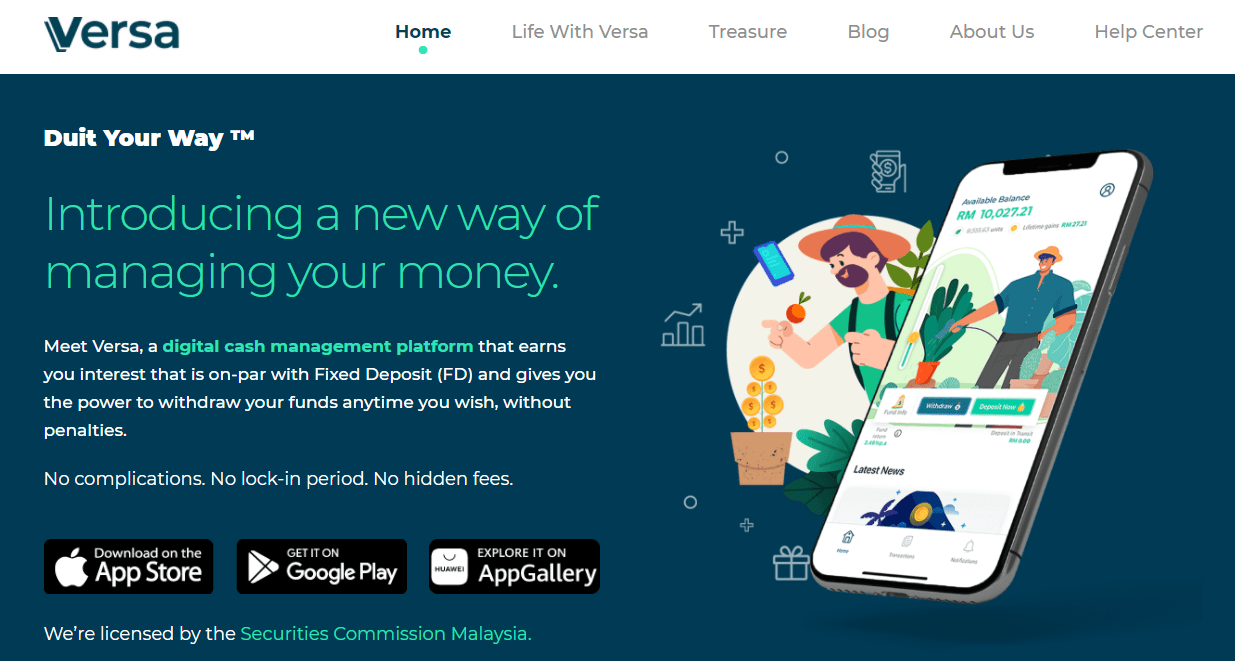
When it comes to regulation, Versa is regulated by the Securities Commission (SC) of Malaysia. This ensures that Versa is always operating in Malaysia as per the guidelines from the local authority.
As for the safety of funds, the cash deposits from users are held by a third party (trustee), which is HSBC (Malaysia) Trustee.
In other words, your deposits to Versa are separate from Versa’s company finances. As such, this ensures no deposits can be used for fraudulent purposes and you will always have full access and claim to them no matter what happens to Versa.
Versa Cash Fees & Charges
As a digital cash management platform, Versa Cash and Cash-i do not charge a fee to users. That said, both underlying MMFs do charge reasonable annual fees, as shown below:
| Versa Cash (% per annum) | Versa Cash-i (% per annum) | |
|---|---|---|
| Management fee per annum |
-0.30% |
-0.30% |
| Trustee fee per annum |
-0.05% |
-0.05% |
| Base net return per annum (AFTER fees) |
3.69% |
3.24% |
Next question: Are there any fees on fund withdrawal via Versa?
Unlike FDs, there are no charges when you withdraw your funds from Versa. Withdrawals are expected to be reflected:
- Versa Cash: Within 1 business day if withdrawal is done before 3pm
- Versa Cash-i: Within the same day if withdrawal is done before 10am
At this point, perhaps a question that you have in mind is “So how does Versa make money?”.
Aside from Versa Cash and Versa Cash-i (which is free to use), Versa also offers investment services via Versa Invest. Through Versa Invest, Versa will charge a small management fee which is their key income source.
READ MORE: Versa Invest Review
3 things I like about Versa Cash & Versa Cash-i
#1 Performance on par with conventional Fixed Deposits (FDs)
Through Versa Cash and Cash-i, interests are compounded daily and interest payout is made every month, which is re-invested into the user’s fund.
All of this combined, Versa Cash and Cash-i offer a base net return of 3.69% and 3.24% return per annum (AFTER fees) for users, as of December 2023.
#2 Flexible & Low barrier of entry
2 amazing features of Versa Cash and Cash-i are:
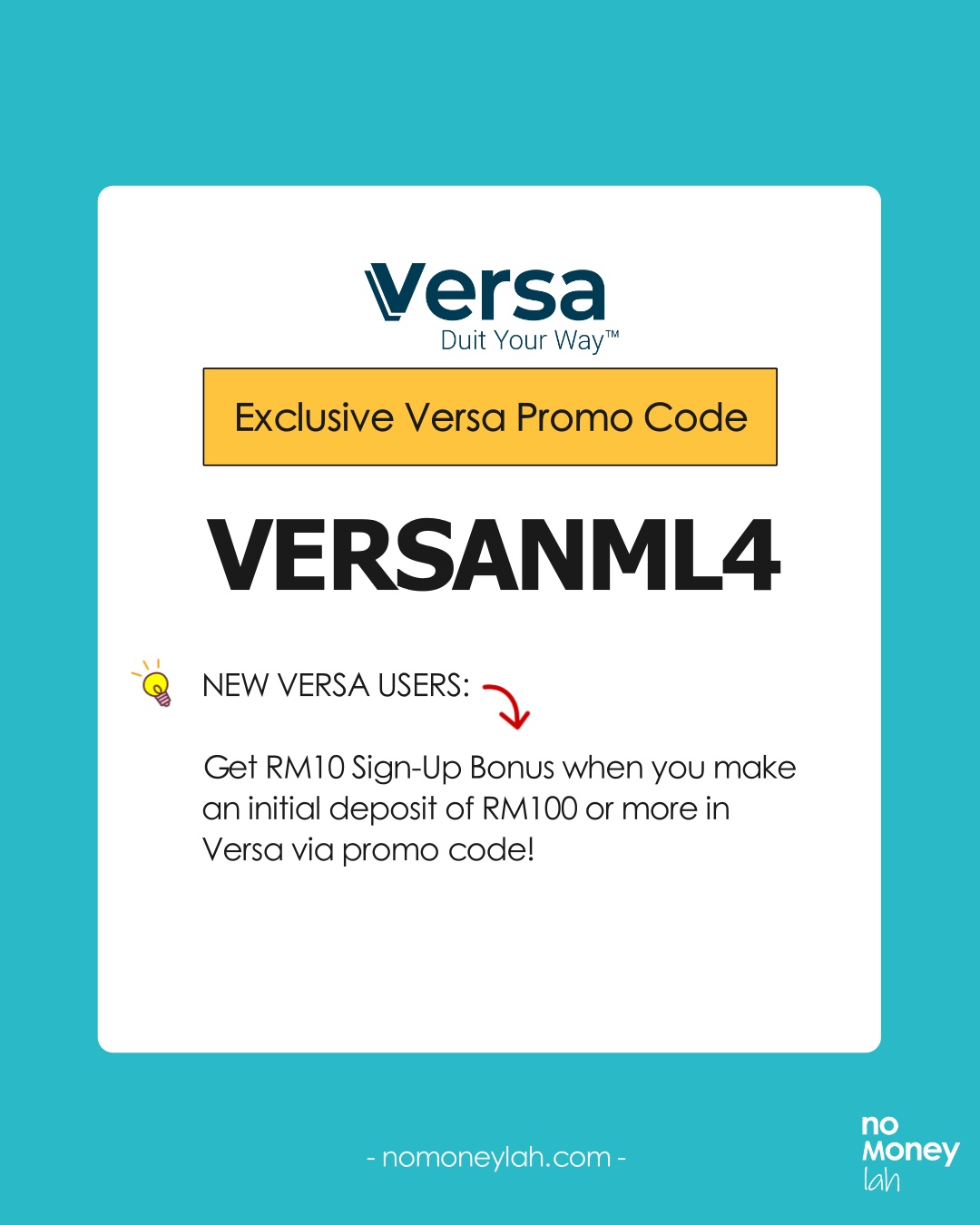
- Low barrier of entry: You can start investing or saving with Versa from as low as RM1. Even better, using my exclusive referral code VERSANML4, you can get RM10 credited into your Versa account when you make a minimum deposit of RM100!
p - Flexible: There are no charges to open a Versa account. In addition, you can withdraw your funds anytime and there are no fees for withdrawal.
Combined, both these features make a compelling edge against conventional FDs. Reason being, FDs usually have higher minimum deposits & they tend to lock in users for a period of time (and charge a penalty for early withdrawals).
#3 Simple & clean user experience (suitable even for my retired mom!)
Perhaps my favorite experience with Versa is their simple and clean user interface.
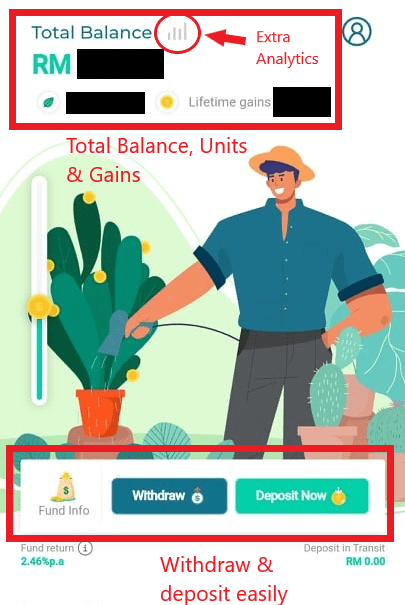
As a simple financial platform, I enjoy the design of the app that clearly shows the capital invested and payout.
In fact, when my retired mom was looking for a better FD alternative to save her idle cash, I recommended Versa Cash without hesitation. This is because I know she can navigate the app with clarity & confidence.
Risks + What You Need to Know Before Investing in Versa Cash & Cash-i
In this part, let’s look at 3 things that you need to be aware of while investing your money with Versa Cash and Versa Cash-i:
#1 Market risk
While being a relatively stable investment, investing in Money Market Fund (MMF) via Versa still presents exposure to market risk.
One such risk is the fluctuation in interest rates. As an example, if Bank Negara Malaysia (BNM) increases interest rates, MMF is likely going to generate higher returns. On the flip side, if BNM reduces interest rates, it’ll also affect the returns of MMF as a result.
#2 Not protected by PIDM
While investing in Versa, it is important to remember that your fund is not protected by Perbadanan Insurans Deposit Malaysia (PIDM).
PIDM is an organization that protects deposits kept in banks and financial institutions that are a member of PIDM. Conventional bank FDs are usually protected by PIDM.
Eligibility + Is Versa Cash for You?
Versa is open to Malaysian citizens who are 18 years old and above with an NRIC/MyKad. This means that even young Malaysian adults can start building good financial habits by saving/investing from their phones – neat!
That said, are Versa Cash and Cash-i for you?
To answer this question, it is best to first know what Versa Cash and Cash-i are NOT:
- Versa Cash and Cash-i do not invest in stocks/equities (ie. Higher risk assets). Hence, do not expect mutual fund/robo-advisors-like returns.
- Versa Cash and Cash-i do not guarantee returns. Even though it invests in low-risk MMF, returns are still subjected to market fluctuation.
Hence, in my opinion, Versa Cash and Cash-i are great for:
- People looking for a flexible alternative to FD & typical savings account for general savings
- People looking to save for a specific goal (eg. house, car, wedding)
- People with extra cash and want to save it for the short-term
Versa Promo Code: VERSANML4
In collaboration with Versa, No Money Lah is bringing an exclusive deal for new users that are keen to start saving or investing with Versa!
Use my dedicated Versa referral code – VERSANML4, and you will get RM10 credited into your account* when you successfully make a minimum deposit of RM100 or more. That’s an instant 10% return on your investment.
How to open a Versa Account
Creating a Versa account is simple and straightforward:
Step 1: Click HERE to install the Versa app.
Remember to apply referral code 'VERSANML4' for an exclusive RM10 account-opening reward!
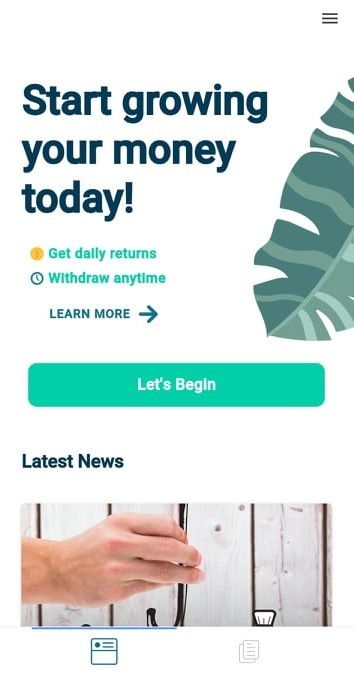
Step 2: Start your account opening process by keying in the necessary details such as a new display name, email address, and password.
Step 3: You’ll go through a simple identification process where you’ll be asked to verify your mobile number, IC, and personal details. This is a required process by the regulators to make sure it’s the real you that’s opening an account.
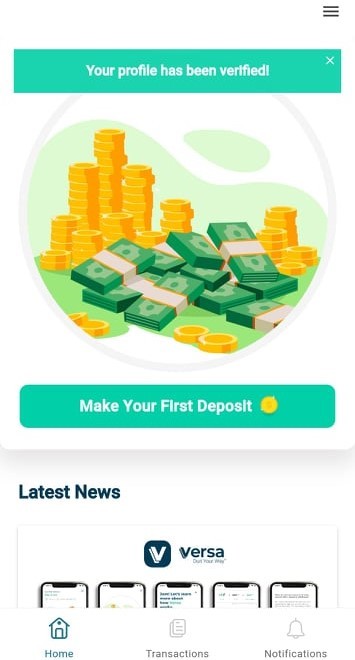
Step 4: It’ll take about 2-3 business days to verify your account. Once that’s done, you can start investing in Versa by making your first deposit!
Versa Cash, StashAway Simple or KDI save?
In terms of offering, Versa Cash and Cash-i’s closest competitor is certainly KDI Save and StashAway Simple. Both offer users flexible and low-barrier access to MMF that pays competitive FD-like rates.
I think this comparison deserves a full article on its own so I’ll attach a link HERE when I come out with a comparison article real soon!
Personally, I use both Versa, KDI Save, and StashAway Simple to save for different purposes and I am happy with them as an alternative to FD (I think you will, too!).
READ: The Ultimate FD-Killer Showdown: StashAway Simple vs Versa vs KDI Save vs TNG GOinvest
No Money Lah’s Verdict
So there you have it, my review on Versa Cash and Versa Cash-i! If you are looking for an FD alternative to invest/save your cash, Versa is a platform that I can wholeheartedly recommend you to try.
Personally, I enjoyed using the platform and I think you will, too!
Disclaimers
Investment in a money market fund is not the same as placement in a deposit with a financial institution. There are risks involved and investors should consult a financial planner before making any investment decisions.
This post contains affiliate links/code that afford No Money Lah a small amount of commission (and help support the blog) should you sign up through my affiliate link/code.


Moomoo Malaysia (MY) Review: Almost perfect, with some room for improvements
The highly anticipated Moomoo MY is finally launched in Malaysia in late February 2024, allowing Malaysians to trade the US and Malaysia stock market at a highly competitive fee.
Personally, I’ve been looking forward for Moomoo MY to be launched in Malaysia as they have been offering great pricing for investors in their Singapore counterpart.
So, what is it like to invest through Moomoo MY? How's their pricing/fees like compared to other local brokers?
Let’s find out!
Highlights of Moomoo MY
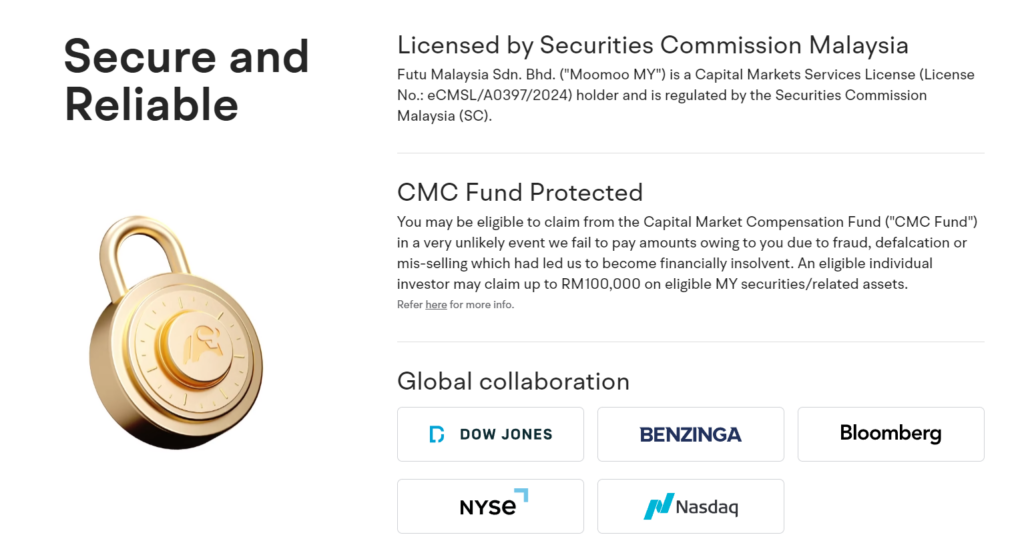
- Locally-regulated broker: Moomoo MY is regulated by the Securities Commission Malaysia (SC). This ensures that Moomoo MY's operation and business are conducted within the rules set by the authority to protect Malaysian investors.
- Access to US and Malaysia stock markets: Invest in the US and Malaysia stock markets within the moomoo app.
- Best fee structure for Malaysia-regulated brokers: Moomoo MY offers the most competitive fees for the US and Malaysia stock markets among Malaysia-regulated brokers, with 0 commission trading for all moomoo users for the first 180 days.
- Powerful features: Investors of all levels and experience will appreciate the useful features that will alleviate their investing experience, such as a powerful stock screener, 24/7 news, Moo community, and more.
- Room for improvements: No fractional shares for US stocks (for now), lack of HK and SG market, and a rather lackluster Help section in the app, where you would not be able to find answers to many important questions.
How is Moomoo MY regulated + Safety of Funds
In terms of regulation, Moomoo MY (registered under the name Futu Malaysia Sdn. Bhd.) is regulated by the Securities Commission Malaysia (SC), with a Capital Markets Services License to operate a legal brokerage business:
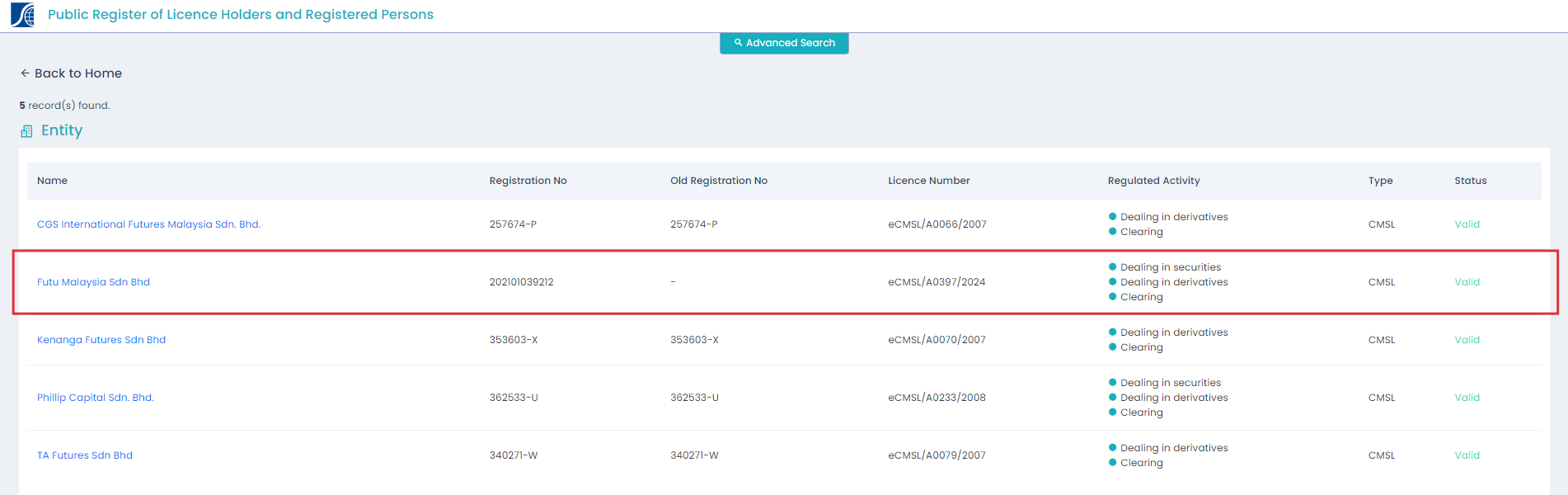
This ensures Moomoo MY is operating under the best practices and guidelines set by the Malaysian authority.
In addition, clients' funds are kept separately from Moomoo MY's finances through a custodian bank account. Moomoo MY will not have access to your funds and assets, ensuring clear transparency to avoid fraud. This also ensures that if something happens to Moomoo MY (eg. Bankruptcy), your funds & assets will not be affected.
Furthermore, Moomoo MY clients' fund is protected by Capital Market Compensation Fund (CMC Fund), where clients can claim up to RM100,000 on eligible Malaysia securities/assets in the unlikely event that Moomoo MY is not able to pay clients due to bankruptcy.
Moomoo MY fees & pricing for the US and Malaysia stock markets
One of the reasons why Moomoo MY took the investing community by storm is its highly competitive pricing for both the US and Malaysia stock markets.
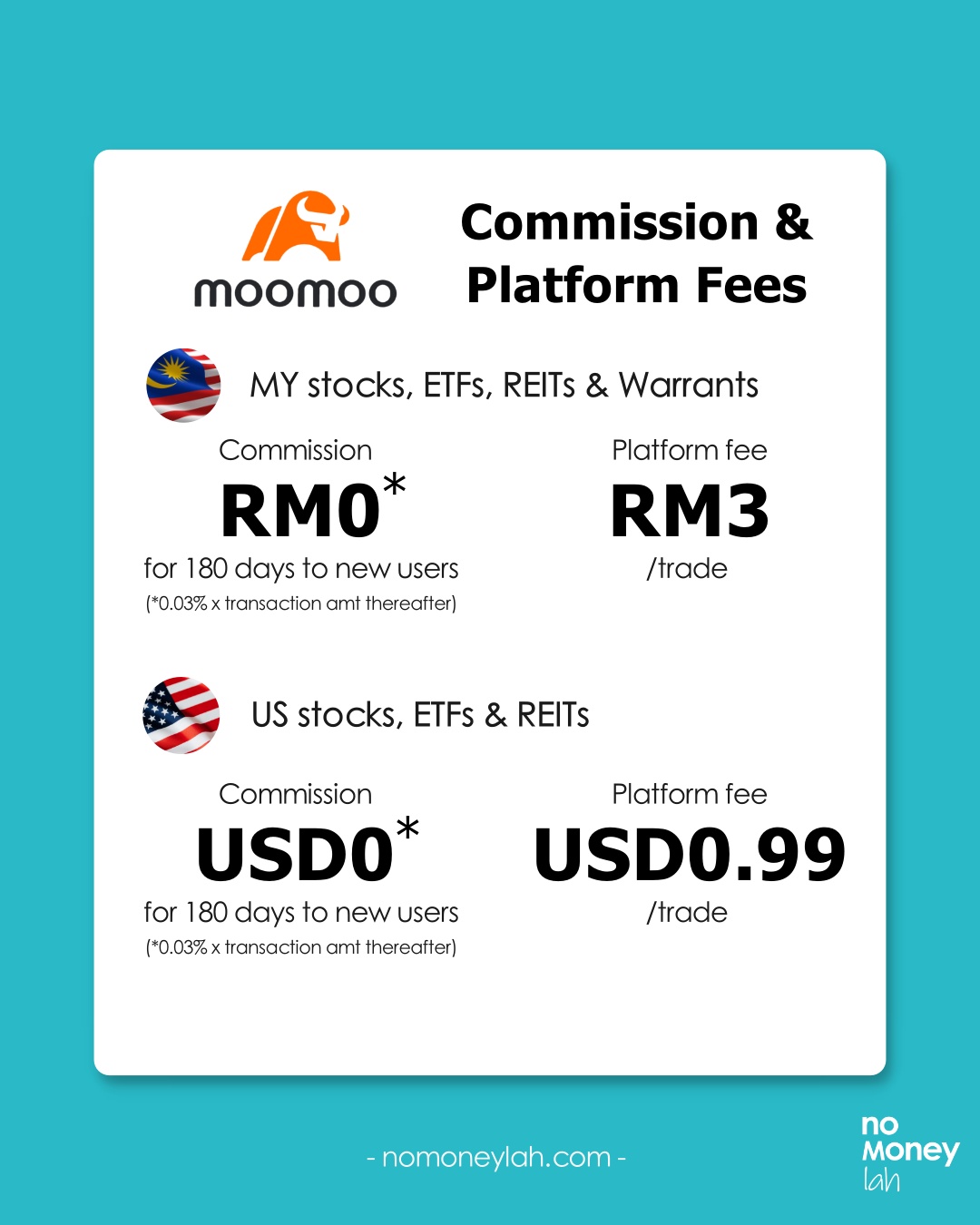
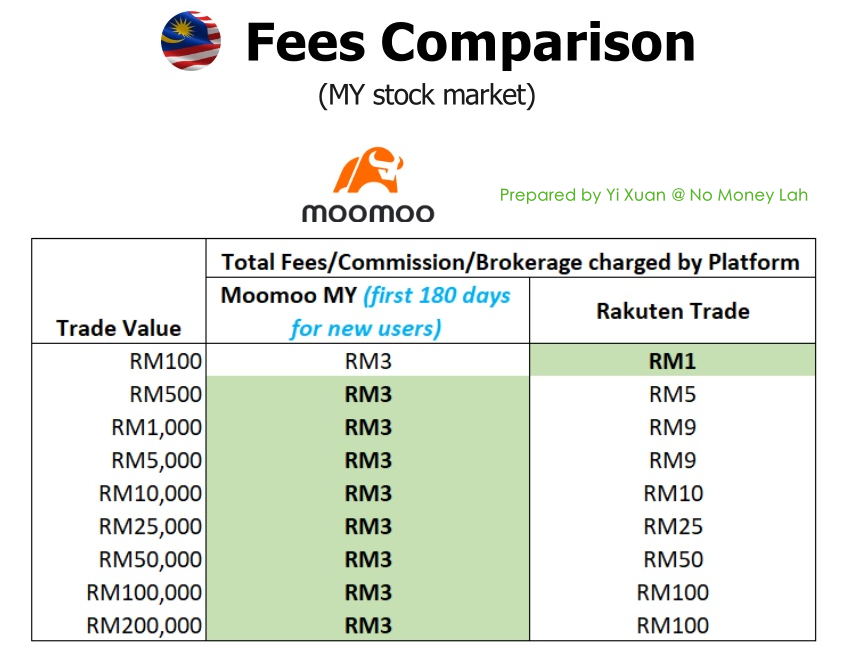
For pricing, Moomoo MY charges a commission and platform fee respectively. The great news is, new Moomoo MY users will enjoy 0* commission for the first 180 days:
(a) Moomoo MY pricing for Malaysia stocks, ETFs, REITs, and Warrant:
| Moomoo MY pricing for Malaysia stocks, ETFs, REITs, and Warrant | |
| Commission | RM0* for the first 180 days to new users (*0.03% x Transaction Amount thereafter) |
| Platform Fee | RM3/trade |
(b) Moomoo MY pricing for US stocks, ETFs, and REITs:
| Moomoo MY pricing for US stocks, ETFs, and REITs | |
| Commission | USD0* for the first 180 days to new users (*0.03% x Transaction Amount thereafter) |
| Platform Fee | USD0.99/trade |
Moomoo MY pricing vs other locally-regulated brokers:
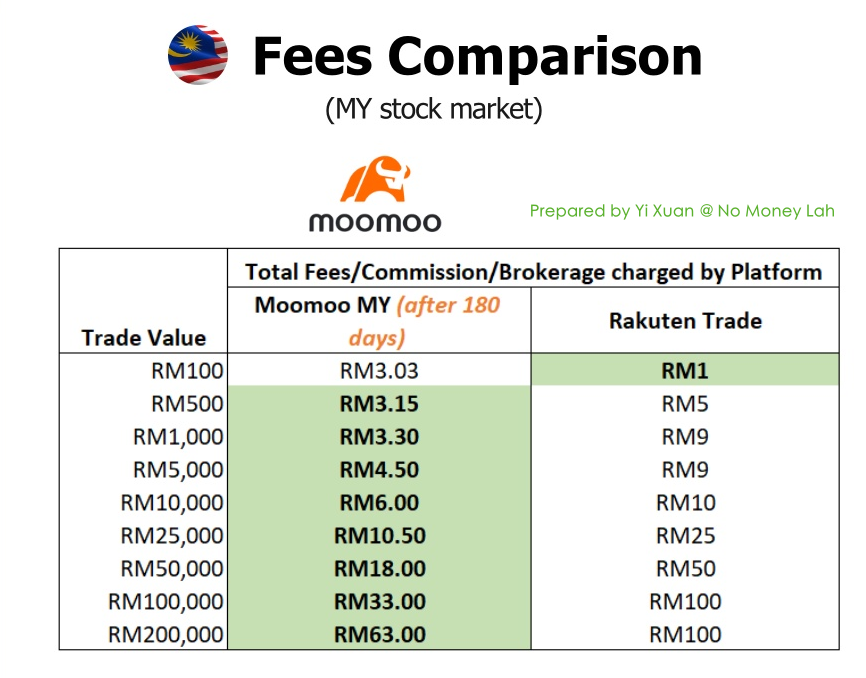
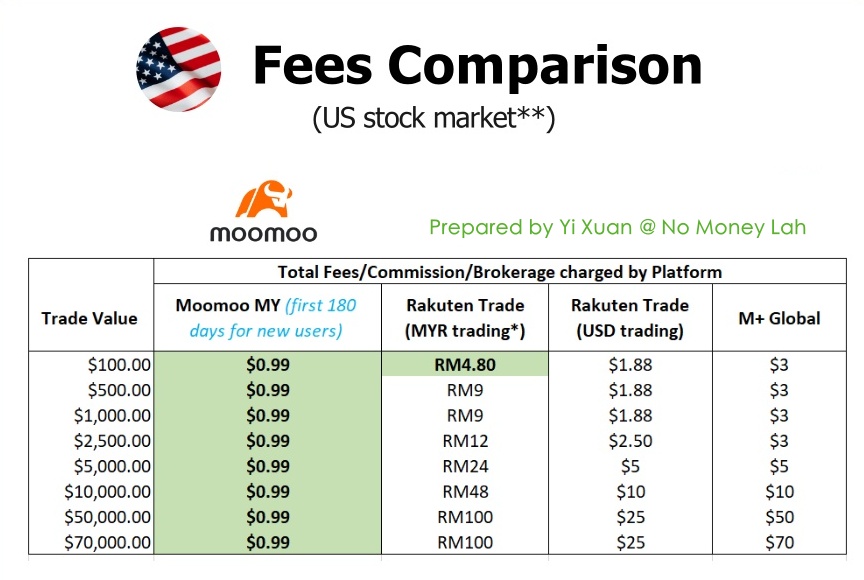
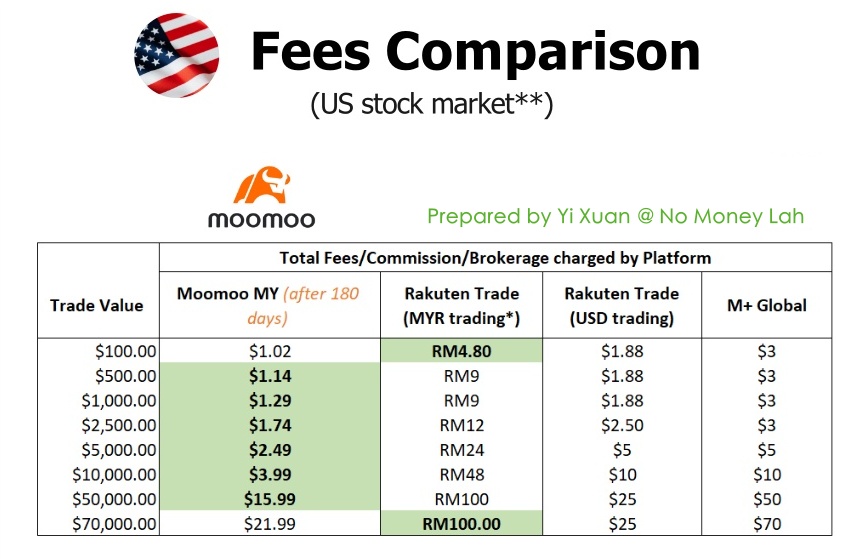
In my opinion, Moomoo MY pricing structure offers the best value for Malaysian investors compared to the likes of Rakuten Trade and M+ Global:
(i) Moomoo MY vs Rakuten Trade fee comparison for the Malaysia stock market (Promo: First 180 days 0 commission trades for new users):
(ii) Moomoo MY vs Rakuten Trade fee comparison for the Malaysia stock market (after 180 days):
(iii) Moomoo MY vs Rakuten Trade vs M+ Global fee comparison for the US stock market (Promo: First 180 days 0 commission trades for new users):
(iv) Moomoo MY vs Rakuten Trade vs M+ Global fee comparison for the US stock market (After 180 days):
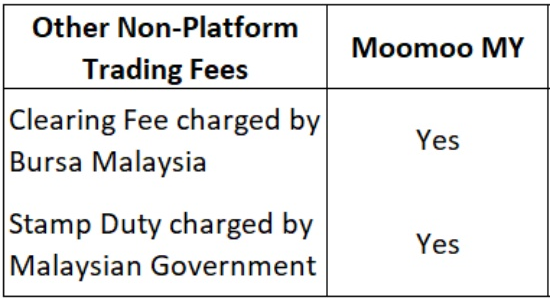
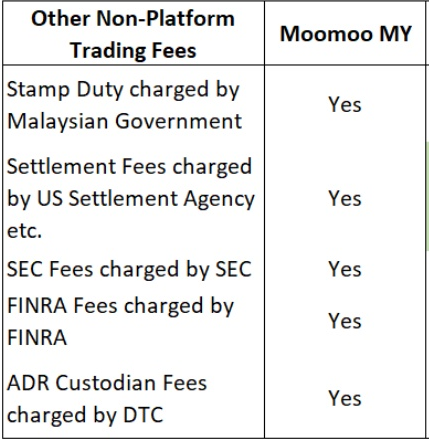
Also, take note of other non-platform trading fees that are NOT charged by Moomoo MY while you trade the stock market:
- Malaysia stock market
- US stock market:
My experience investing via Moomoo MY (Features):
The moomoo app is one of the most well-designed investing apps that I've used, which managed to combine useful features without compromising much on ease of use.
Below are some of my personal favourites while using the moomoo app to invest in stocks:
#1 Real-time US and Malaysia price quotes (or price feed)
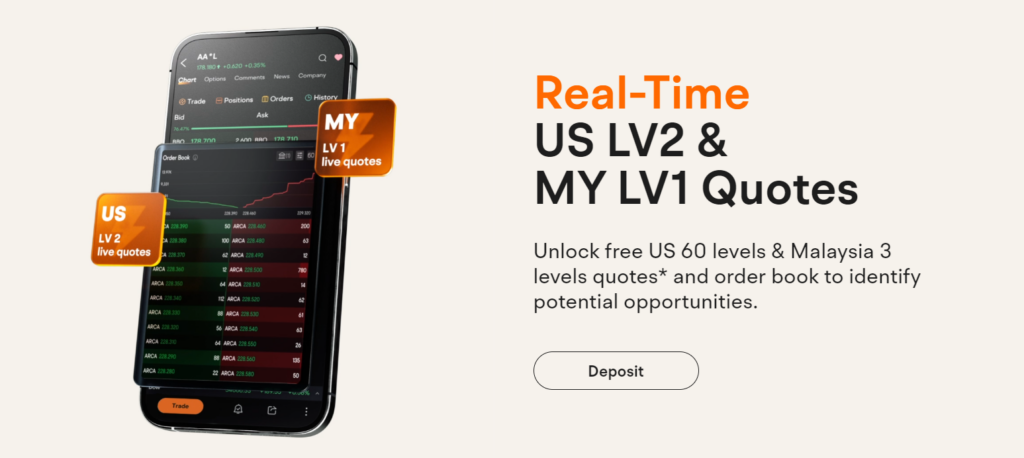
Moomoo users will be happy to learn that moomoo offers real-time level 2 US market data for FREE (where you usually have to pay on other trading platforms), as well as FREE level 1 MY market data.
What exactly is Level 2 market data?
Essentially, Level 2 market data allows you to see transaction details (ie. Buy & sell activities) across multiple price levels:
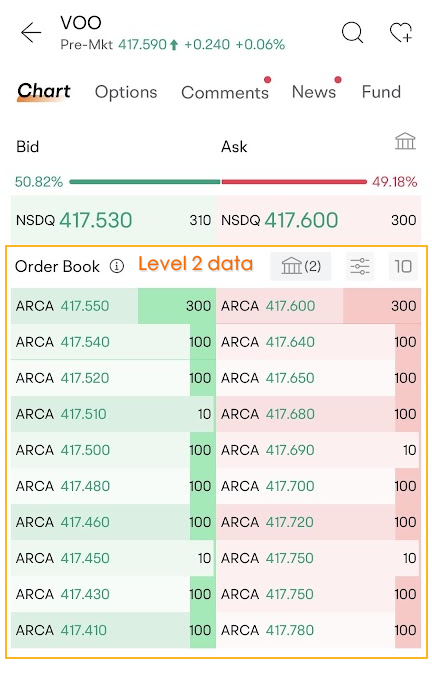
Having level 2 market data is equivalent to having an aerial view of the market. For instance, with Level 2 market data, you can detect in real-time if buyers are buying aggressively (or vice versa) and make better entry decisions.
In short, with level 2 market data, you can get a better gauge of market strength.
#2 Visual information on stocks or ETFs within the app
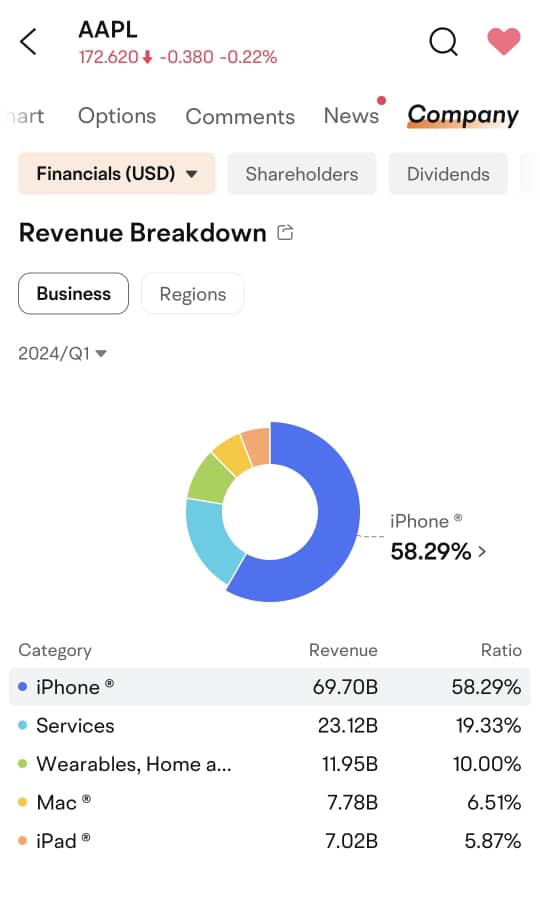
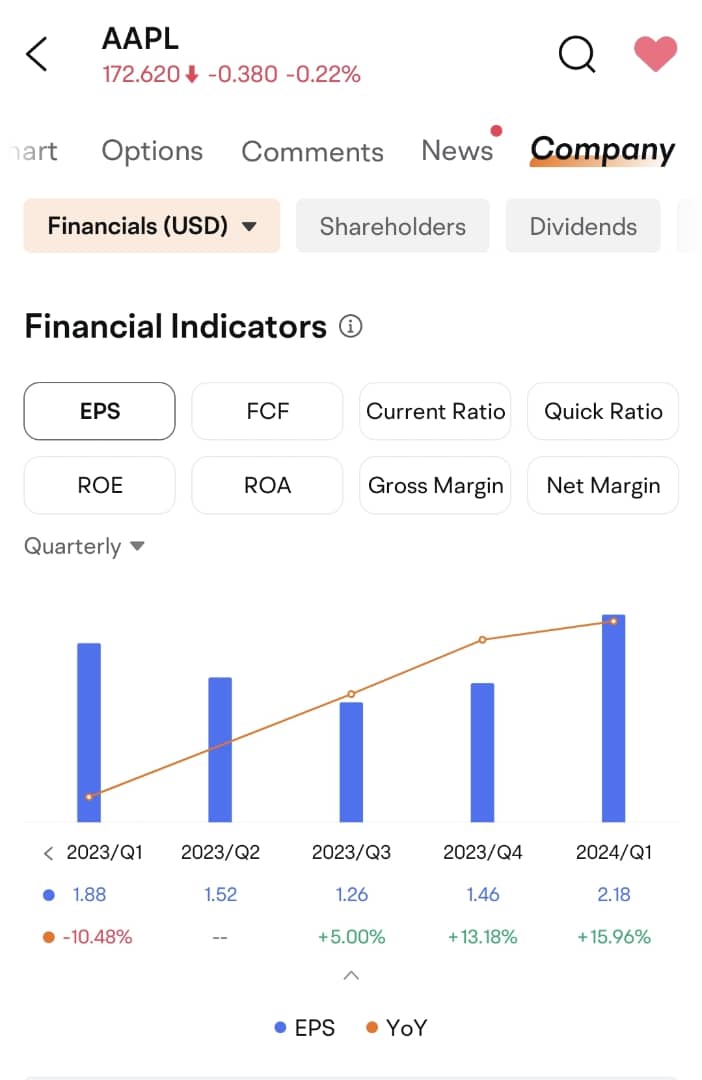
In terms of app design, the moomoo app is also the best stock investing app I've tried so far which puts financial information into easily understandable visuals & charts.
From revenue breakdown, shareholders, dividends, and more, I can get a clear picture of a stock without having to visit other external websites:
#3 Complete trade order execution features, from basic to advanced executions
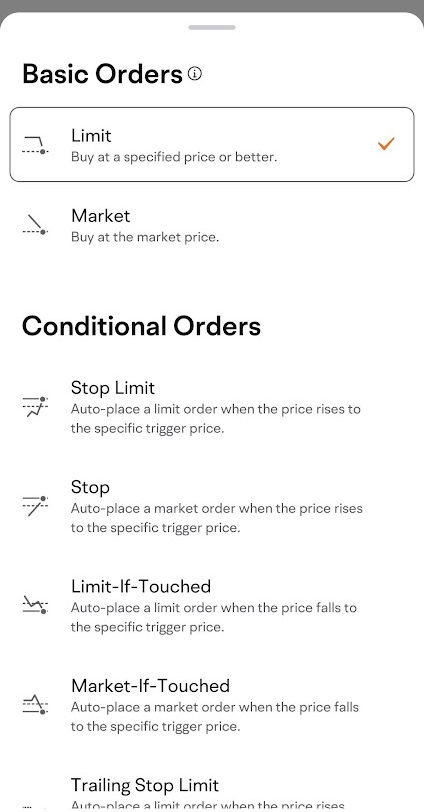
Having tried many locally-regulated brokerages, I come to appreciate the different trader order execution features that Moomoo MY is offering to users on the moomoo app.
Aside from the basic market and limit orders, I discovered various order execution features (eg. Stop order, Limit-if-Touched), which makes trade execution more versatile for investors and traders alike, regardless of style.
#4 Powerful screener & 24/7 news update
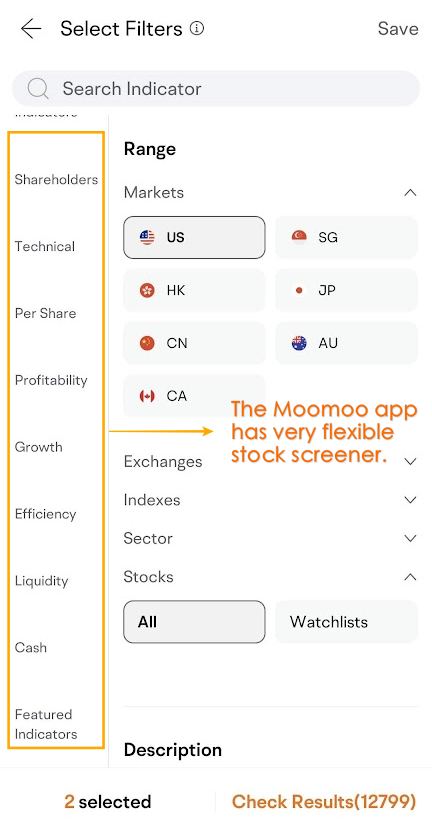
The stock screener within the moomoo app also impressed me. This screener can be super simple, or as sophisticated as you want.
From fundamental to technical filters, you can filter for stocks based on your preferred criteria:
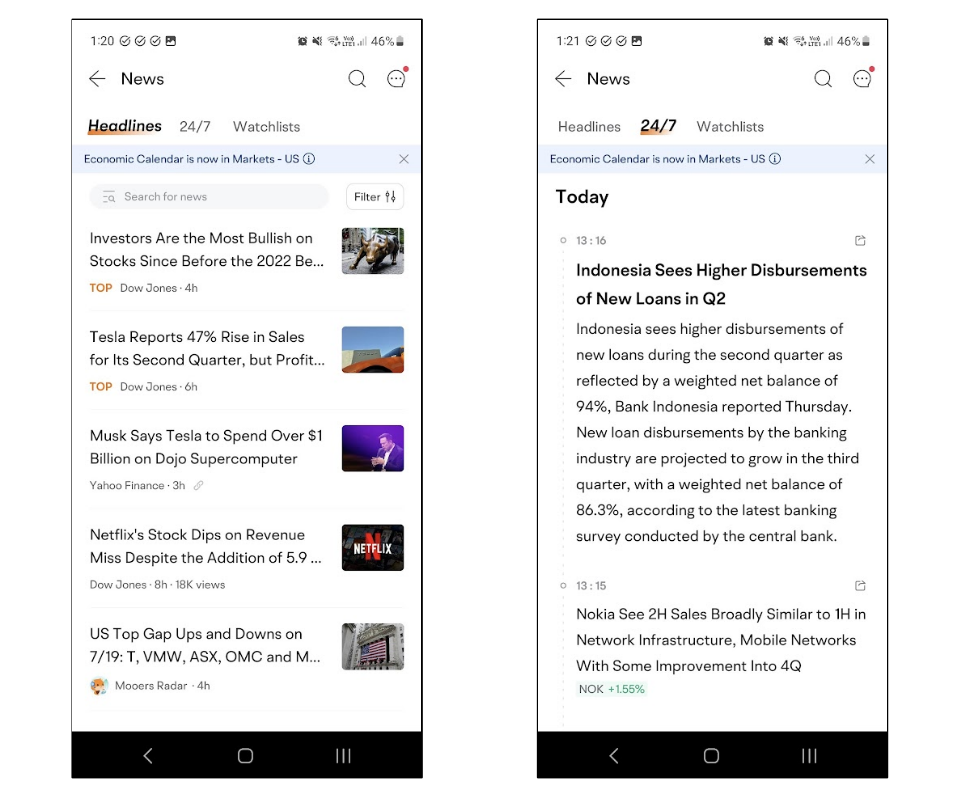
It is also extremely convenient to get the latest financial news in the moomoo app.
Even better, the news is real-time and updated 24/7, making it easy for you to get in touch with the latest updates of the market and the companies that you are investing in.
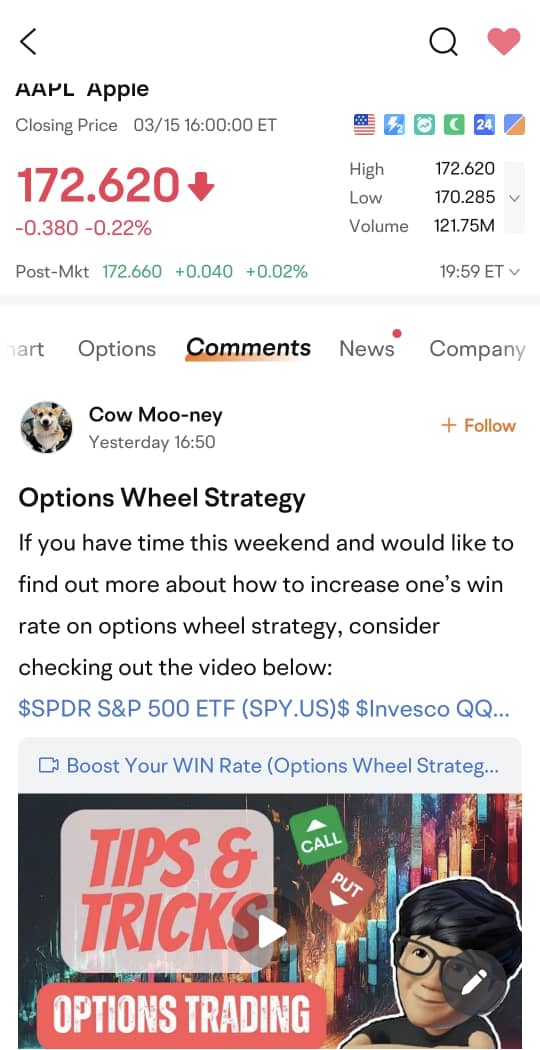
#5 Moo community
Within the moomoo app, you'll find a vibrant Moo community, comprised of global moomoo users sharing their thoughts and insights on the market.
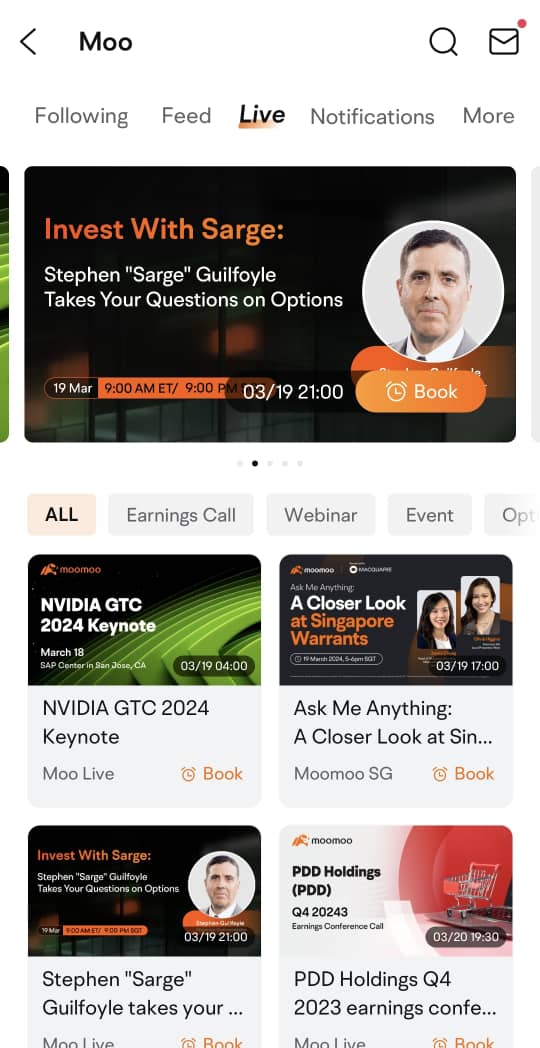
Not to mention various live webinars that allow you to keep up with the most happening events in the market:
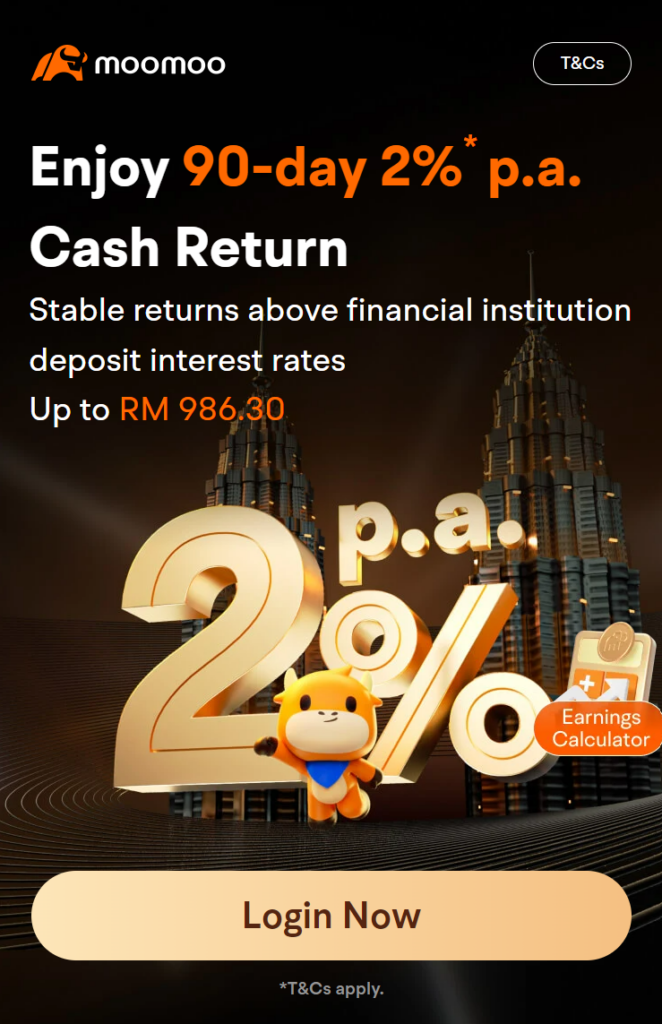
#6 Earn 2% per annum on your cash for 90 days (Enrollment Period: 19/3/2024 - 30/4/2024. T&C applies)
Moomoo MY clients who have opened an account and have assets over or equal to RM6,000 at any point in time during the enrollment period will be eligible to enroll for moomoo's 90-day 2% p.a. Cash Return campaign.
To enroll, open a Moomoo MY universal account HERE, then click HERE to enroll.
Explore many more exciting and useful features that moomoo has to offer!
Aside from the features that I mentioned above, there are MANY more useful gems waiting for you and me to discover on moomoo!
Some other useful features include Market Position Overview, 'Concepts', and Short Sale Analysis, which I covered in my Moomoo MY feature review.
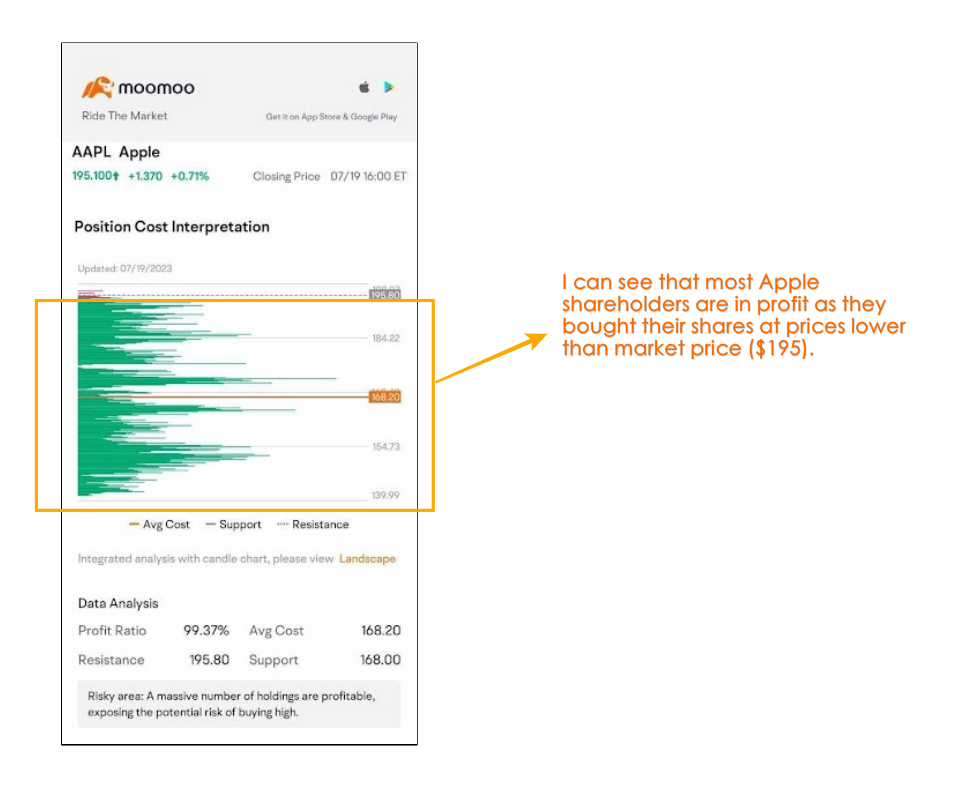
Personally, I am always discovering new features as I explore the moomoo app, and I will update this review as I come across features that I really like!
What I wish could be improved
From my time using the moomoo app, there are a few things that I wish could be improved:
#1 Lack of several important features such as:
- No fractional shares (ie. ability to buy smaller units, a.k.a. fractional share, such as 0.5 units) for the US stock market (for now).
- No FPX instant deposit (for now). Only bank transfer is available for the time being, which makes depositing to my Moomoo MY universal account a tad slower.
- No access to Hong Kong and Singapore stock markets (for now).
#2 Lackluster 'Help section'
As an online stock investing platform, I find the 'Help' section of moomoo's app to be lacking in important information compared to other competitors.
Simply put, I couldn't find answers to many commonly asked questions, such as:
Are there fees to corporate action, such as Dividend Reinvestment Plan (DRIP) and rights issue? What to do if I want to subscribe to corporate action?
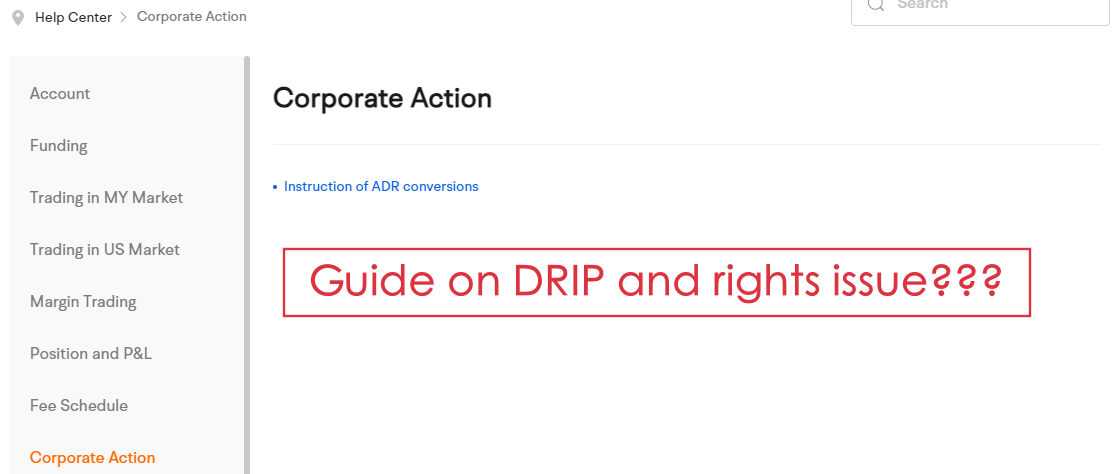
How is Moomoo MY regulated? Who/which bank is the custodian bank that Moomoo MY has appointed to hold customers' funds?
Is Moomoo MY a nominee or direct CDS account for investing in the Malaysia stock market?
Can I apply for an IPO? If yes, how?
Can I apply to join an AGM? If yes, how?
As such, from my time using moomoo, I find myself reaching out to Moomoo MY's customer support for help - which is a mixed-bag experience on its own - more in the next point.
#3 My experience with Moomoo MY's customer support is rather hit-or-miss
Thanks to a half-baked 'Help' section, I spent a fair amount of time reaching out to Moomoo MY's 24/5 customer support for help and clarification.
Moomoo MY offers 3 channels for users to reach out for help, namely: Livechat, Phone support (03-9212 0708), and email ([email protected]).
What I appreciate about Moomoo MY customer support:
- Multiple channels to reach out for help.
- 24-hour support for live chat and phone support on working days.
- Simple questions that require standard answers are addressed quickly.
What I wish could be better with Moomoo MY customer support:
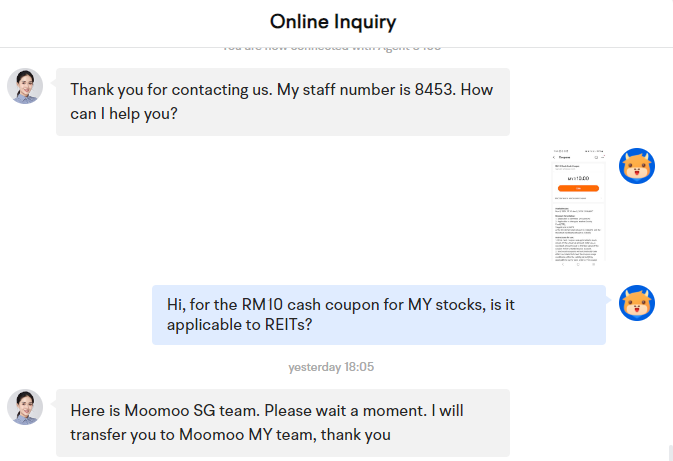
- As an existing Moomoo SG and Moomoo MY user, I am always directed to Moomoo SG chat agent before I am redirected to Moomoo MY support, where I'll need to readdress my questions. I wish Moomoo could streamline the system for both Moomoo MY and Moomoo SG users so it is easier for us to get help.
- I also faced a difficult time trying to get answers to certain questions, such as which exact custody bank/trust is Moomoo MY using to store clients' assets (eg. funds, stocks).
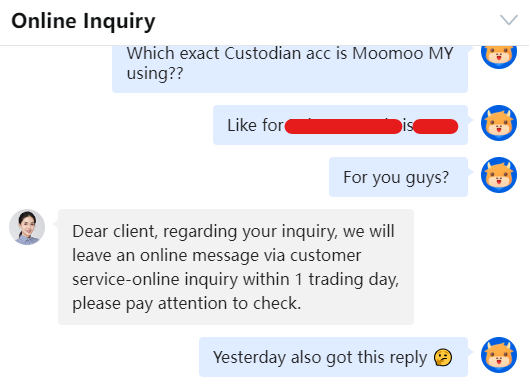
As a whole, as an online investing/trading platform, I wish to see more improvements in Moomoo MY's Help section and customer support, as they are the only way users can seek assistance when they need help.
Regardless, since Moomoo MY is still relatively new to the local market, I shall revisit their Help section and customer support in the coming months and see if there are any improvements.
Verdict: Moomoo MY is providing the best value for money for Malaysia investors
The launch of Moomoo MY in Malaysia has certainly disrupted the brokerage industry with its attractive pricing & fee offering, coupled with a featureful investing platform.
Now, it is even more affordable for Malaysians to get access to the US and Malaysia stock markets thanks to Moomoo MY.
Despite missing a few features and a slightly lackluster customer support (which I think could be improved with time), I think all these are not dealbreakers for me to recommend Malaysians to give Moomoo MY a try.
Step-by-step: How to open a Moomoo MY universal account & make your deposit
Opening a Moomoo MY universal account is one of the smoothest I've experienced among all the other investing platforms I've tried.
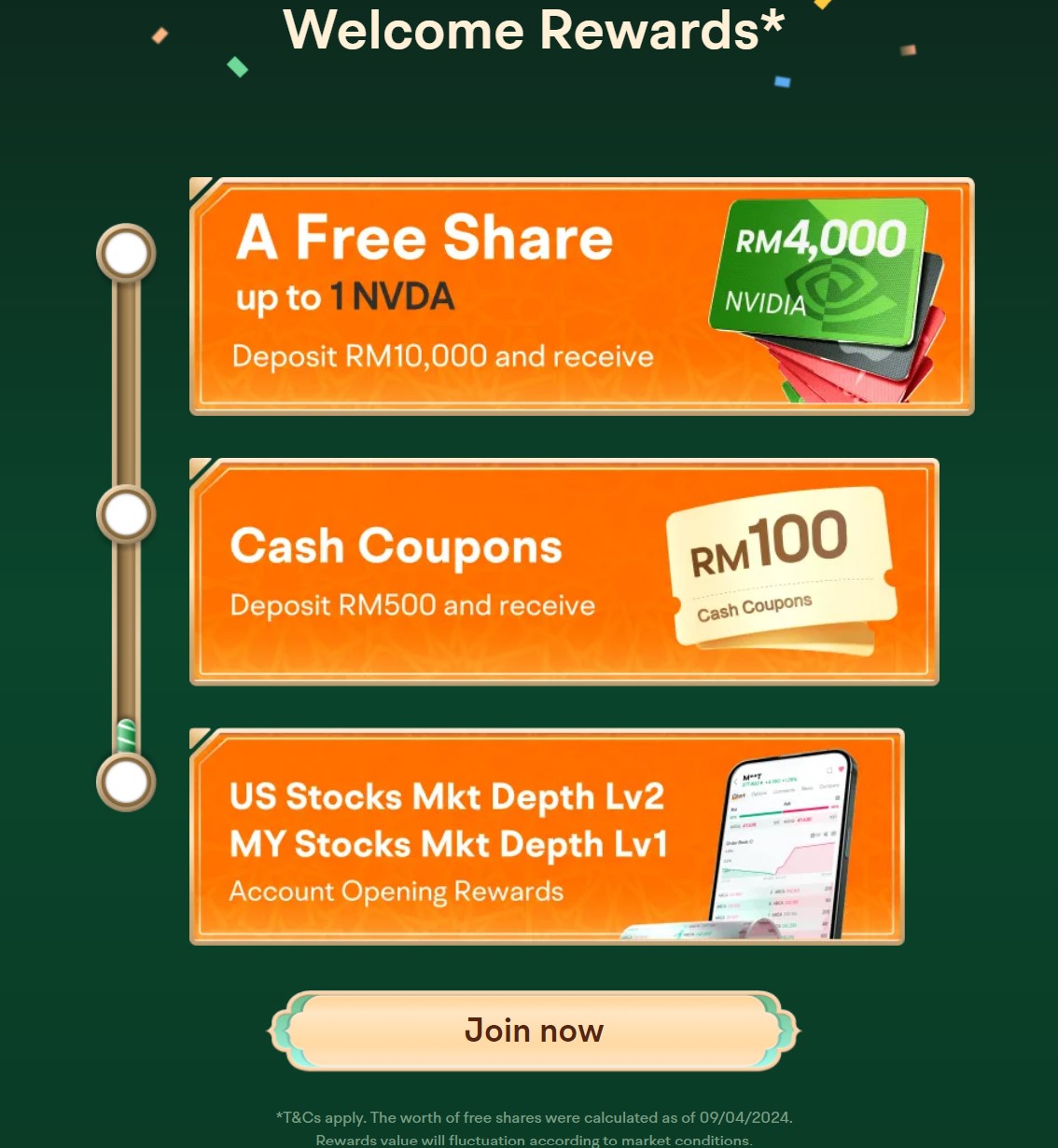
Step 1: Use my referral link HERE to open your Moomoo MY universal account, where you'll get to enjoy various account-opening perks.
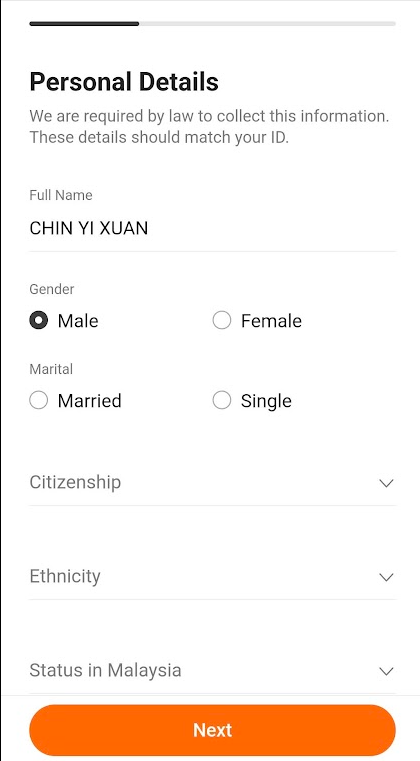
Step 2: Fill in your personal details
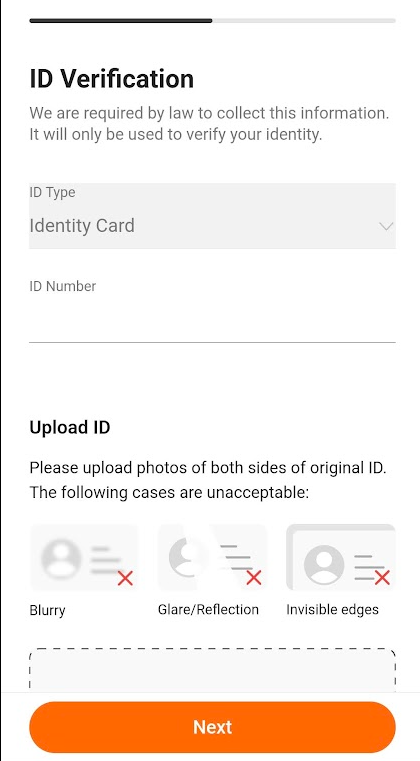
Step 3: Verify your identity through your IC
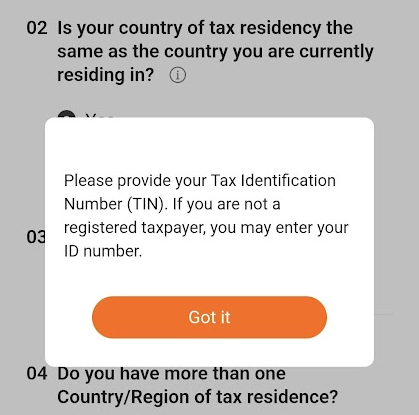
Step 4: Provide your tax information, including your Tax Identification Number (TIN) (ie. LHDN number).
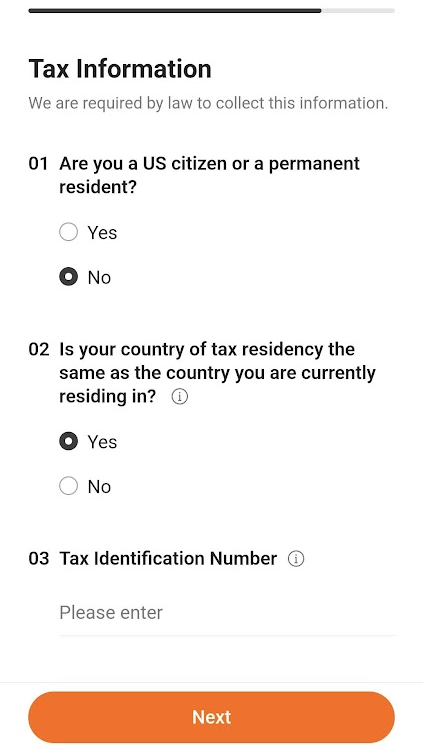
Alternatively, if you do not have a TIN number (eg. you are a student), you can enter your IC accordingly.
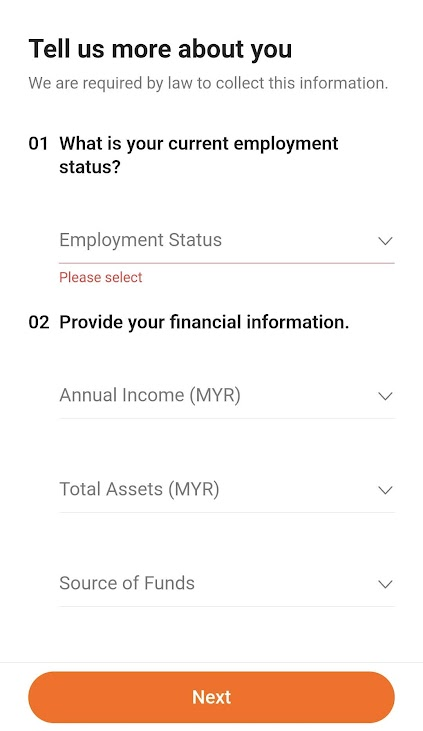
Step 5: Enter your employment details and financial information:
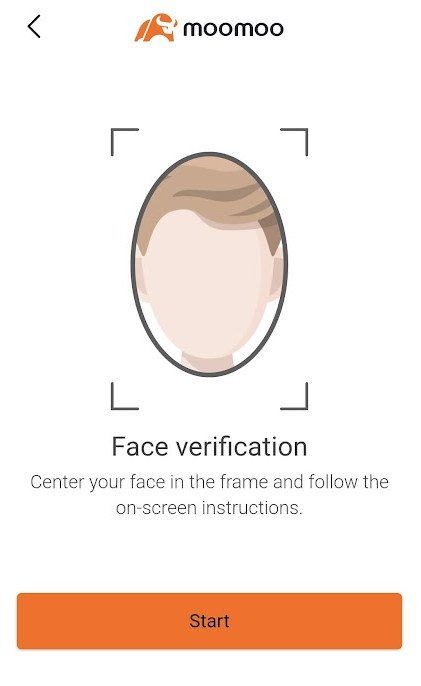
Step 6: You'll be required to scan your face for verification purposes.
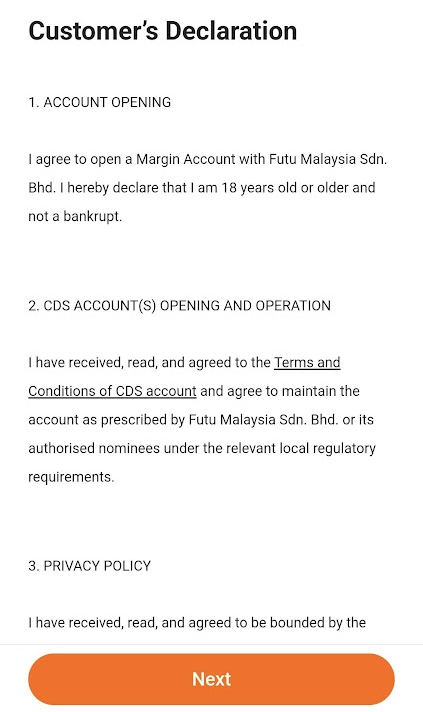
Step 7: Read through the Customer's Declaration and proceed should there be no issue
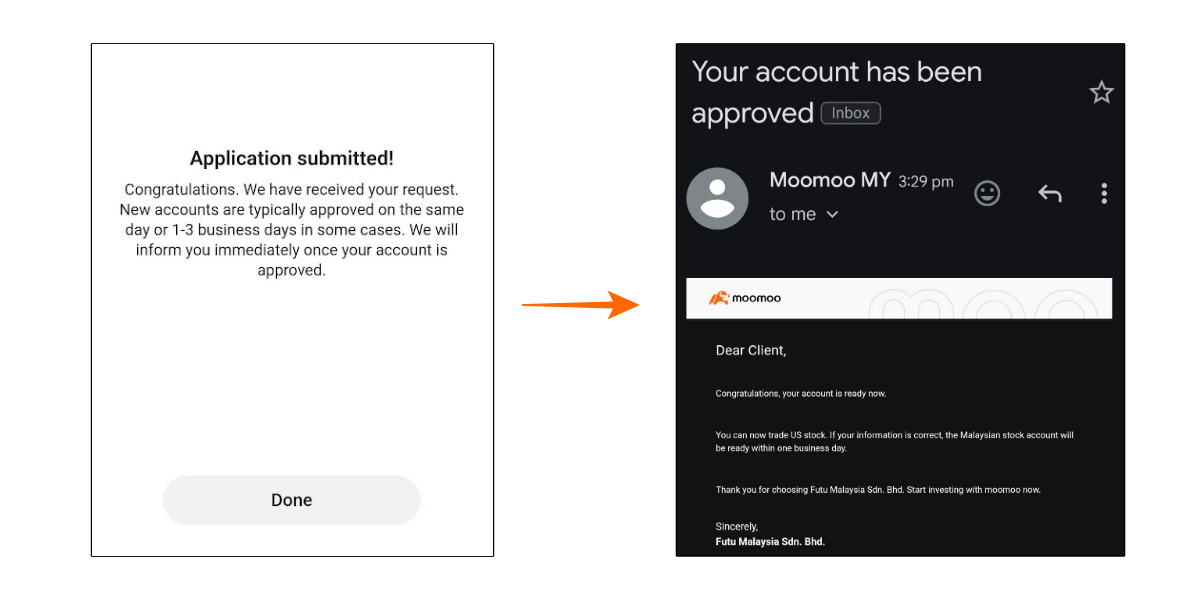
Step 8: If the application goes smoothly, your account should be approved within 1 - 3 business days. At the same time, you'll also receive an email once your account is approved.
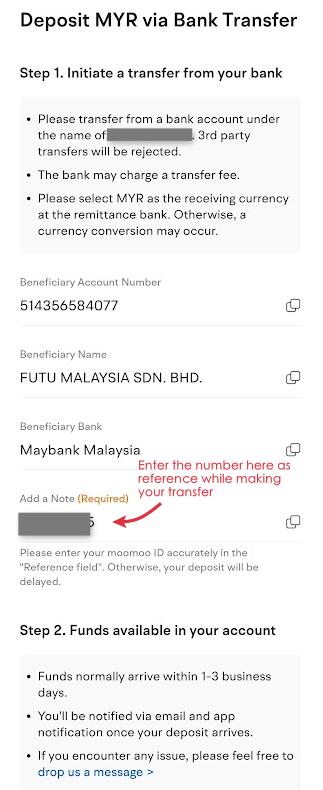
Step 9: Head over to 'Account' > 'More' > 'Deposit' to get instructions on how to make your deposit.
Essentially, the deposit process is through bank transfer, simply log in to your bank account and make the transfer to the Moomoo MY bank details as shown to you.
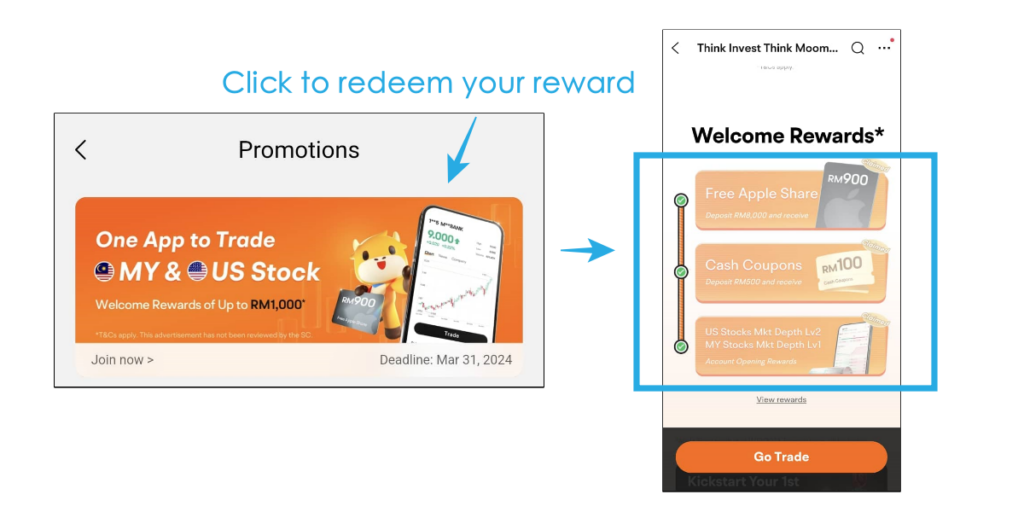
[Reminder] Remember to claim your account-opening perks! (Under 'Me' > 'Promotion' > Click to redeem your account opening and deposit reward)
Moomoo MY FAQ (Answers extracted directly from customer support)
Ques: Can I attend AGM for the MY and US stocks that I invest in?
Answer: AGM for US stocks: Moomoo MY does not currently support US Shareholders Meeting
AGM for MY stocks: If you want to attend the MY Shareholders Meeting, kindly drop Moomoo MY an email at least 10 business days before the Shareholders Meeting date at [email protected], the email needs to include: 1. A description of the content: Live voting or E-voting. 2. Your Name, Moomoo ID, Contact Number, and Stock code for the meeting. 3. The address of current status quo residence. (in English) Upon receiving your email, Moomoo MY will reply to you with any details.
Ques: I am an existing Moomoo SG user, can I still use my Moomoo SG universal account after opening my Moomoo MY universal account?
Answer: Moomoo MY and Moomoo SG are two different independent brokerage, will not affect each others
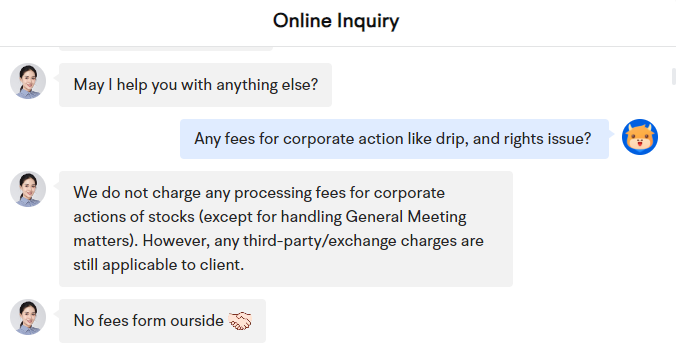
Ques: Any fees for corporate actions like DRIP, and rights issue?
Answer: Moomoo MY does not charge any processing fees for corporate actions of stocks (except for handling General Meeting matters). However, any third-party/exchange charges are still applicable to client.
Ques: Is Moomoo MY a nominee or direct CDS account for investing in Malaysia stocks?
Answer: Nominee CDS account
Disclaimers:
All views expressed are the independent opinions of myself, which are not shared by Futu Malaysia Sdn. Bhd. ("Moomoo MY"). No content shall be considered financial advice or recommendation. Moomoo MY links are included in this post, through which referrals are made and I may receive certain commissions. Please contact Moomoo MY for more information.

[Sponsored] Introduction: Dividend Reinvestment Plan (DRP/DRIP) & Example Calculation
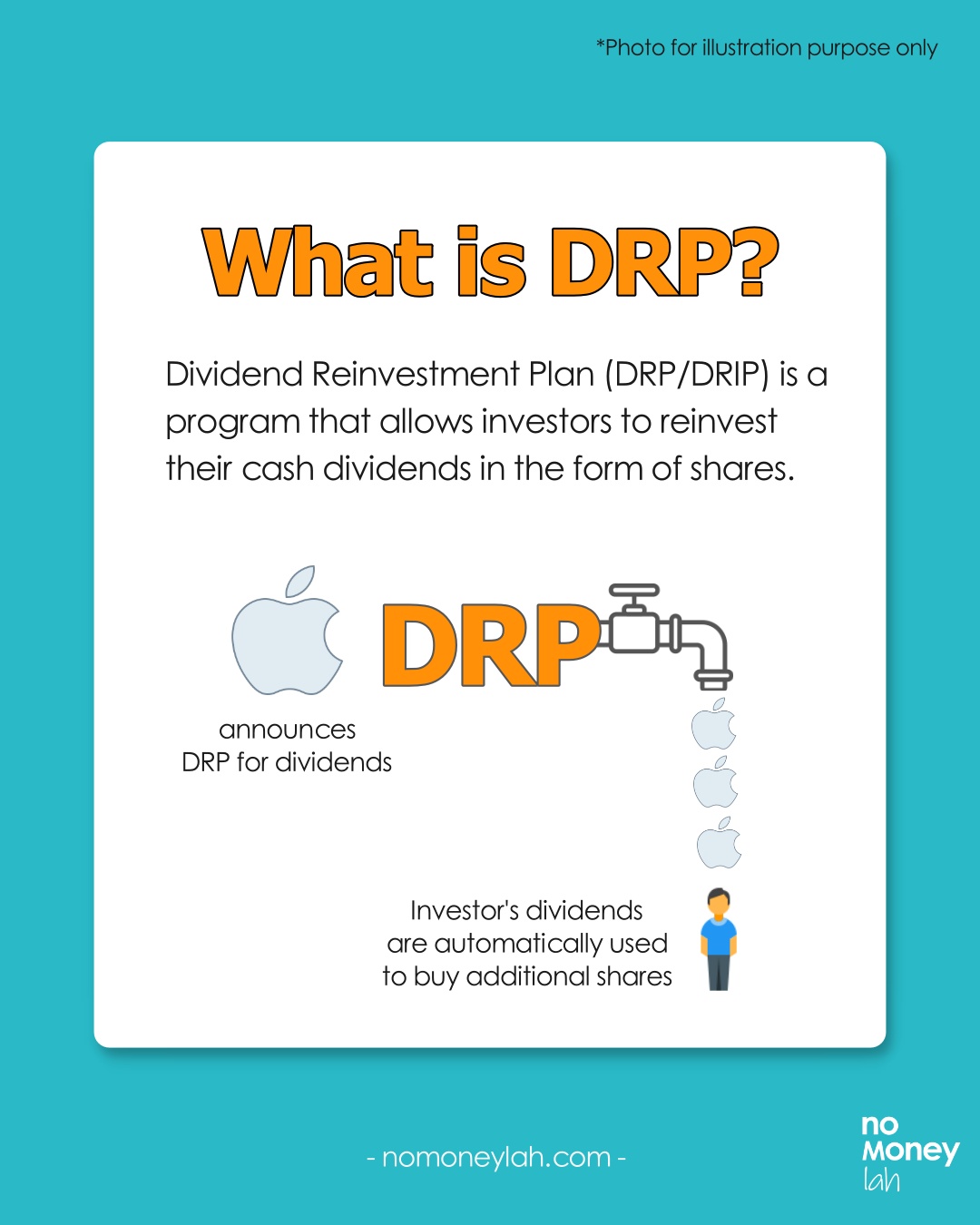
Dividend Reinvestment Plan (DRP/DRIP) is a programme that allows investors to reinvest their cash dividends in the form of shares.
For investors, DRP is a convenient way to automate the compounding process of their investments, without having to manually reinvest their dividends every time they are paid out.
In this post, we’ll dive deep into DRP, its benefits and downsides, how to use DRP efficiently – and more!
RELATED POSTS:
- All you need to know about dividend withholding tax!
- Freedom Fund: My dividend income portfolio!
- My monthly dividend income update
p
What is DRP + Why DRP?
DRP is a programme that certain companies will open for their investors when a dividend is announced.
Instead of paying investors in cash dividends, a DRP reinvests investors’ dividends by purchasing additional shares of the company.
Through DRP, investors are able to compound their dividend returns over time by turning them into additional shares. In return, these shares will then pay out more dividends to them.
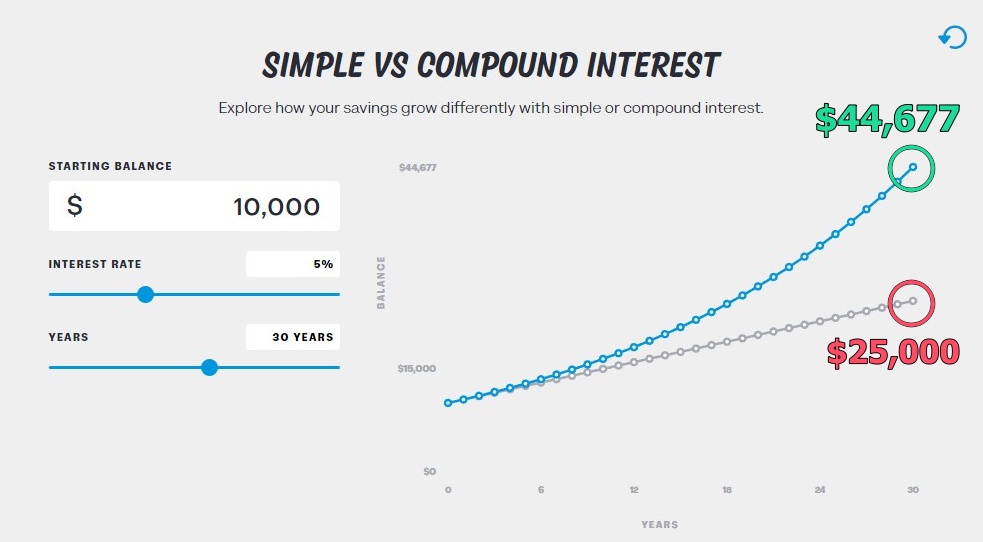
If an investor merely receives dividends without reinvesting them, there’ll be a huge difference in return in the long run. Consider a simple comparison below:
- Context: $10,000 investment with a 5% annual dividend over a period of 30 years.
- Simple return: Dividends are not reinvested. Turns into $25,000 in 30 years.
- Compounded return: Dividends are reinvested. Turns into $44,677 in 30 years.
Another huge benefit of DRP is that it automates the dividend reinvesting process. As a result, it lifts the manual effort away from investors and leaves the compounding process uninterrupted.
How to calculate DRP
As an example, if you own 1,000 shares of Company X and it announces a DRP for its upcoming dividend payout.
For this example, the DRP details are as follows:
- Distribution Per Unit (DPU): $0.20
- DRP units issue price*: $11.00
[*Issue price: It is common to see companies offer DRP units at a discounted price from the market price to entice investors to join the programme.]
Without DRP, you would receive $200 in cash dividends (1,000 shares x $0.20). What happens if you enroll in DRP?
- Step 1: If you choose to enroll in DRP, you will receive 18 additional shares at $11.00 share price (18 x $11 = $198). This increases your total holdings to 1,018 (1,000 + 18) shares in Company X.
- Step 2: Now, recall that your initial cash dividend is $200 and only $198 was used for the additional shares. What will happen to the remaining $2?
- Step 3: Since the remaining $2 is unable to purchase a whole unit of share ($11), it will (usually) be paid to investors in the form of cash dividends. That said, certain brokers may allow for fractional shares in DRP (ie. Shares smaller than 1 unit), which will convert your $2 dividend into 0.18 units of shares.
DRP Calculation Examples
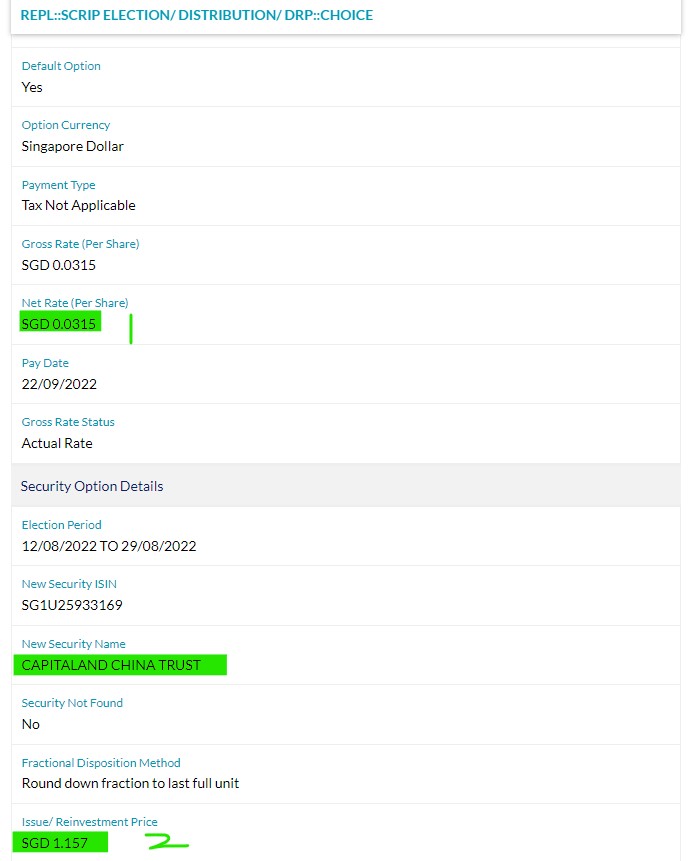
#1 CapitaLand China Trust (SGX: AU8U) Dividend Reinvestment Plan
AU8U is a Singapore-listed REIT that offers investors exposure to retail properties in China (eg. malls). Here's how we can make our DRP calculation from the announcement below:
| (1) Distribution per unit (DPU) | SGD 0.0315 |
| (2) DRP issue price | SGD 1.157 |
- Step 1: Calculate the dividends that we are going to receive without DRP. In this case, we'll be receiving SGD 15.75 in dividend payment.
500 units x SGD 0.0315 = SGD 15.75
- Step 2: Find out how many DRP units we are eligible for. Divide the dividend payment by DRP issue price and we are eligible for 13.6 units of shares.
SGD 15.75/ SGD 1.157 = 13.6 units
- Step 3: Since AU8U does not have shares in units less than 1, we are eligible for a maximum of 13 units of shares from this DRP (instead of 13.6 units).
- Step 4: If we opt for the maximum of 13 units for this DRP, any dividends that are not reinvested will be paid to us in the form of cash dividends. In this case, we will be getting SGD0.019 in cash dividends.
0.6 units x SGD 0.0315 = SGD 0.019
#2 Maybank (KLSE: 1155) Dividend Reinvestment Plan
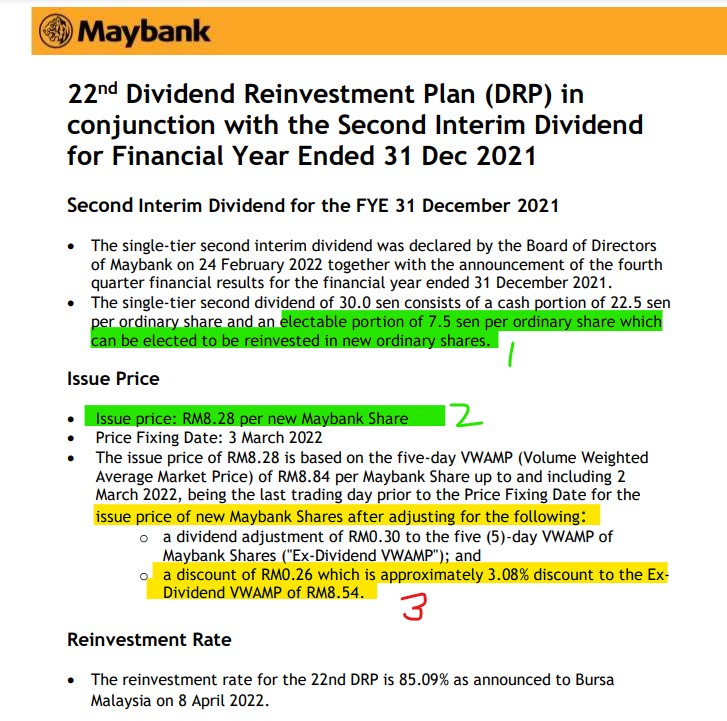
Maybank is the largest Malaysia-listed bank. Here's how we can make our DRP calculation from the announcement below:
| Distribution per unit (DPU) | RM0.30 |
| (1) DPU that is eligible for DRP | RM0.075 |
| (2) DRP issue price | RM8.28 |
- Step 1: Using the portion of DPU that is eligible for DRP (RM0.075/unit), calculate the dividends that we are going to receive from that portion. In this case, we'll be receiving RM37.50 in dividend payment.
500 units x RM0.075 = RM37.50
- Step 2: Find out how many DRP units we are eligible for. Divide the dividend payment by the DRP issue price and we are eligible for 4.53 units of shares.
RM37.50/RM8.28 = 4.53 units
- Step 3: Since Maybank does not have shares in units less than 1, we are eligible for a maximum of 4 units of shares from this DRP (instead of 4.53 units).
When should you consider DRP + How to opt for DRP
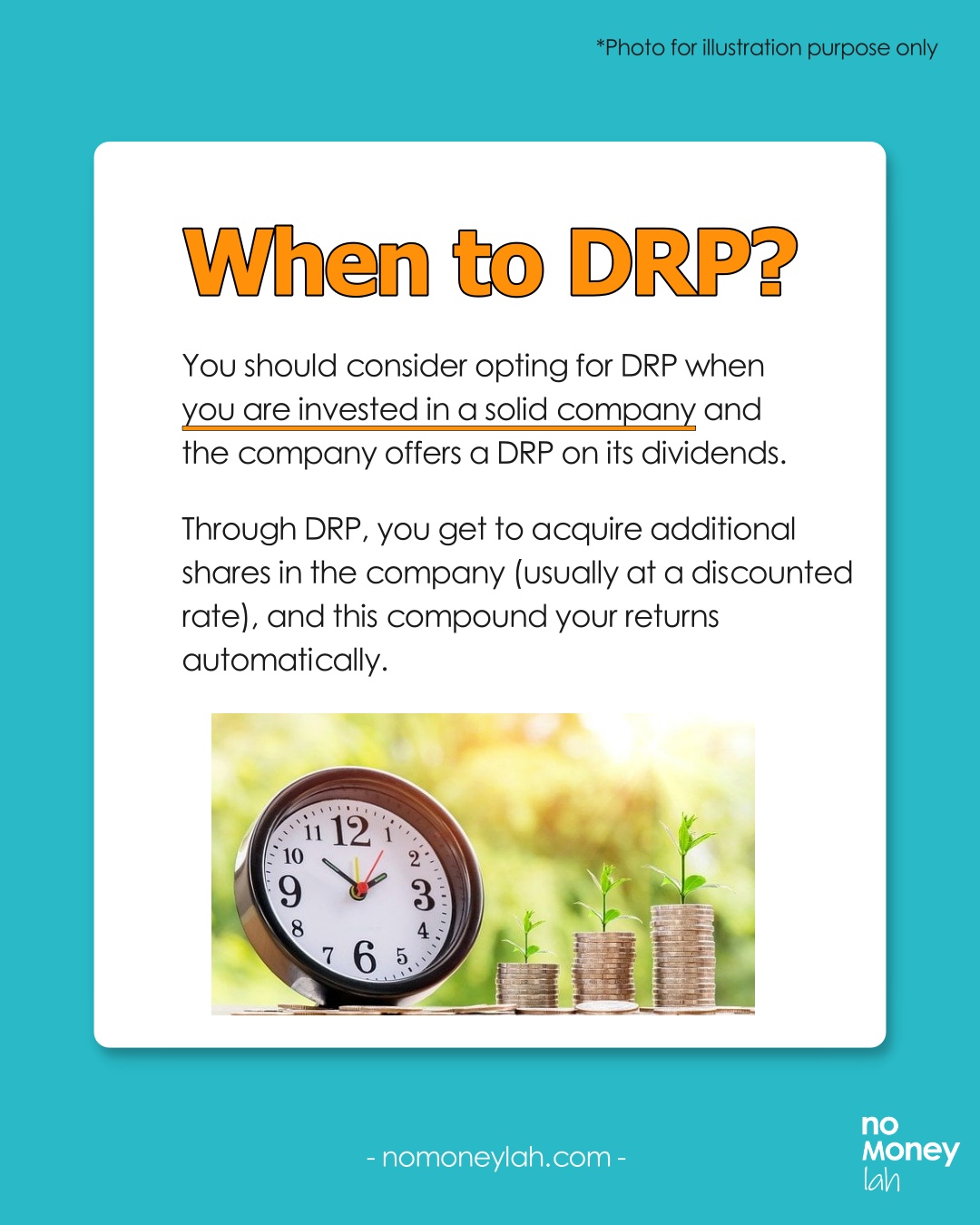
You should consider opting for DRP when you are invested in a solid company and the company offers a DRP on its dividends.
Through DRP, you get to acquire additional shares in the company (most of the time, at a discounted rate), and this compounds your returns automatically.
Normally, you will be notified by your broker whenever you are eligible for a DRP after a dividend is announced. If you are eligible for a DRP, just proceed to log in to your brokerage account and agree to the DRP accordingly.
Benefits of DRP
- DRP allows you to automatically reinvest your dividends in the form of additional shares without interrupting the compounding process.
- Usually, companies will offer DRP units at a discounted price compared to the share price. This allows investors to acquire shares at a lower price than the market price.
- Moreover, when companies offer a DRP, investors usually do not have to pay additional brokerage fees/commissions to acquire the DRP units. As such, the cost of owning these additional units becomes lower.
Downsides of DRP
While there are many benefits to DRP, it is not all perfect and may not suit certain investors. Here are a few downsides to DRP:
#1 Fractional shares can be hard to sell
Investors that opt for DRP may, at times, end up with additional fractional shares. Fractional shares are units of shares that are not commonly transacted. (eg. 7 shares where the shares are transacted in 100-unit lots).
For certain stocks (especially ones with low volume), fractional shares may be harder to sell.
#2 No control over price & timing of DRP purchase
Since the terms of a DRP are decided by companies, investors do not have a say on the price and the timing of when a DRP purchase will happen.
No Money Lah Verdict
So there you have it! I hope this guide has been helpful in making DRP easy to understand!
For most investors, DRP is an amazing tool to automate the compounding process of their investments.
If you have any questions on DRP, feel free to leave your questions in the comment section under this post!
FAQ on DRP:
Q1: How can I enroll in a DRP?
When a company that you invest in announces a DRP, you will normally be notified by your broker. To enroll in the DRP, just log in to your brokerage account and there should be a corporate action section for you to enroll in it.
Q2: Is enrolling in DRP compulsory?
No, it is not compulsory for investors to enroll in a DRP. If you do not wish to reinvest your dividends into the company via DRP, you can choose to receive your dividends in cash.
Q3: Is DRP subjected to Dividend Withholding Tax (WHT)?
Yes, DRP is subjected to Dividend Withholding Tax, just like ordinary cash dividends.
LEARN MORE: What is dividend withholding tax (WHT) and how to deal with it?
Q4: Are there any fees to enroll for DRP?
If a company offers DRP, there is usually no extra cost for investors to enroll for the DRP. This means there'll be no commissions and exchange fees involved.
Looking for a reliable global broker? ProsperUs has you covered!
This educational post is sponsored by ProsperUs by CGS-CIMB.
ProsperUs by CGS-CIMB is a regulated broker from Singapore that gives investors access to 30+ exchanges in more than 8 countries. (US, Hong Kong, China, Japan, UK, Singapore, Malaysia, Europe, and more!)
Now that you've learned about dividend withholding tax, you have the choice to invest in countries with a more efficient tax rule via ProsperUs!
In addition, ProsperUs offers multiple instruments from stocks, ETFs, futures, options, Forex, and CFDs. This is great for investors looking to diversify across different asset classes.
Exclusive ProsperUs Referral Code – MONEY20
If you are thinking to give ProsperUs a try, here’s something exclusive to No Money Lah readers – you will not find this anywhere else!
From today till 30/6/2024, key in my exclusive promo code ‘MONEY20’ while you register, and get FREE cash credits up to SGD100 when you open a ProsperUs account:
p
| Tier | Initial funding within 30 days of account set up | Trades Executed | Cash Credits |
|---|---|---|---|
| 1 | Minimum SGD500 – SGD2,999 | Minimum 3 trades executed | SGD10 |
| 2 | Minimum SGD3,000 – SGD14,999 | Minimum 3 trades executed | SGD20 (Deposit SGD3000 or more), OR SGD20 + SGD30 (Deposit SGD3000 or more + Min. trades fulfilled) |
| 3 | SGD15,000 or more | Minimum 3 trades executed | SGD20 (Deposit SGD3000 or more), OR SGD20 + SGD100 (Deposit SGD15,000 or more + Min. trades fulfilled) |
Click HERE to view the full T&C of this referral reward.
Open a ProsperUs Account Today!
Disclaimers
This article is brought to you in collaboration with ProsperUs by CGS-CIMB.
Any of the information above is produced with my own best effort and research.
This post is produced purely for sharing purposes and should not be taken as a buy/sell recommendation. Past return is not indicative of future performance. Please seek advice from a licensed financial planner before making any financial decisions.
This post may contain promo code(s) that afford No Money Lah a small amount of commission (and help support the blog) should you sign up through my referral link.
Guide to invest in Singapore REIT (S-REIT) – All You Need to Know!
If you are investing for consistent dividend income, Singapore REITs (S-REITs) offer an investment option that you should not miss.
In this post, let’s explore S-REITs, and why it is such a great choice, especially for investors looking to build a stable dividend income portfolio!
RELATED POSTS:
- How to build your first $1,000/month passive income with REITs
- In-depth investing guide: S-REIT ETFs
- Introduction to Real Estate Investment Trusts (REITs)
- 5 things I look for when I invest in REITs
p
What is S-REIT?
Singapore Real Estate Investment Trusts (S-REITs) are listed companies in Singapore that own and/or manage local and global properties such as malls, hotels, warehouses, data centres, and more.
Through rental income from these properties, S-REITs generate yield for investors looking for consistent dividend income.
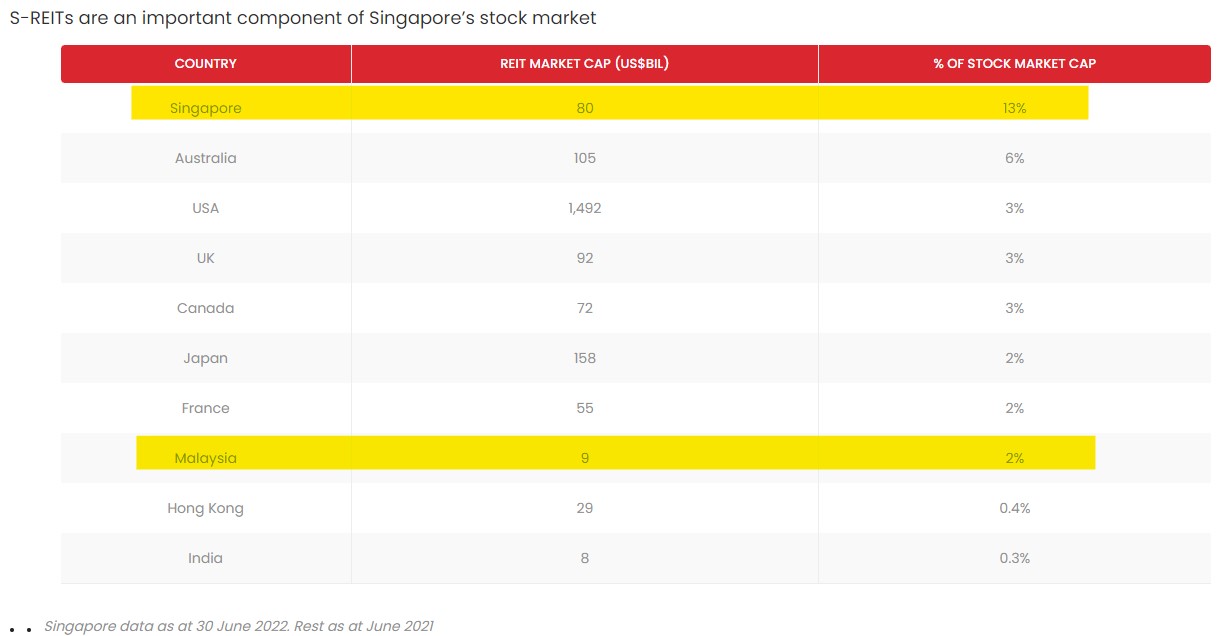
S-REITs are an important part of the Singapore stock market. With 43 listed REITs and a total market cap of around S$110 billion, S-REITs make up around 13% of the whole Singapore stock exchange.
Effectively, this makes the REIT industry in Singapore the largest REIT market in Asia (excluding Japan) and is increasingly becoming an international REIT hub.
4 reasons why I invest in S-REITs
#1 Earn attractive dividend yield at low volatility
Generally, one of the main reasons why S-REITs are favoured by investors is due to its higher-than-average dividend yield.
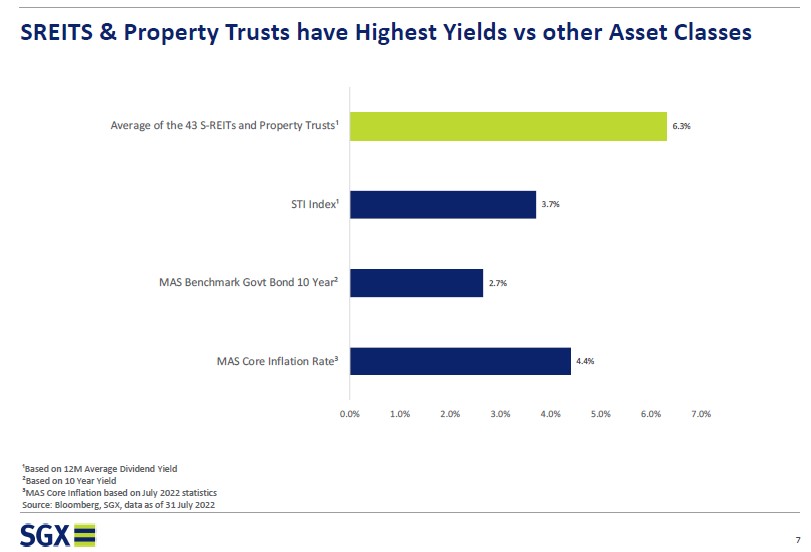
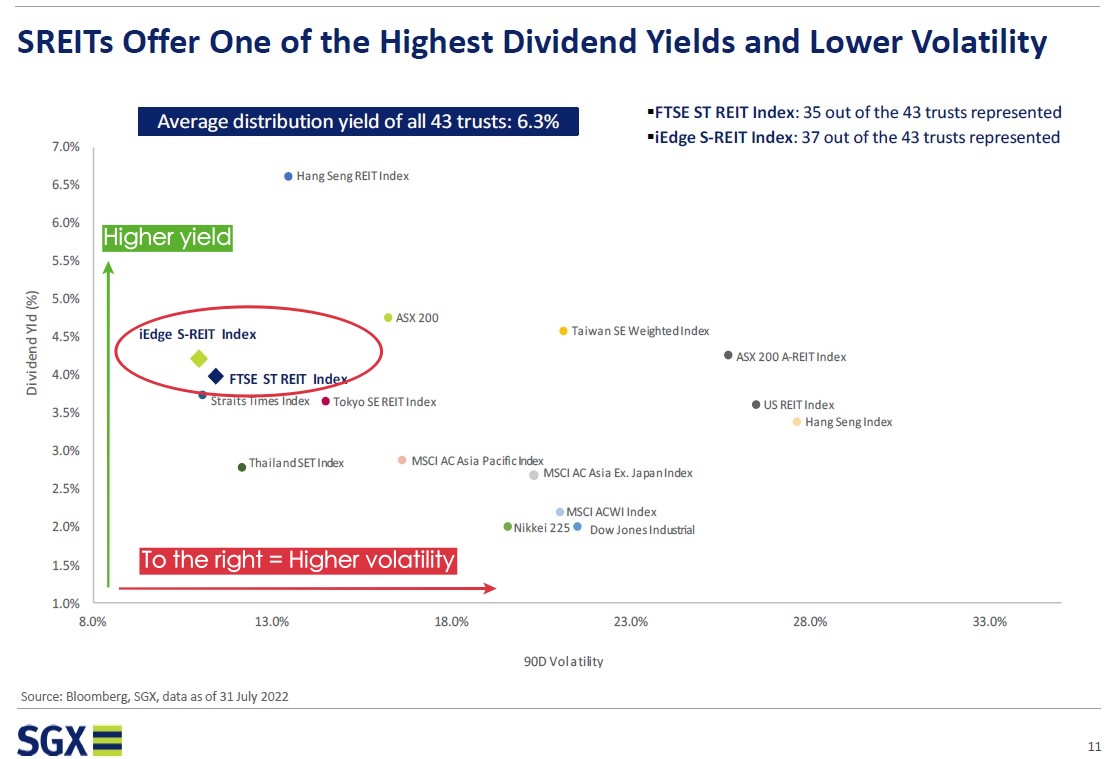
Based on the latest 12-month yield (as of July 2022), S-REITs generate an average dividend yield of 6.3% – which is higher than Singapore’s key Straits Times Index (STI) and government bond respectively.
In addition, investors are able to enjoy these attractive dividend yields at relatively low volatility.
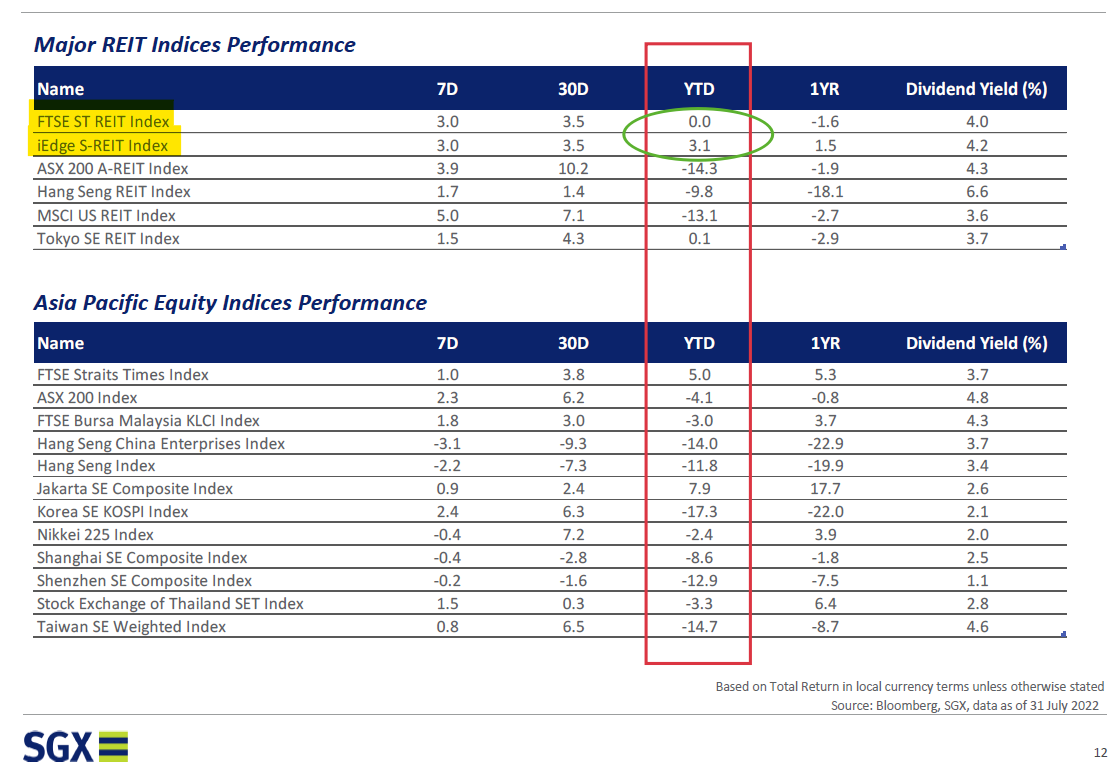
When compared to major global markets, both S-REIT indices (which represent the performance of S-REITs) have been able to produce competitive yield at significantly lower volatility:
#2 Grow your passive income in SGD
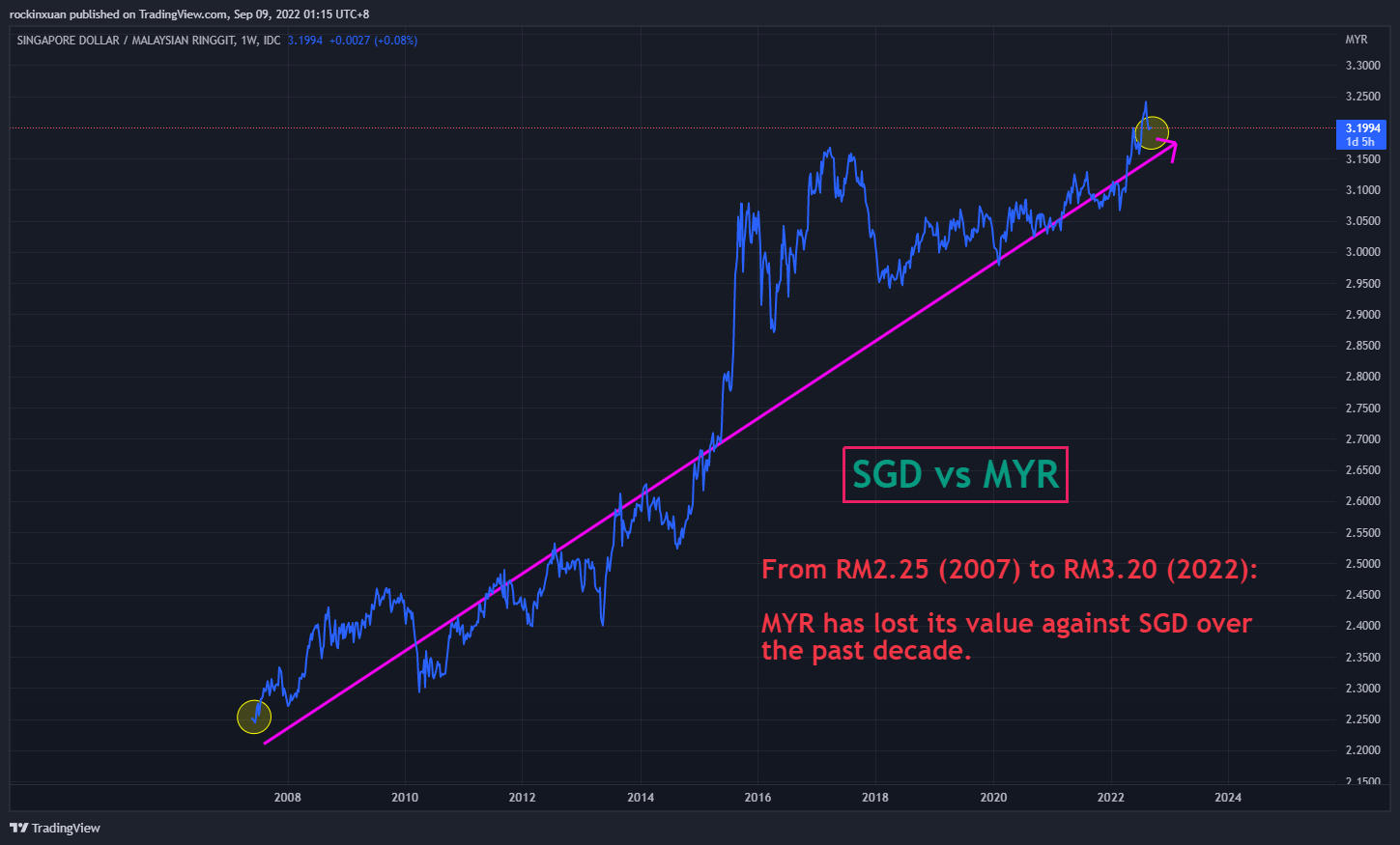
Investing in S-REITs is also a great way for investors to grow a dividend income stream in SGD.
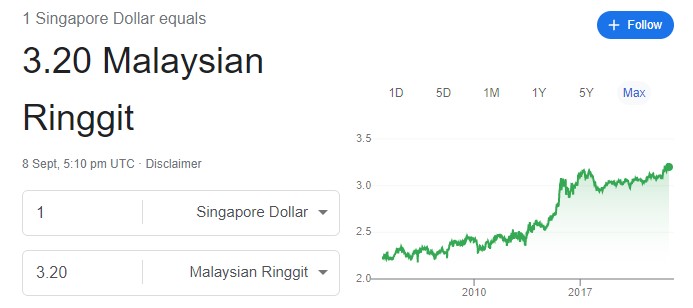
From RM2.25 to RM3.20, MYR has lost value against the SGD in the past decade. As such, investing in S-REITs can be an attractive move, especially for dividend investors looking to protect themselves against a weakening currency.
#3 Competitive overall growth
In addition to dividend yield, S-REITs have been producing a decent long-term total return relative to other REIT markets globally.
From the comparison below, the FTSE ST REIT Index (which reflects the average performance of S-REITs) delivered a 5-year total return of 69% (2017 – 2021). This means it outperformed key REIT markets from Australia (ASX), Japan (TSE), and the US.
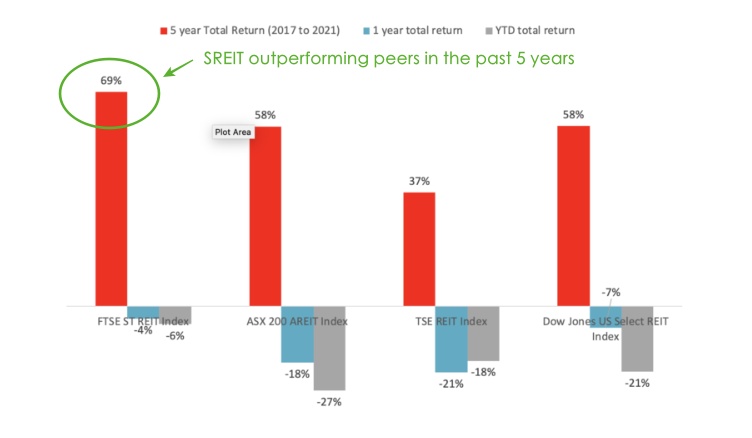
In a challenging 2022, S-REITs continued to display low volatility compared to other markets:
#4 Global exposure to quality real estate & sector diversification
The S-REIT market also allows investors to have a very respectable exposure to the global real estate scene.
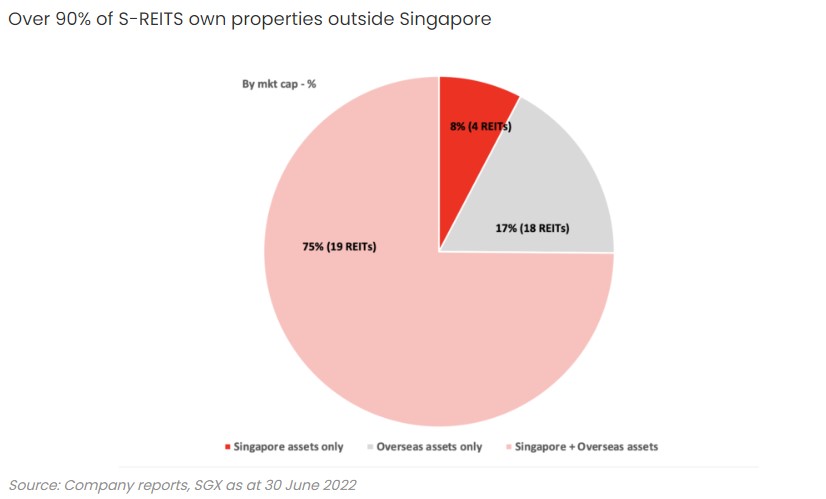
To be precise, over 85% of S-REITs own and/or manage properties outside Singapore.
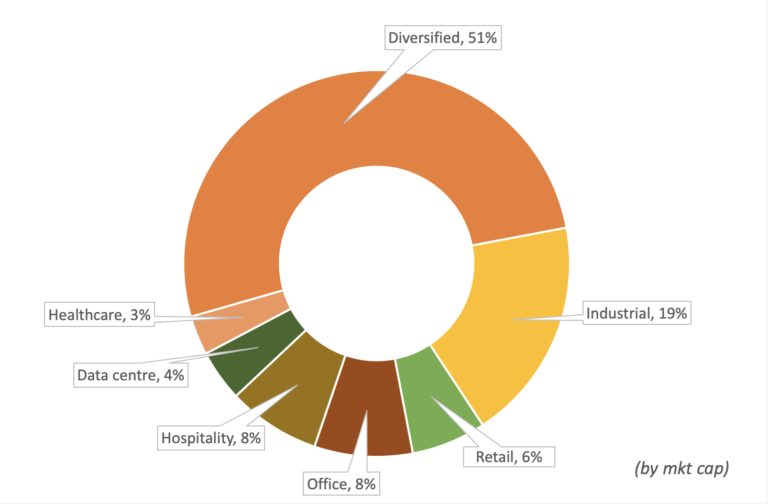
In addition, within the S-REIT industry itself, there are REITs that focus on various business sectors. As an example:
- Retail REITs: Mapletree Pan-Asia Commercial Trust (SGX: N2IU) owns Vivocity, the biggest mall in Singapore; CapitaLand China Trust (SGX: AU8U) mainly owns malls in Tier 1 cities in China (eg. Beijing).
- Specialized REITs: Keppel DC REIT (SGX: AJBU) owns data centers around the globe.
- Office REITs: Manulife US Trust (SGX: BT0U) owns office buildings in the US.
- Industrial REITs: Ascendas REIT (SGX: A17U) owns logistics and industrial properties in Singapore, UK, Australia, and more.
- Aside from that, there are also Healthcare, Hospitality, Residential and Diversified REITs as well. For more details on different S-REITs, click HERE.
All in all, as an international REIT hub, S-REITs allow investors exposure to quality global real estate, with the option to diversify their REIT investments across different sectors – neat!
READ MORE: 6 different REITs and their pros & cons
How to invest + Best performing S-REITs & S-REIT ETFs
There are 2 main ways you can invest in S-REITs:
Method 1: Invest in individual S-REITs
The first way to invest in S-REITs is by investing directly in individual S-REITs listed on the Singapore stock exchange (SGX).
Below are the best-performing S-REITs based on the 3-year annualized total return for your reference (Source: SGX, as of August 2022):
-
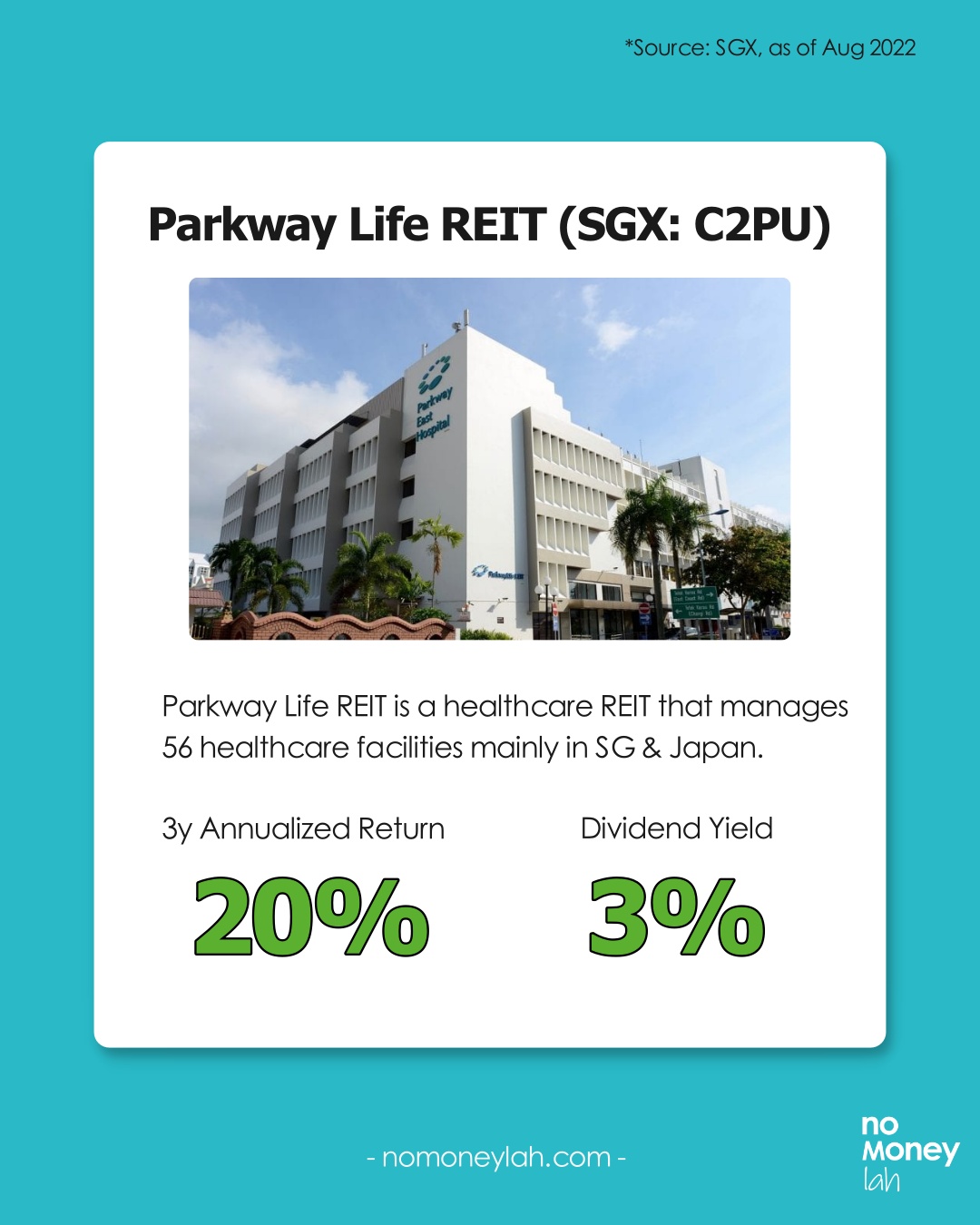
Parkway Life REIT (SGX: C2PU)
-
- 3y Annualized Return: 20%
- Dividend Yield: 3.0%
- Parkway Life REIT is a healthcare S-REIT that owns & manages 56 healthcare facilities (eg. hospitals & nursing homes) mainly in Singapore & Japan.
-
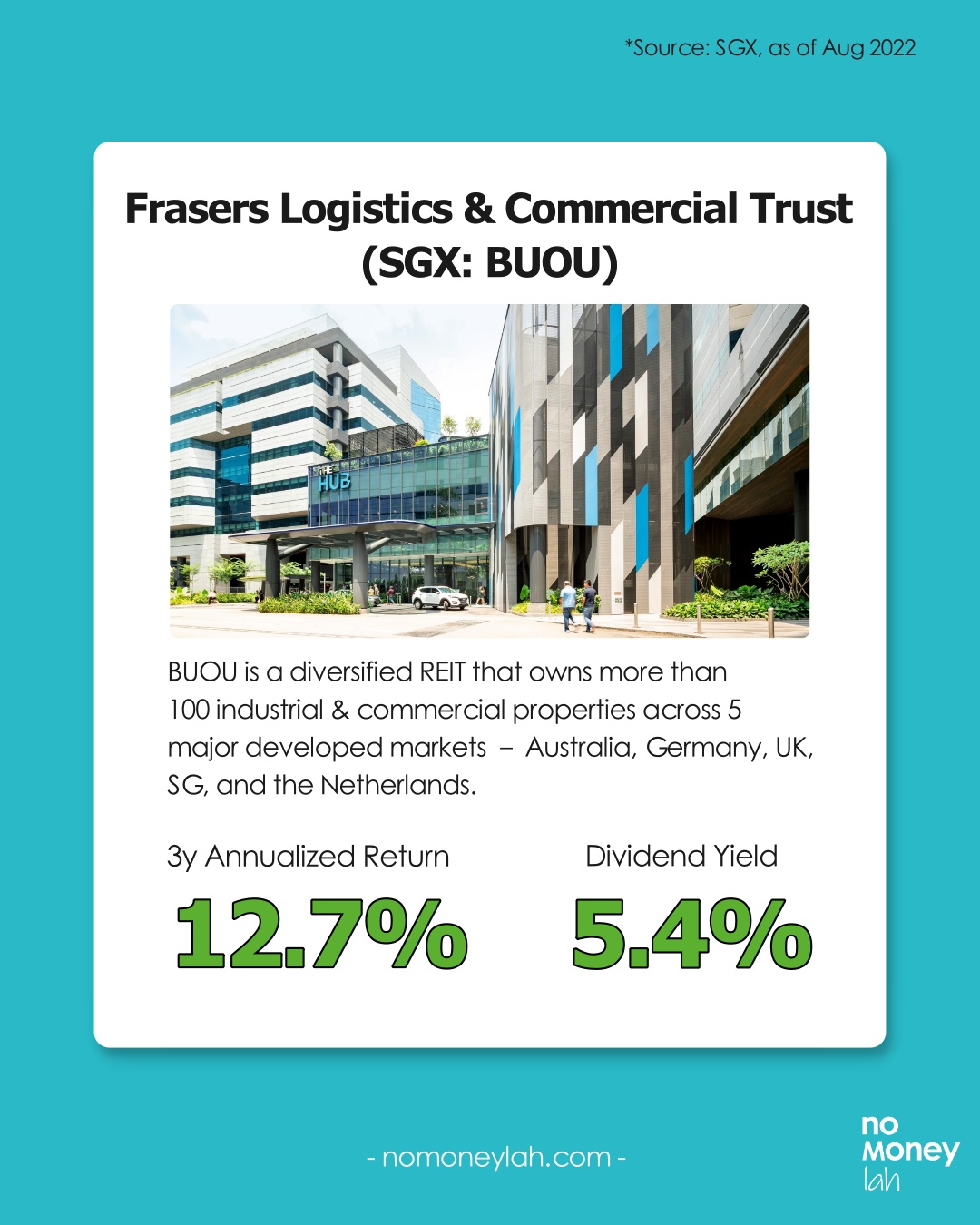
Frasers Logistics & Commercial Trust (SGX: BUOU)
- 3y Annualized Return: 12.7%
- Dividend Yield: 5.4%
- Frasers Logistics & Commercial Trust is a diversified S-REIT that owns more than 100 industrial & commercial properties (e.g. Warehouses, factories, offices) across five major developed markets – Australia, Germany, the United Kingdom, Singapore, and the Netherlands.
-
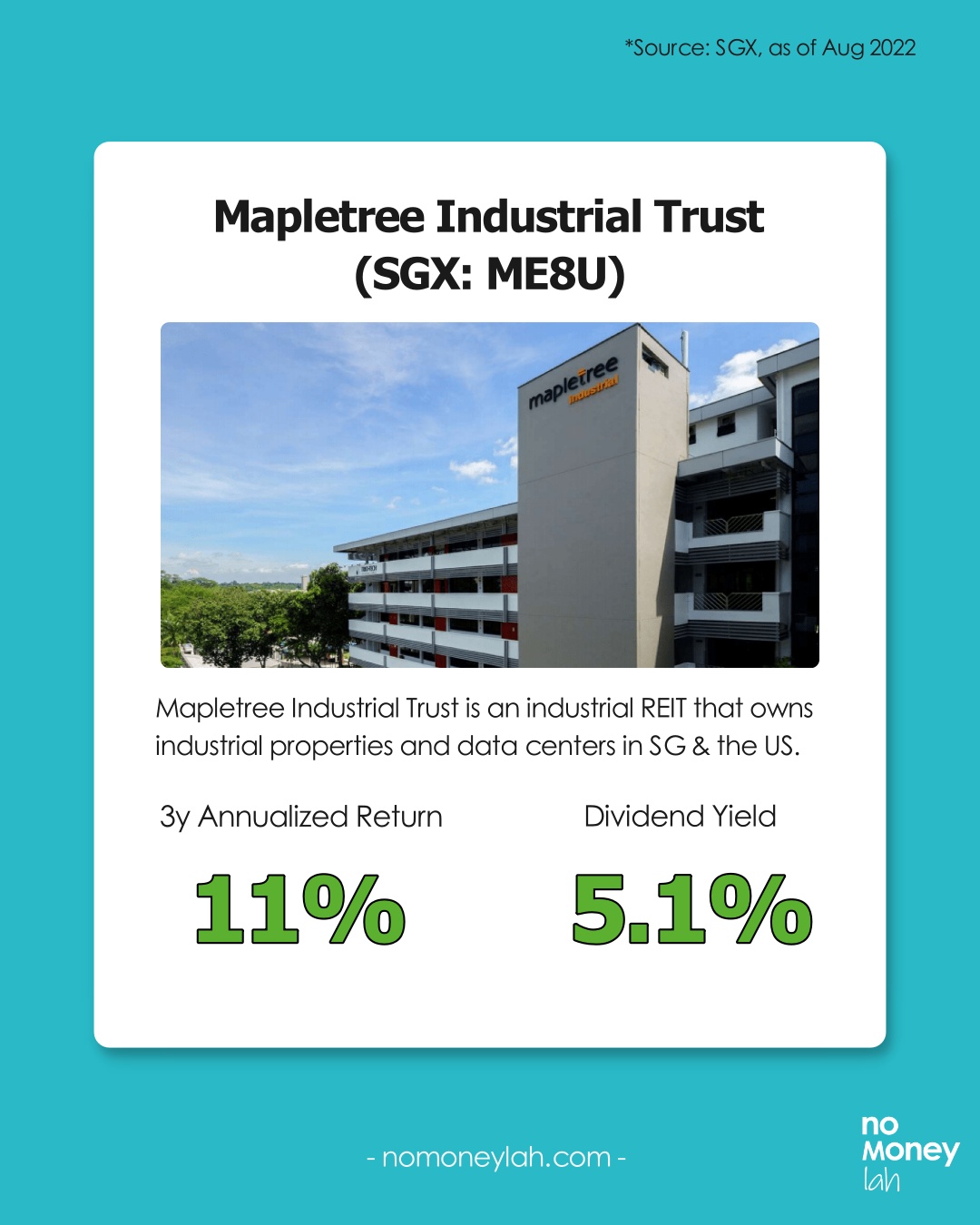
Mapletree Industrial Trust (SGX: ME8U)
- 3y Annualized Return: 11%
- Dividend Yield: 5.1%
- Mapletree Industrial Trust is an industrial S-REIT that owns industrial properties and data centres in Singapore & the US.
Method 2: Invest in REIT ETFs listed in Singapore
The 2nd way to invest in S-REIT is by investing in REIT Exchange-Traded Funds (ETFs) listed on the Singapore stock exchange (SGX).
S-REIT ETFs allow investors to gain exposure to a basket of Singapore and/or global REITs.
An S-REIT ETF is a great choice for investors that seek diversified REIT exposure and do not want the hassle of managing a portfolio of individual REITs.
Below are 5 SREIT ETFs listed on the SGX (Source: SGX, as of August 2022).
For your reference, I’ve also covered all S-REIT ETFs in detail in a separate post, which you can check out below:
LEARN MORE: How to choose the best S-REIT ETFs for dividend income!
-
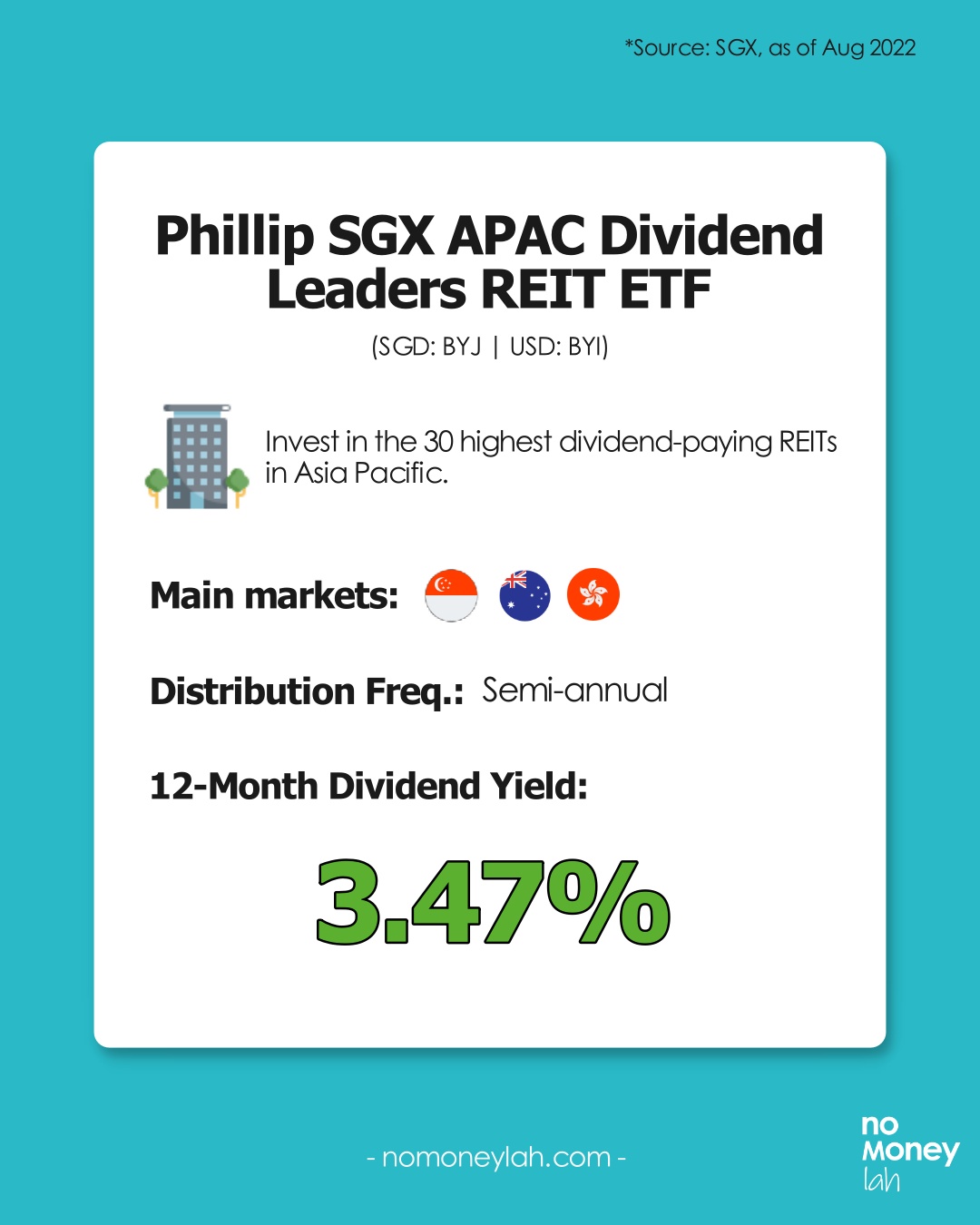
Phillip SGX APAC Dividend Leaders REIT ETF (SGD: BYJ | USD: BYI)
12-Month Dividend Yield: 3.47%
The Phillip SGX APAC Dividend Leaders REIT ETF is an ETF that tracks the iEdge APAC ex Japan Dividend Leaders REIT Index.
It reflects the 30 highest dividend-paying REITs in the Asia Pacific.
-
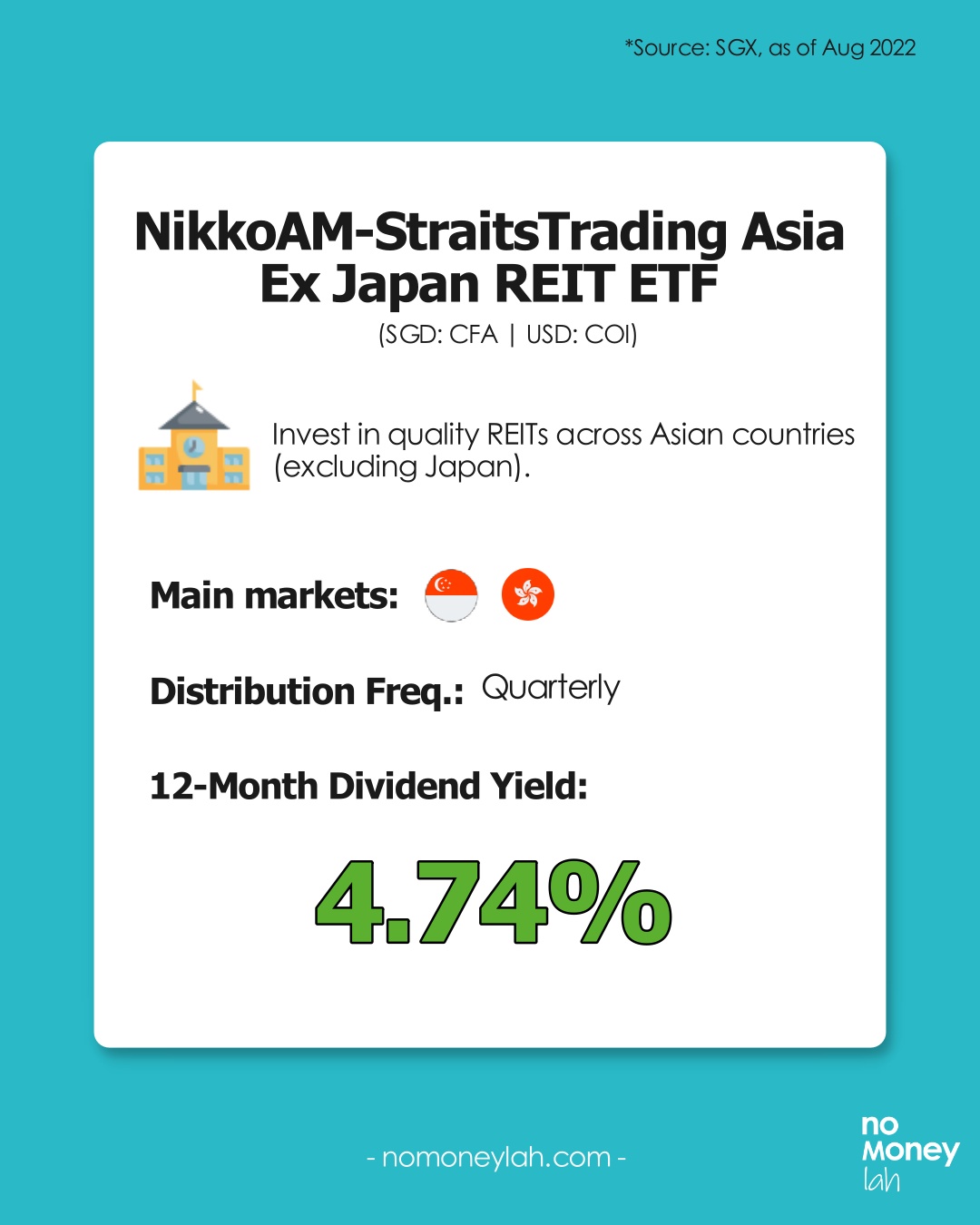
NikkoAM-StraitsTrading Asia Ex Japan REIT ETF (SGD: CFA | USD: COI)
12-Month Dividend Yield: 4.74%
NikkoAM-StraitsTrading Asia Ex Japan REIT ETF is an ETF that tracks the FTSE EPRA Nareit Asia ex Japan REITs 10% Capped Index.
It tracks the performance of qualifying REITs from China, Hong Kong, India, Indonesia, Malaysia, Pakistan, the Philippines, Singapore, South Korea, Taiwan, and Thailand.
-
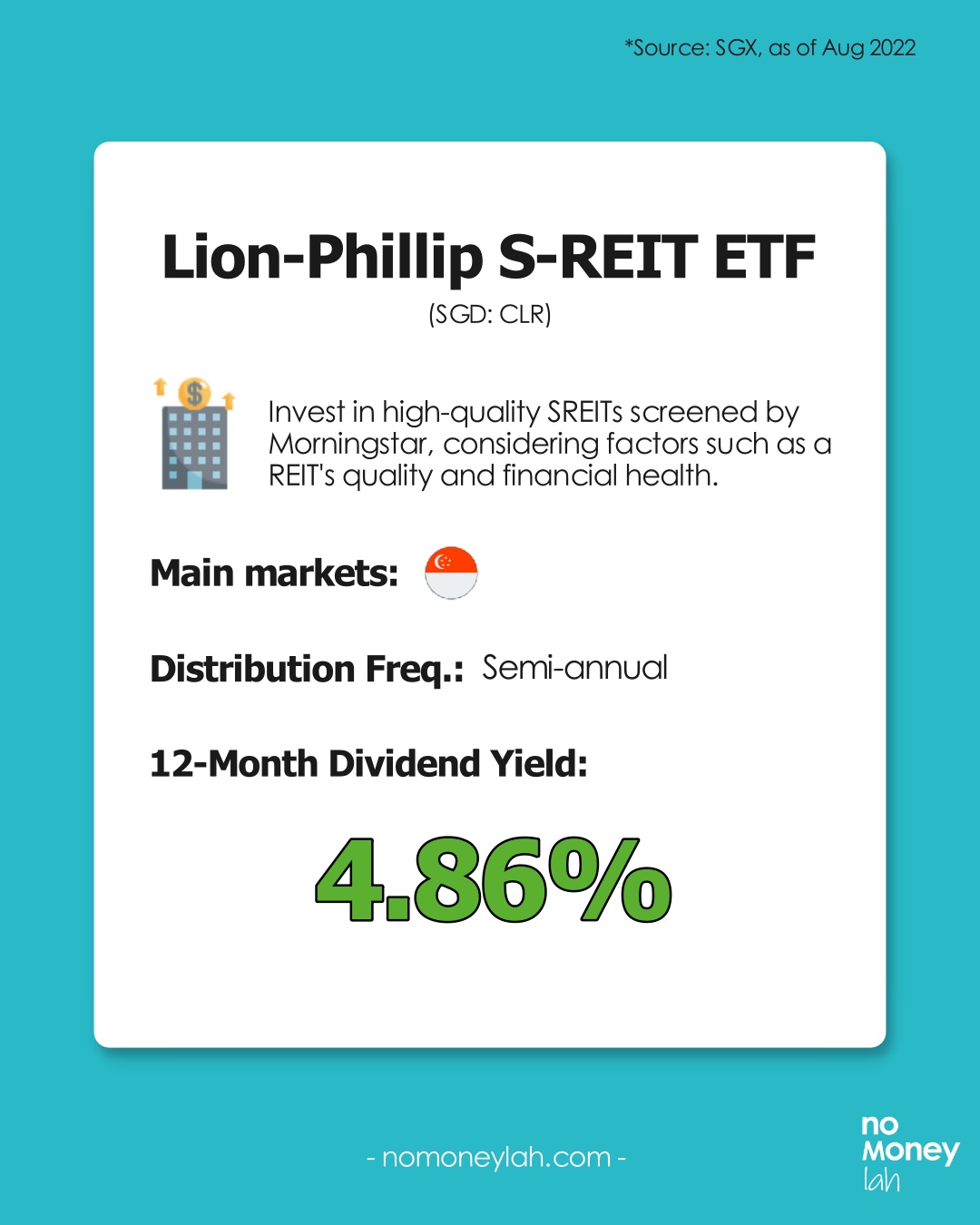
Lion-Phillip S-REIT ETF (SGD: CLR)
12-Month Dividend Yield: 4.86%
The Lion-Phillip S-REIT ETF is an ETF that tracks the Morningstar Singapore REIT Yield Focus Index.
It is an index that invests purely in high-quality Singapore REITs (S-REITs) screened by Morningstar.
-
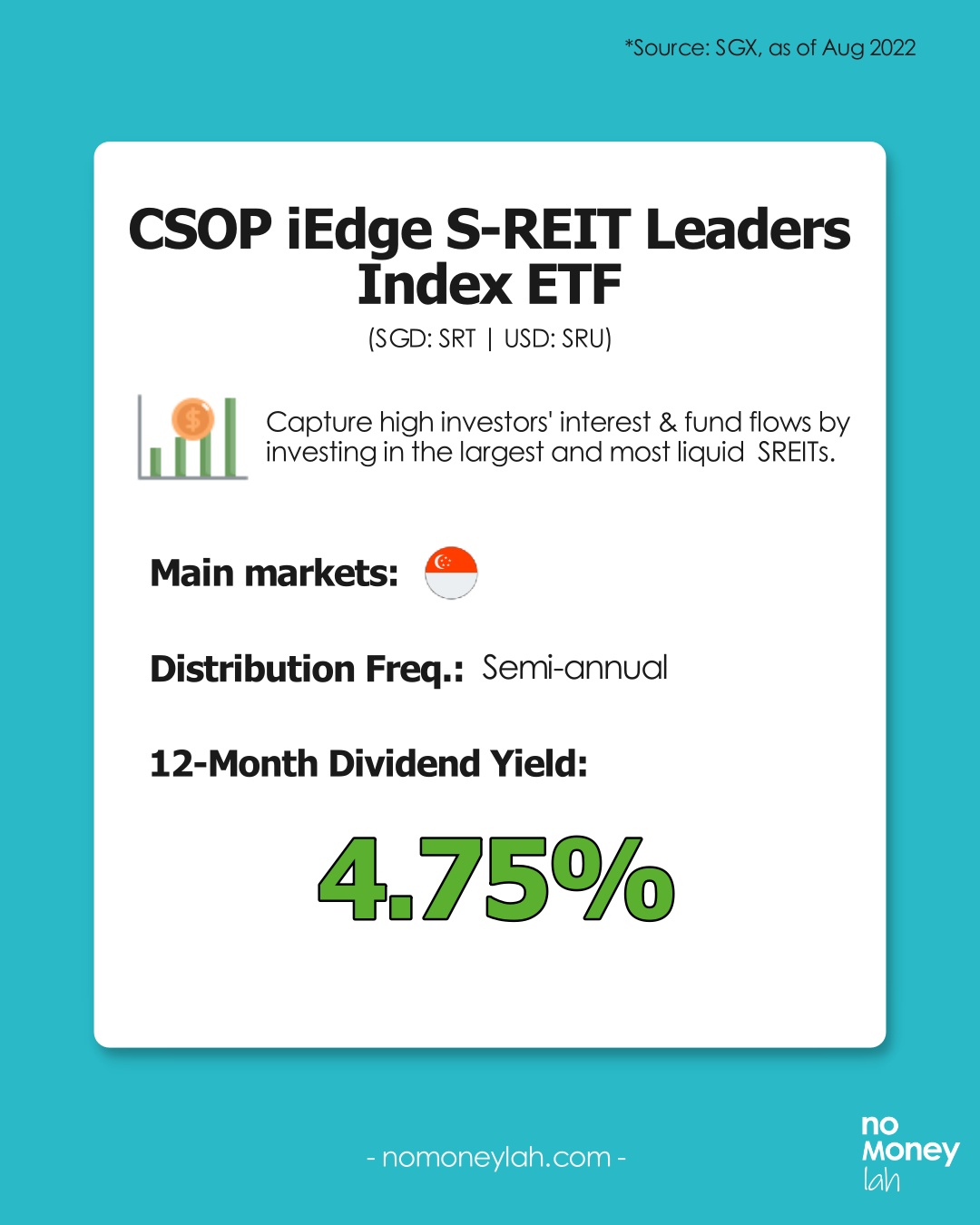
CSOP iEdge S-REIT Leaders Index ETF (SGD: SRT | USD: SRU)
12-Month Dividend Yield: 4.75%
CSOP iEdge S-REIT Leaders Index ETF is a S-REIT ETF that tracks the iEdge S-REIT Leaders Index.
It tracks the performance of the largest and most liquid REITs listed on the Singapore Stock Exchange (SGX).
-
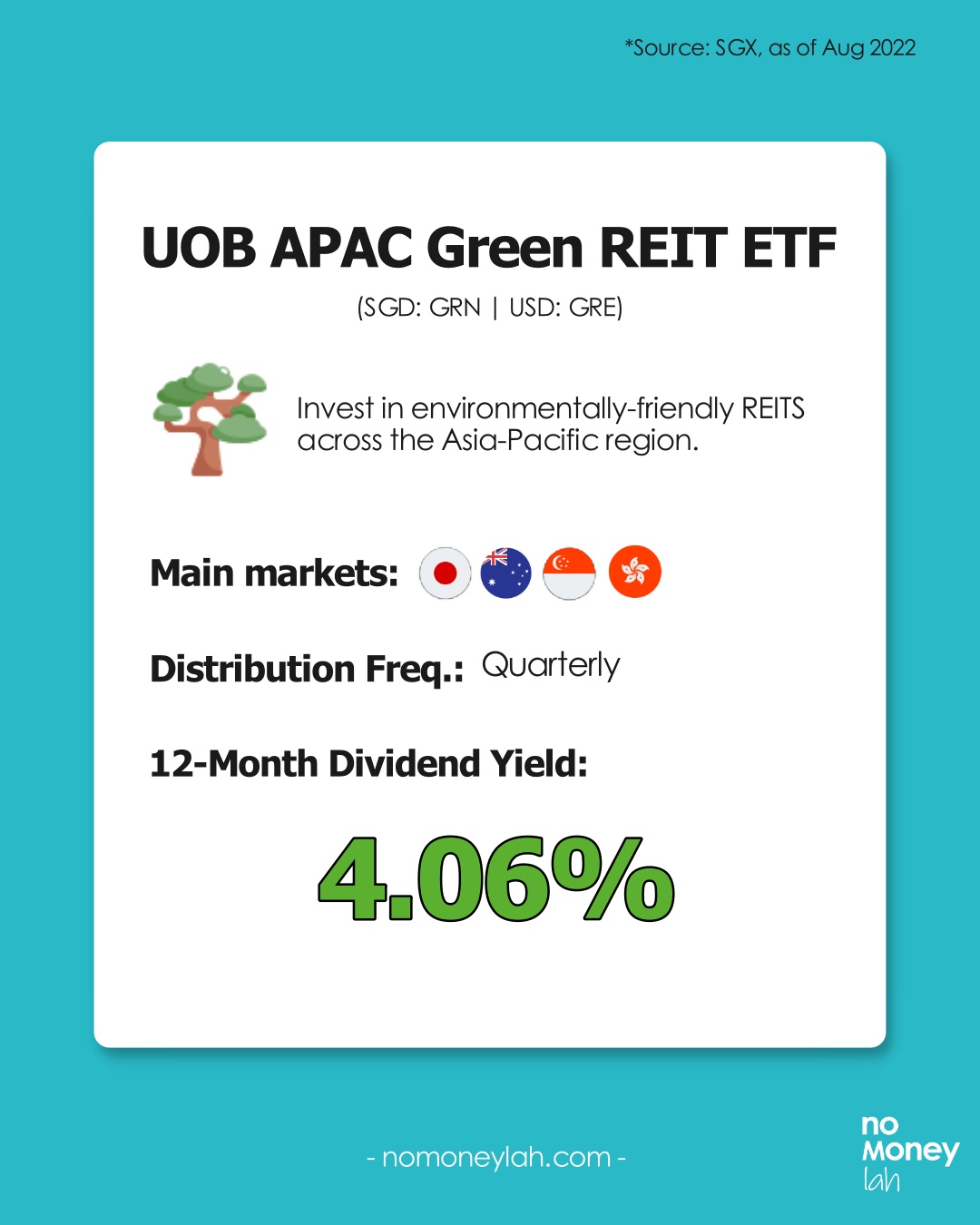
UOB APAC Green REIT ETF (SGD: GRN | USD: GRE)
12-Month Dividend Yield: 4.06%
The UOB APAC Green REIT ETF mirrors the iEdge-UOB APAC Yield Focus Green REIT index, which aims to allow investors to invest in environmentally-friendly REITs.
Risks of investing in S-REITs
Risk #1: Interest Rate Risk
Since REITs distribute over 90% of their income as dividends to investors, most REITs will usually take up loans to finance their property acquisitions.
As such, REITs are generally sensitive to interest rate fluctuation.
Simply put, any rise in interest rates will increase the operating cost of REITs as their interest repayment will become higher.
Risk #2: Subject to market fluctuation
Just like other stocks, the price of REITs is also affected by the overall market fluctuation - though S-REITs are usually less volatile.
Are S-REITs for you?
Investing in S-REITs can be a solid choice if:
- You are looking to build a reliable dividend income stream.
- You are seeking to diversify your stock portfolio to assets that are less volatile.
- You are looking to expand your dividend portfolio to earn dividends in SGD.
Best broker to invest in S-REIT: ProsperUs by CGS-CIMB
This educational post is sponsored by ProsperUs by CGS-CIMB.
ProsperUs by CGS-CIMB is a regulated broker from Singapore that gives investors access to 30+ exchanges in more than 8 countries (US, Hong Kong, China, Japan, UK, Singapore, Malaysia, Europe, and more)!
In fact, from just 0.06% - 0.10%/trade (no min. trade value required), ProsperUs offers the most affordable brokerage fee for investors to invest in the Singapore stock exchange!
Exclusive ProsperUs Referral Code – MONEY20
If you are thinking to give ProsperUs a try, here’s something exclusive to No Money Lah readers – you will not find this anywhere else!
From today till 30/6/2024, key in my exclusive promo code ‘MONEY20’ while you register, and get FREE cash credits up to SGD100 when you open a ProsperUs account:
p
| Tier | Initial funding within 30 days of account set up | Trades Executed | Cash Credits |
|---|---|---|---|
| 1 | Minimum SGD500 – SGD2,999 | Minimum 3 trades executed | SGD10 |
| 2 | Minimum SGD3,000 – SGD14,999 | Minimum 3 trades executed | SGD20 (Deposit SGD3000 or more), OR SGD20 + SGD30 (Deposit SGD3000 or more + Min. trades fulfilled) |
| 3 | SGD15,000 or more | Minimum 3 trades executed | SGD20 (Deposit SGD3000 or more), OR SGD20 + SGD100 (Deposit SGD15,000 or more + Min. trades fulfilled) |
Click HERE to view the full T&C of this referral reward.
Open a ProsperUs Account Today!
No Money Lah Verdict
So there you have it - an in-depth guide to invest in S-REIT!
I hope this guide has been useful and if you have any questions, feel free to leave your comment in the comment section below!
Disclaimers
This article is brought to you in collaboration with ProsperUs by CGS-CIMB.
Any of the information above is produced with my own best effort and research.
This post is produced purely for sharing purposes and should not be taken as a buy/sell recommendation. Past return is not indicative of future performance. Please seek advice from a licensed financial planner before making any financial decisions.
This post may contain promo code(s) that afford No Money Lah a small amount of commission (and help support the blog) should you sign up through my referral link.

M+ Global Review: The good, the so-so, and the perks
For the past few years, investing in the global stock market has become more accessible to Malaysians.
M+ Global is one of the latest locally-regulated platforms that offers Malaysians convenient access to the US and Hong Kong stock market.
In this post, check out my review on M+ Global, and see whether you should consider using M+ Global to invest!
Highlights:
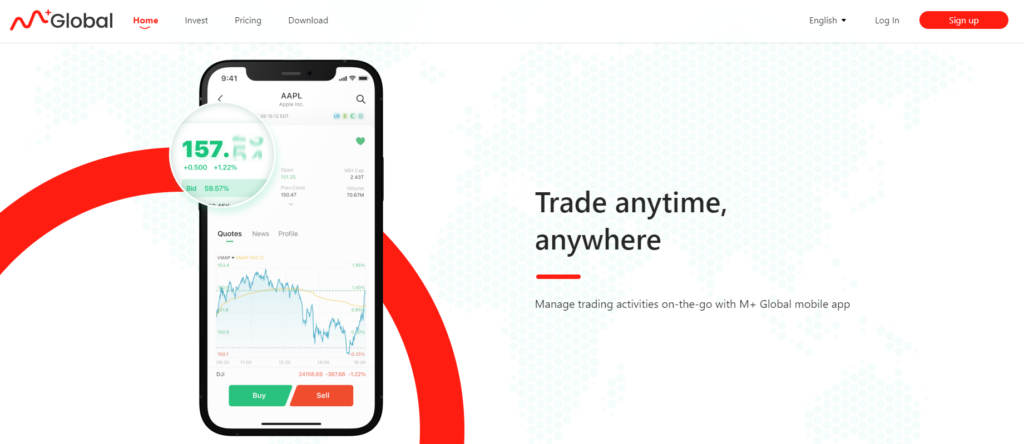
- Backed by Malacca Securities with over 60 years of experience, M+ Global is a stock trading platform that allows Malaysians to invest in the US and Hong Kong (HK) stock markets. M+ Global (global stocks) is not to be confused with M+ Online, which offers access to the Malaysian stock market.
- Regulated in Malaysia: M+ Global is regulated locally by the Securities Commission (SC) of Malaysia. This means M+ Global has to adhere to the best practices set by the local authority to ensure the safety of clients’ funds from fraud and other illegal activities.
- M+ Global makes global investing seamless for Malaysians by introducing features like FREE real-time price data to users, 24/7 real-time news and customer support, Shariah-screener, and more.
My short verdict:
I like that the M+ Global app is very beginner-friendly to invest in the US and HK stock market. Features offered are essential and are not overwhelming, such as the implementation of Shariah screener that is especially helpful for Muslim investors.
However, the 24-hour customer service is a hit-or-miss. No fractional shares (yet) and the fee is not the cheapest compared to competitors like Rakuten Trade.
In short, M+ Global shines via a simple-to-use app, but has much to do in improving its fee structure and customer service.
🎁 Meanwhile, consider using my M+ Global referral link (via the button below) to open your M+ Global account and get a guaranteed FREE trading voucher or 1x share (worth up to RM1,200) when you open and fund your account!
5 Must-Know Features of M+ Global (The Good)
#1 Invest in a wide selection of US & Hong Kong stocks
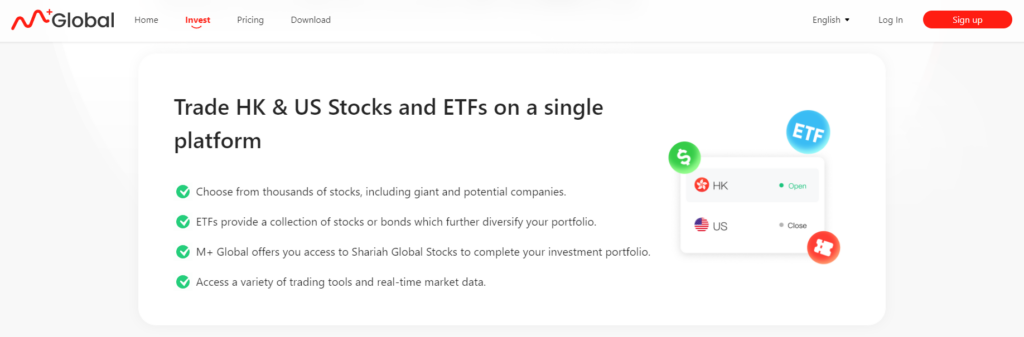
M+ Global offers access to over 10,000 US and 2500 Hong Kong stocks & Exchange-Traded Funds (ETFs).
As such, Malaysians can now find and invest in big names like Tesla, Microsoft, Apple, Google, Nvidia, and more.
#2 Shariah-screener
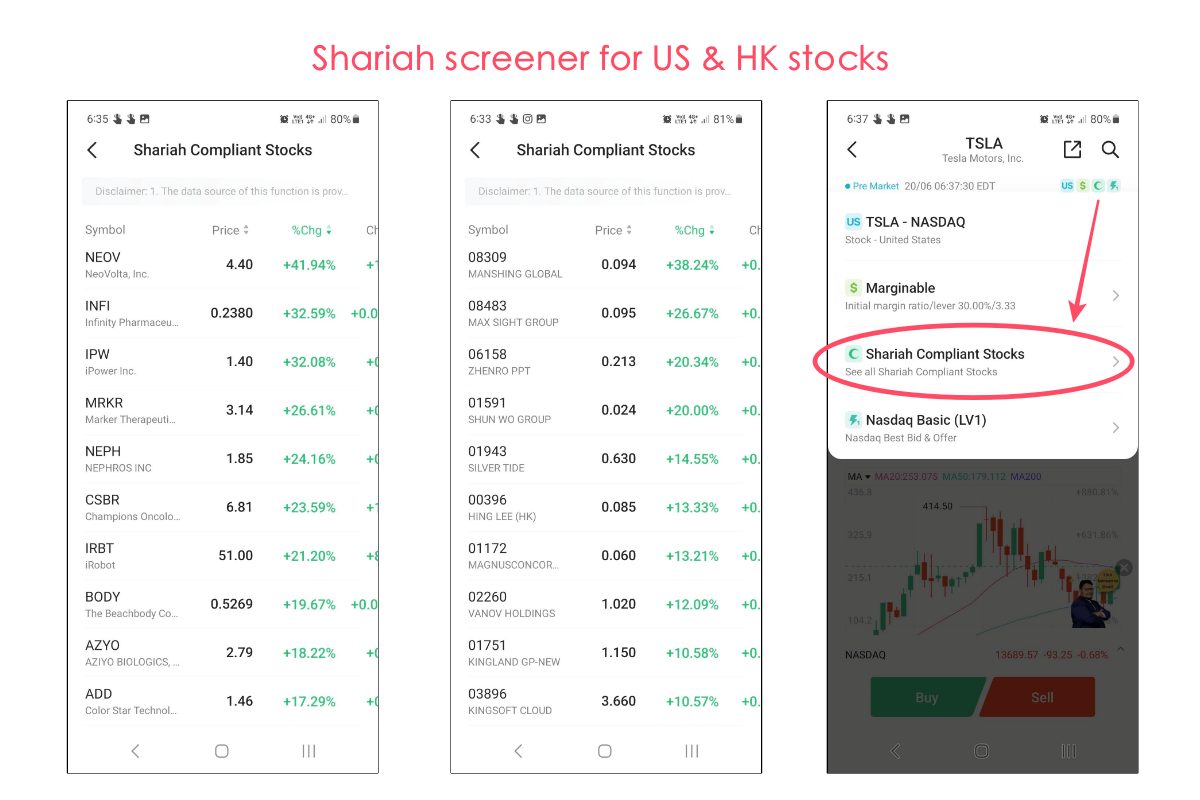
M+ Global is the first digital trading platform in Malaysia to offer shariah screener for both the US and Hong Kong markets. This allows Muslim investors to search for Shariah-compliant stocks to invest in.
#3 Beginner-friendly user experience and real-time data
In my opinion, M+ Global is the most practical implementation of how a stock trading app should be: Easy to navigate and straightforward.
i. Placing trades in M+ Global is straightforward
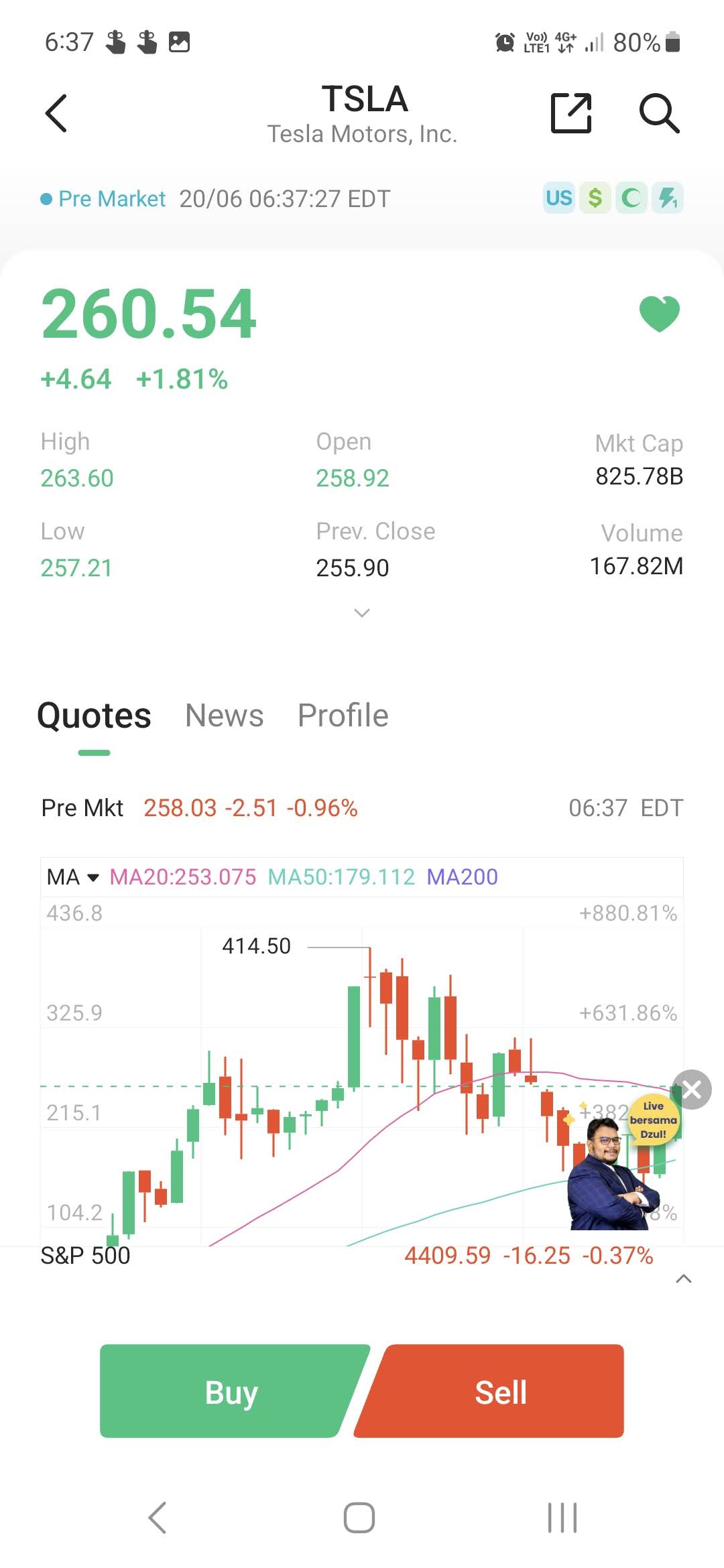
For one, placing a trade in the M+ Global app is a breeze.
For a trading app, I prefer an interface that is not over-cluttered with features that are too small to fit on a small screen, so M+ Global got a thumbs up here when it comes to the cleanliness of the app.
ii. Complete execution order types
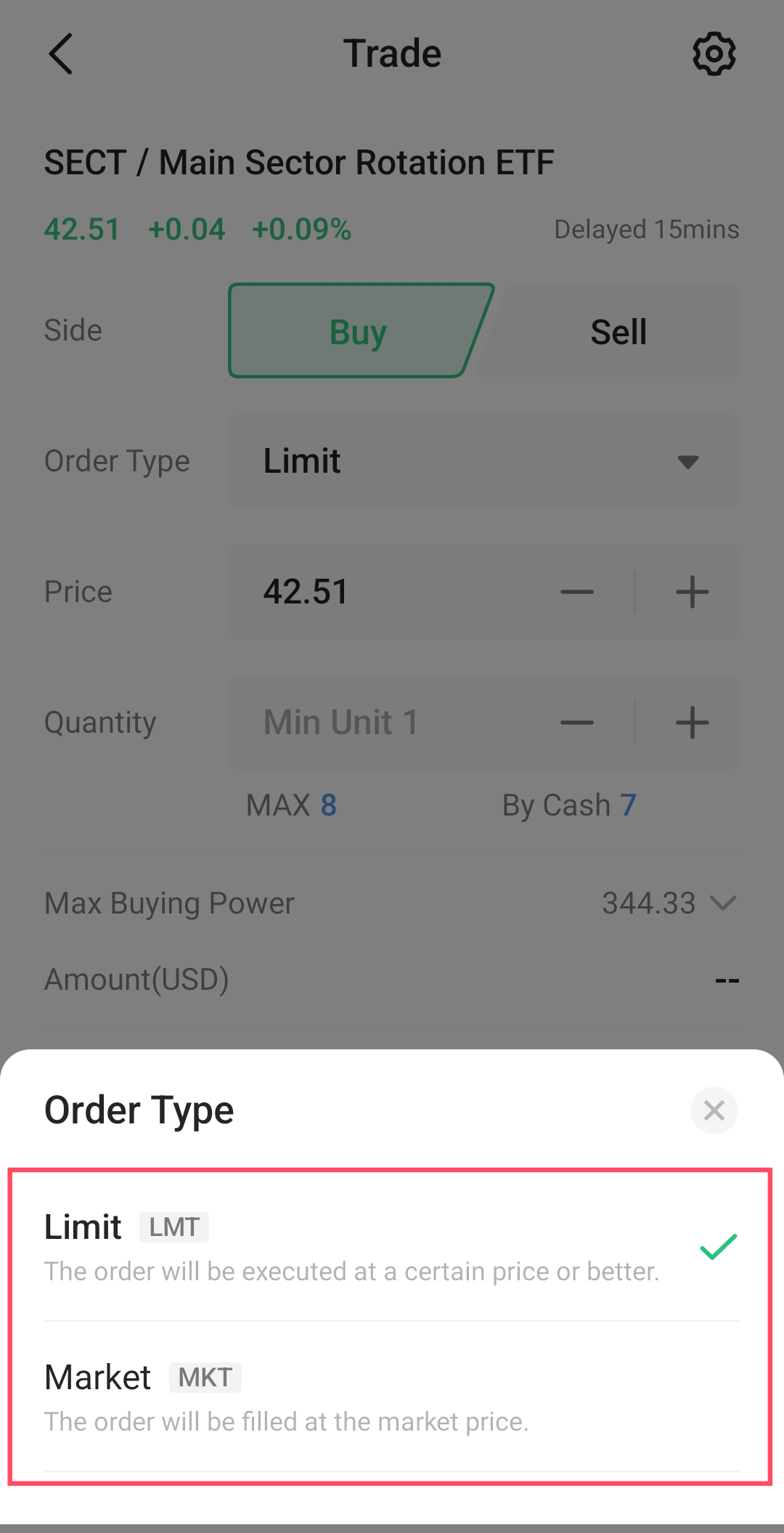
Unlike rival Rakuten Trade which only offers 'Limit Order', M+ Global offers both Limit and Market Orders, which makes it more versatile for different investors & traders:
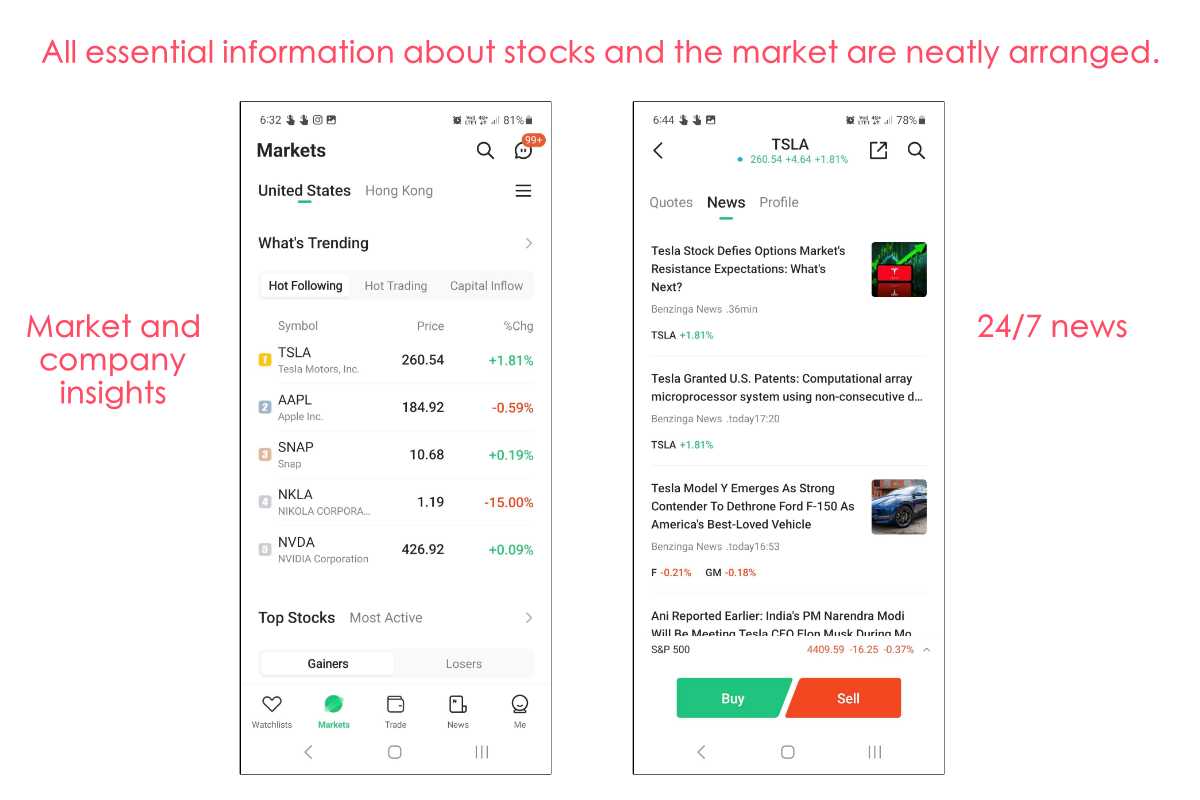
iii. Stock and ETF information + 24/7 news sources
While clean, the M+ Global app provides essential information about a stock or ETF.
From price charts, analyst ratings & price targets, fundamental data, and fund holdings (for ETFs), the app has everything conveniently arranged in a way that it doesn’t overwhelm me while making an investment decision.
Not to mention, M+ Global also provides 24/7 news updates around the markets and the stocks that you are focusing on:
iv. Real-time price datafeed of stocks
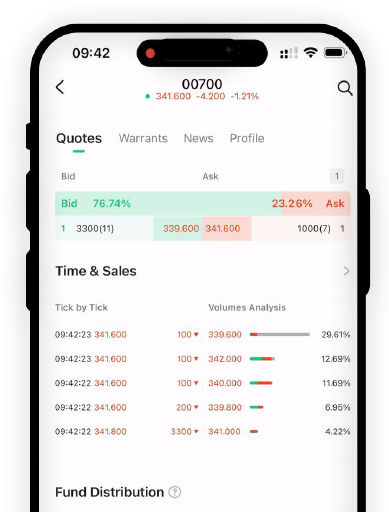
New M+ Global users will also gain access to real-time (level 1) price feed for US and HK stocks for 30 days as they sign up for an account.
v. App in English & Mandarin
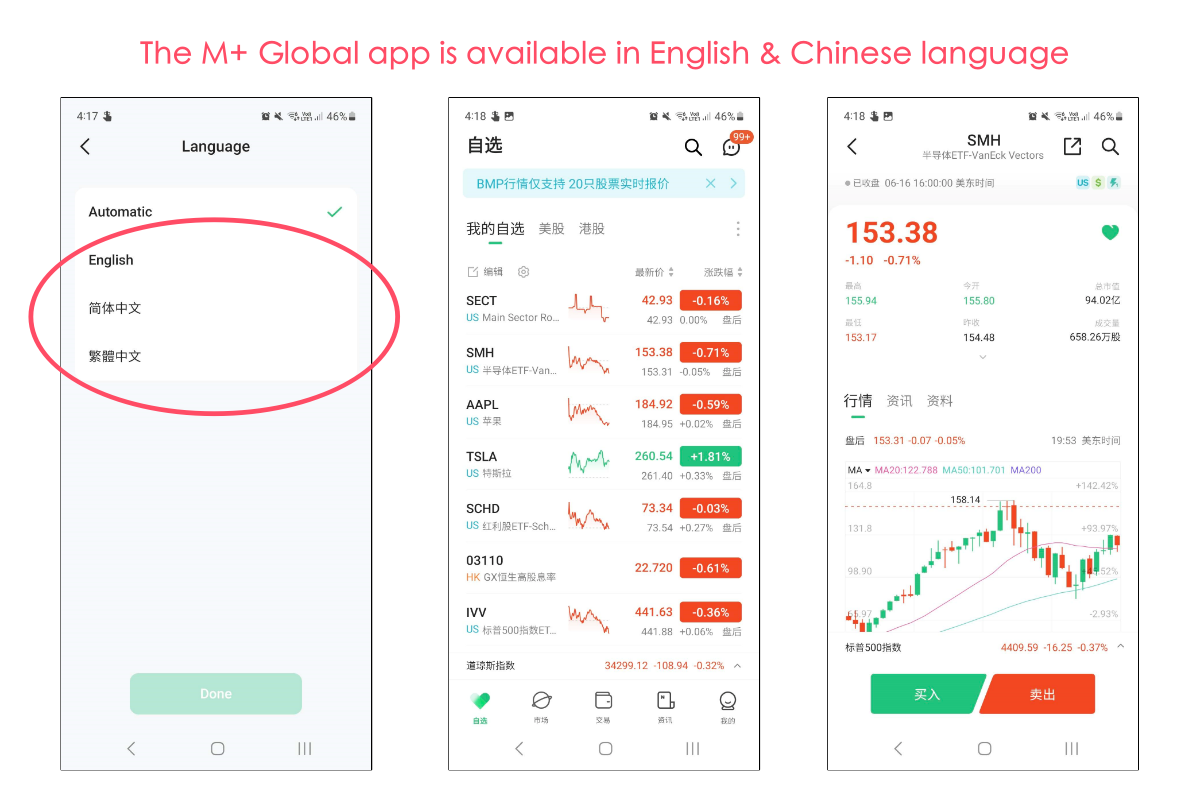
On a side note, did you know that the M+ Global app is available in English and Mandarin language?
#4 Margin Trading
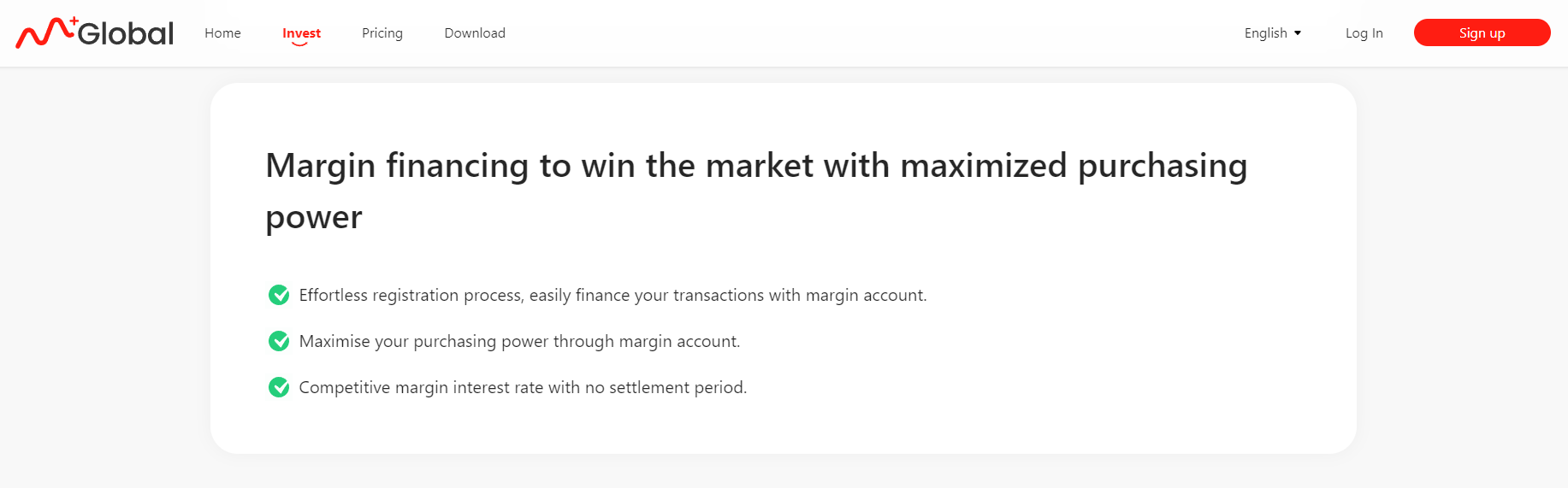
Unlike rival Rakuten Trade which offers purely Cash-Upfront account for trading US and Hong Kong stocks, M+ Global allows users to trade on margin.
This is especially helpful for shorter-term traders that may require additional leverage in purchasing power to trade.
#5 1.85% Interest on cash (MYR)
For cash deposits in MYR, M+ Global offers a 1.85% per annual interest. It is calculated and credited to users' accounts at the end of each month.
What I wish could be better (The so-so)
#1 24-hour customer support is a hit-or-miss
M+ Global offers 24-hour customer support (CS) with the intention to assist users whenever help is required.
While the idea is good, I find the actual experience rather mixed-bag.
For one, I find that not all customer service (CS) associates are equally trained. As an example, while testing the M+ Global app, I directed a similar question to 2 different CS, and got a different outcome each time.
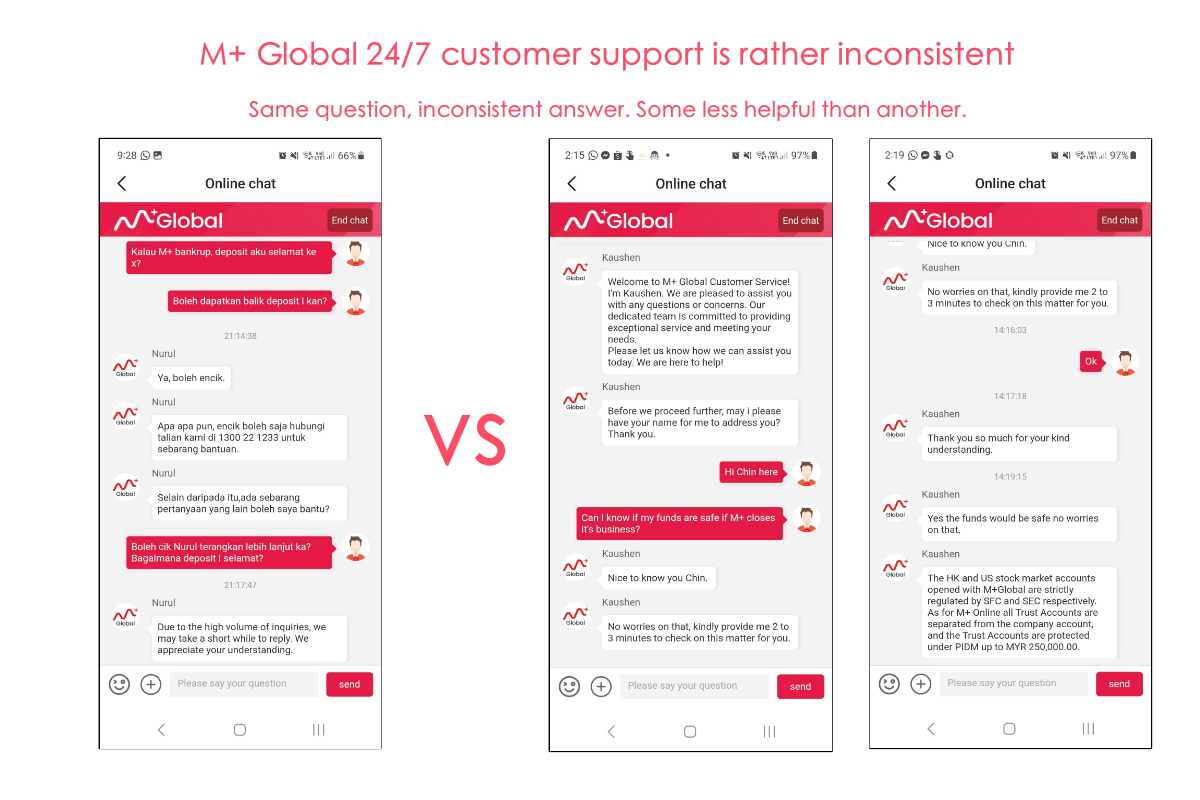
As a whole, I think the M+ Global team has to invest more into building their CS team. That said, M+ Global is a relatively new app in the market, and I am informed that they are upgrading their CS team - hence I will be revisiting their CS in the near future.
#2 M+ Global fee structure is just..."OK"
With more competition in the brokerage space, it is hard not to compare M+ Global's fee structure to other locally-regulated brokers that offer access to similar US and HK markets.
In this regard, I think M+ Global's fee structure is OK, but definitely not the best:
| M+ Global Fee Structure | Fees |
| US Stocks & ETFs | 0.1% of Trade Value, min. USD3.00 |
| HK Stocks & ETFs | 0.1% of Trade Value, min. HKD18.00 |
Many might compare M+ Global to close rival Rakuten Trade, which has one of the most competitive fee structures (among Malaysia-regulated platforms) at the moment:
| Trading Value | M+ Global Fee | Rakuten Trade Fee (MYR trading) |
| USD100 (~RM467) | USD3 | RM4.67 (Better) |
| USD500 (~RM2336) | USD3 | RM9 (Better) |
| USD1,000 (~RM4671) | USD3 | RM9 (Better) |
| USD2,500 (~RM11,680) | USD3 | RM11.68 (Better) |
| USD10,000 (~RM46,715) | USD10 | RM46.72 (Same) |
| USD20,000 (~RM93,580) | USD20 | RM93.58 (Same) |
| USD30,000 (~RM140,370) | USD30 | RM100 (Better) |
With competition setting such a high bar, I am sure the M+ Global team is aware of this, and hopefully will make changes to their fee structure in the near future.
#3 Exchange Rate could be better
As a platform offering access to global stocks, it is crucial that M+ Global users are able to exchange their MYR for USD or HKD (and vice versa) at a good rate while investing.
From my personal experience, I noticed M+ Global's exchange rate tends to be less ideal most of the time compared to the likes of Rakuten Trade:
Check out the exchange rate comparison on the days below for RM1,000 to USD or HKD:
| Date | M+ Global (USD) | Rakuten Trade (USD) | M+ Global (HKD) | Rakuten Trade (HKD) |
| 12/6/2023 | USD214.60 | USD215.08 | HKD1681.60 | HKD1675.04 |
| 14/6/2023 | USD214.40 | USD214.94 | (Forgot to collect data) | (Forgot to collect data) |
| 29/6/2023 | USD211.90 | USD212.56 | HKD1660.00 | HKD1661.13 |
#4 Cannot hold foreign currency (USD, HKD) (... for now)
Another minor complaint I have about M+ Global is that it is not possible (for now) to hold other currencies aside from MYR.
In other words, if you were to buy US stocks, your MYR deposits would be exchanged for USD as you make your trade.
Meanwhile, brokers like Rakuten Trade allow users to exchange to their preferred currencies (USD or HKD) anytime, so they can lock in a favorable exchange rate.
The good news is, from my understanding, this is a feature that will be introduced to M+ Global in the near future - so stay tuned!
#5 No fractional shares (... for now)
Fractional shares refer to the ability to buy shares at a fraction of a unit (eg. 0.1 unit instead of 1 unit). This makes it convenient for users with small investment capital to own relatively expensive shares like Tesla.
For the time being, there are no fractional shares available on M+ Global - all while rival Rakuten Trade has launched fractional shares not too long ago.
That said, from my understanding, this is a feature that will be introduced to M+ Global in the near future - so stay tuned!
Who should consider using M+ Global to invest?
While far from perfect, M+ Global has offered something that many local brokers failed to do: Access to the US & Hong Kong stock market via a truly user-friendly platform.
In my opinion, M+ Global is a great option if you are:
- Seeking for a Malaysia-regulated broker to invest in the US & Hong Kong stock market.
- Looking for a user-friendly platform to invest in the US & Hong Kong stock market.
- Require margin facility to invest or trade the US & Hong Kong market.
🎁 LIMITED-TIME Promo: Get FREE shares & FREE live datafeed when you open a M+ Global account! (Ending: 30/6/2024)
Give M+ Global a try and receive a guaranteed FREE share or trading voucher worth up to RM1,200 and FREE live price feed for US & HK stocks!
How to be eligible:
Step 1: Open an M+ Global account
Step 2: Make a minimum first deposit of RM2,000.
Step 3: Claim 1x guaranteed FREE share or trading voucher worth up to RM1,200, such as Tesla, Apple, and more within 7 working days.
Check out the full T&C here.
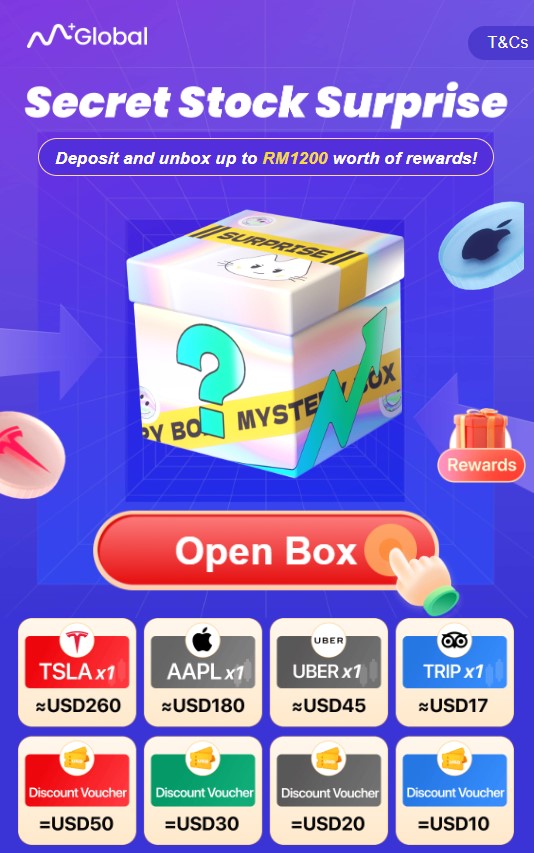
In addition, you can also claim FREE access to 30-days Level 1 live price feed for US and HK stocks!
No Money Lah Verdict: Big room for improvements for M+ Global
As an investor, I really enjoy using the M+ Global app, as the app is so easy to navigate around (Rakuten Trade, take note).
However, aside from a nice app, it is hard to give more points to M+ Global currently. This is especially true when we compare the relatively less favorable fee structure and exchange rate, alongside a lack of important features like fractional shares trading to rival Rakuten Trade.
That said, it is important to note that M+ Global has just been launched (since May 2023), and there is always space to make upgrades to the app in the near future.
For that, I am actually excited to see M+ Global coming to the global investing space, and I look forward to seeing more improvements with time!
Step-by-step: How to open an M+ Global account
Step 1: Download the M+ Global app by using my referral link (via the button below):
Step 2: Register for an account and set up your password
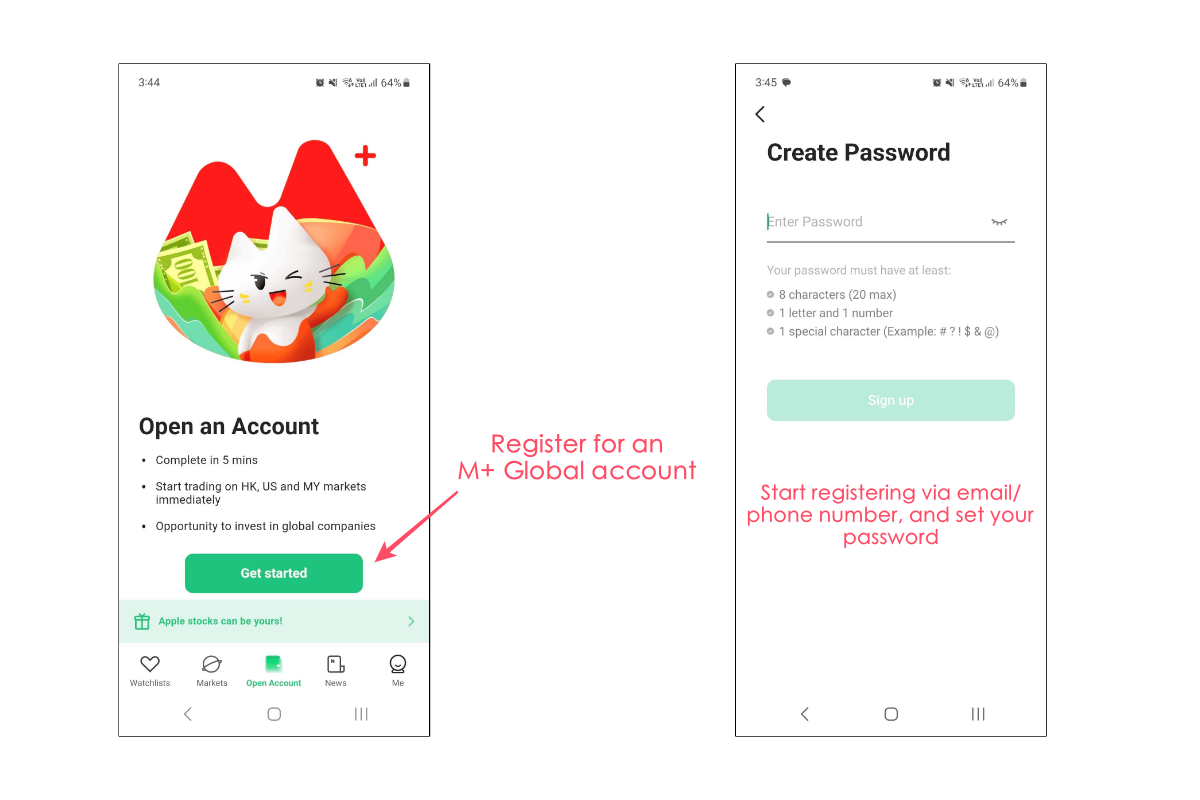
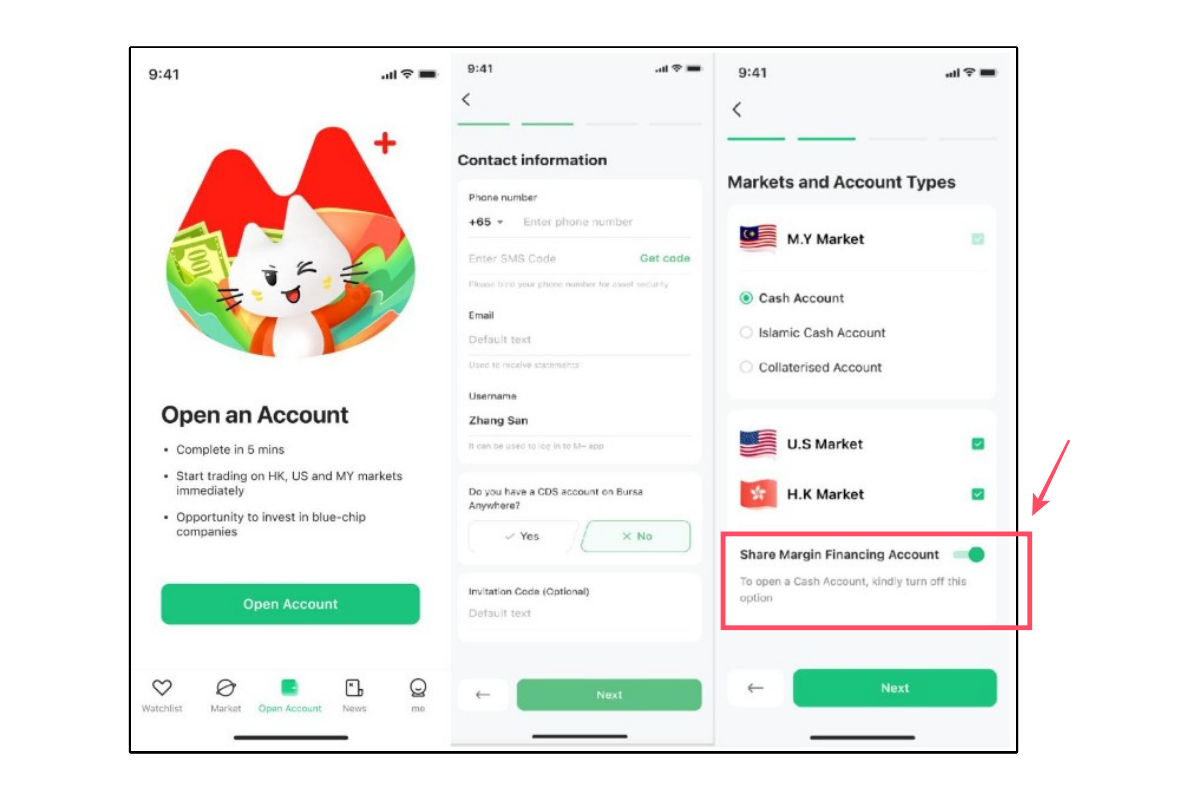
Step 3: Begin your application by entering your basic details, and determining the markets you want to trade.
If you do not require margin (ie. borrow money from the broker) to trade, you can choose to untick the 'Share Margin Financing Account' option.
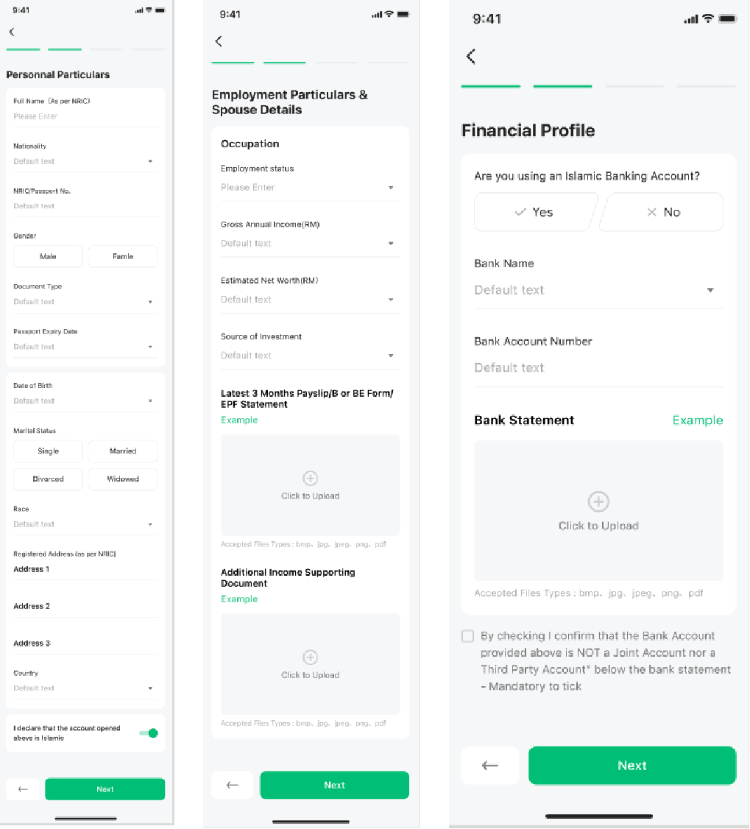
Step 4: Provide the necessary details such as your employment details, financials, and tax details
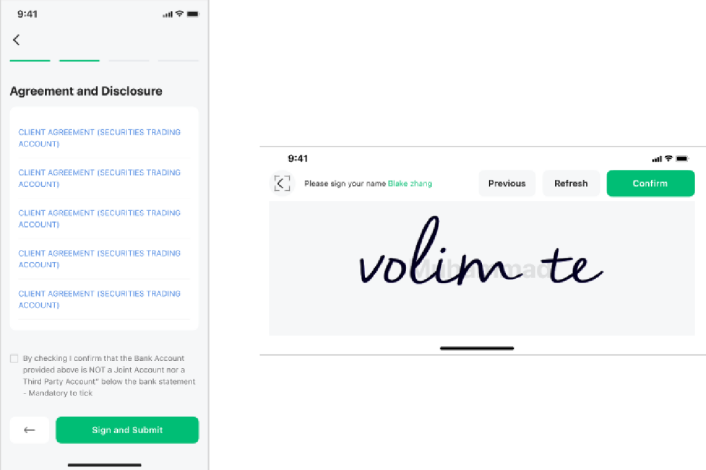
Step 5: Review, accept, and sign the agreements
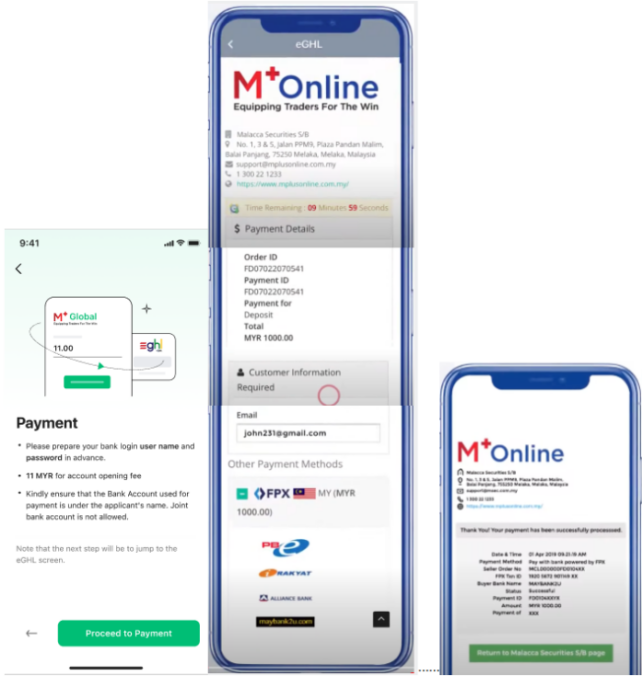
Step 6: New M+ Global users will have to pay a CDS account opening fee of RM11. Existing M+ Online users who are opening an M+ Global account do not have to pay this fee since they already have a CDS account under M+.
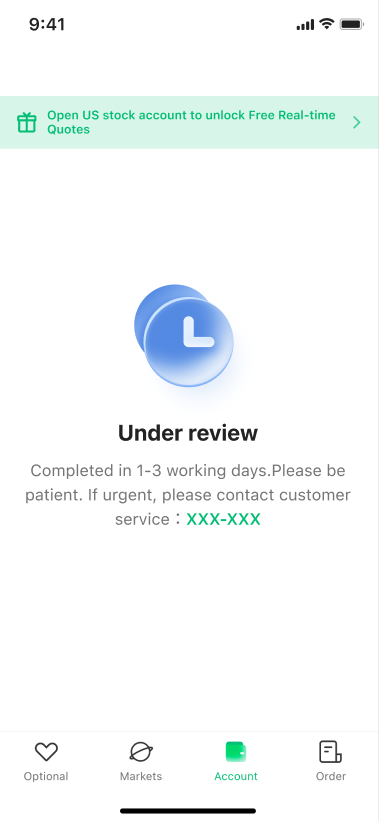
Step 7: Your application will be reviewed within 1 - 3 working days. Once approved, you can start trading.
Disclaimer:
This post contains affiliate links, which afford No Money Lah a small referral (and in return, support this blog) if you sign up for an account using my referral link. The information stated above is based on my personal experience and for purpose of sharing such experience only. It is not intended as professional investment advice. Please contact M+ Global for more information.

Rakuten Trade US Stock Trading Review: Great for investors, NOPE for traders
In the past, investing in the US stock market via Malaysia-regulated brokers has always been complex and expensive.
This caused many investors to opt for overseas brokers to invest in the US market. However, all this changed when Rakuten Trade launched their much-anticipated US stock trading service.
So, is it good?
Right off the bat, I'd say Rakuten Trade is the only local broker that I can actually recommend for Malaysian investors to invest in the US market. HOWEVER, I do not recommend it for active traders.
Intrigued to know why? Wonder if you should use Rakuten Trade to access the US stock market? Let’s find out in this full review!
RELATED POST:
p
Highlights of Rakuten Trade US Stock Trading
- Affordable fees (like finally!): Rakuten Trade now allows users to invest in the US market in either MYR or USD, with commissions from as low as RM1 (MYR trading) or USD1.88 – USD25 (USD trading). This is the lowest yet among Malaysia-regulated platforms.
- Powerful features: Rakuten Trade users get perks such as Fractional share trading, FREE live datafeed, and a transparent conversion rate while investing in the US market.
- Access to 3 major markets: Trade the Bursa Malaysia, US, and Hong Kong stock market with Rakuten Trade!
- Room for improvements: No short-selling, no margin trading, and a lack of order execution feature (eg. Market order) means there is room for improvements for Rakuten Trade.
- In short, Rakuten Trade is a great option for investors looking to access the US market at an affordable price. That said, active traders may find the lack of certain features restrictive.
Rakuten Trade US stock trading fees
Let’s start by addressing the elephant in the room: Is Rakuten Trade’s fee affordable?
For this, it is helpful to know that there are 3 kinds of regulated brokers in Malaysia offering access to overseas market, namely:
- Traditional investment banks that offer expensive brokerage fees, usually too shy to display their fees transparently on their website. (eg. Maybank)
- Dedicated brokers trying to disrupt the local brokerage scene with ‘affordable’ fees. Unfortunately, they are still far from affordable, especially for investors with small capital. (eg. FSMOne)
- Lastly, we have Rakuten Trade which offers a fee structure that is actually sensible for Malaysian investors to access the US stock market.
As of April 2023, Rakuten Trade has updated its fee structure to as low as RM1/trade. This makes it very fee-friendly to trade with a small amount on Rakuten Trade.
Well, just check out the comparison table below between Rakuten Trade, M+ Global, FSMOne, and Maybank - and decide for yourself:
| Rakuten Trade (Trading with MYR) | M+ Global | FSMOne | Maybank |
| 1% of Trade Value (min. RM1): <RM699.99 | 0.1% of Trade Value, or Min. USD3.00 | 0.08% of Trade Value or Min. USD3.80 |
Flat USD 25 (Transaction < USD6,250) |
| RM9: RM700 - RM9999.99 | 0.4% (Transaction > USD6,250) | ||
| 0.10%: RM10k - RM99,999.99 | |||
| RM100: RM100k & above | |||
| Rakuten Trade (Trading with USD) | |||
| 0.1% of Trading value, or min. of USD1.88 - USD25 |
Comparing in trading value (RM) side-by-side, this is how much platform fee you’ll be paying using each Malaysia-regulated platform to buy US shares:
| Trade Value | Rakuten Trade (MYR trading/USD trading) |
M+ Global | FSMOne | Maybank |
| RM200 | RM2/USD1.88 | USD3.00 | USD3.80 | USD25 |
| RM1,000 | RM9/USD1.88 | USD3.00 | USD3.80 | USD25 |
| RM5,000 | RM9/USD1.88 | USD3.00 | USD3.80 | USD25 |
| RM10,000 | RM10/~USD2.25 | USD3.00 | USD3.80 | USD25 |
As you can see, for most scenarios, Rakuten Trade offers a more flexible and affordable fee structure for investors without incurring heavy commissions.
Personally, I think Rakuten Trade’s fee structure is game-changing among local brokers.
Now, investors can access the US stock market via a Malaysia-regulated broker at a fraction of the cost, especially for beginner investors with small capital.
Trading experience (Features)
#1 User-friendly interface
Rakuten Trade built their US stock trading service on top of their existing trading platform. As a long-time user, I think this is good news because Rakuten Trade’s platform is really simple to use.
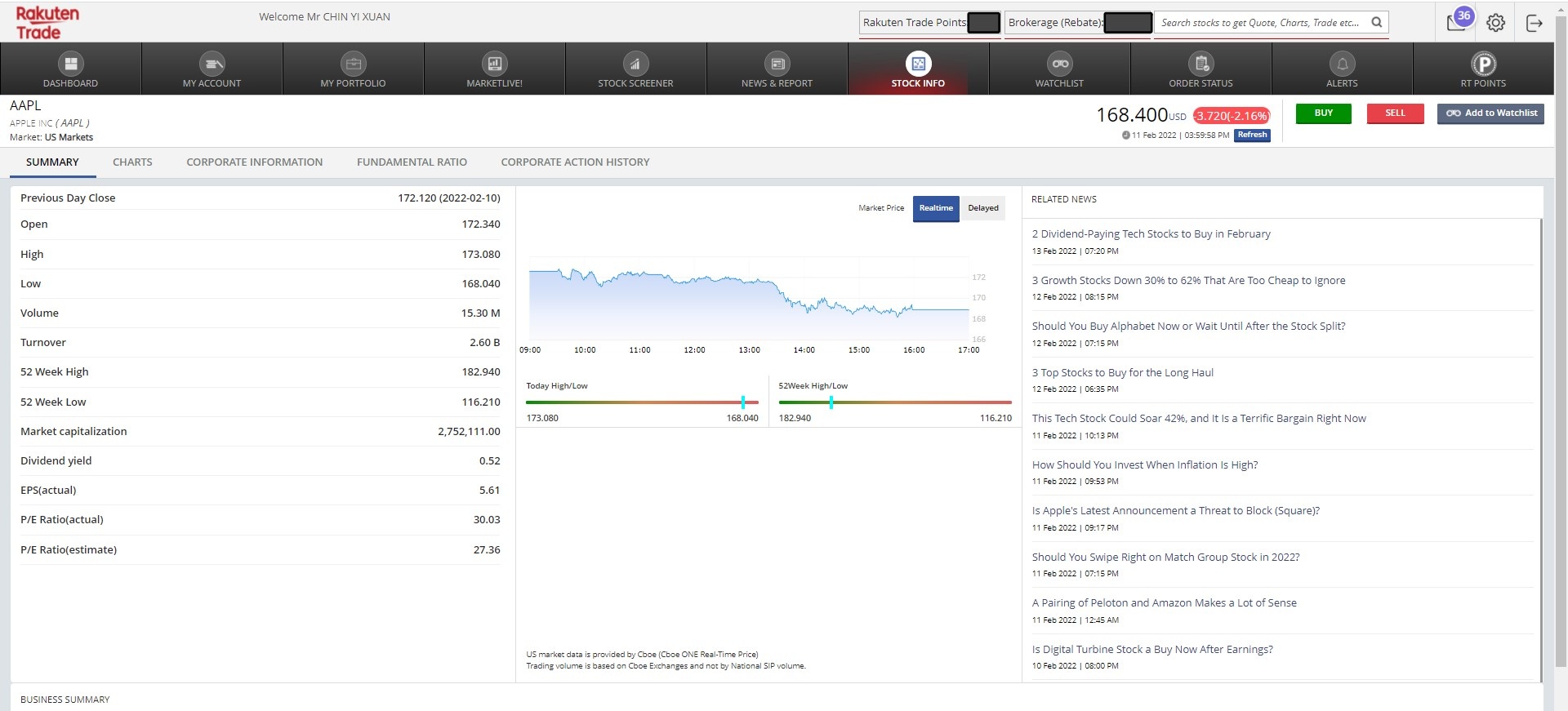
Either from Rakuten Trade’s website or iSpeed app, you can switch between Malaysia and US markets easily.
#2 FREE Live Datafeed (*scroll down further for an important update)
Another plus point with Rakuten Trade is all US stock prices are quoted live (ie. Real-Time) on Rakuten Trade.
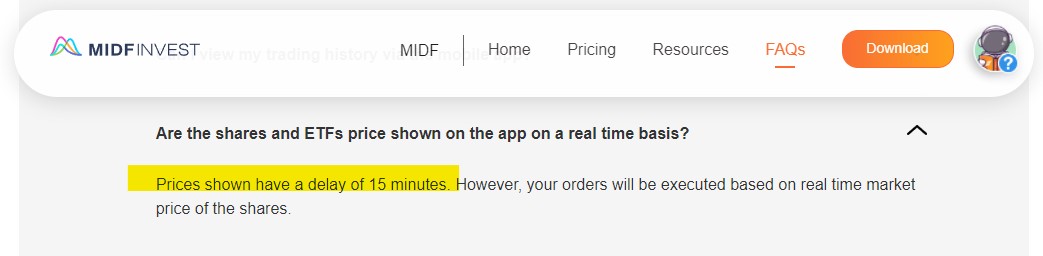
For many platforms, you’ll usually have to pay for live data, else you’ll only receive a 15-mins delayed datafeed. This is the case for MIDF Invest, another Malaysia-regulated broker that offers US stock trading.
Hence, it’s great to see Rakuten Trade offering free live datafeed for users. This means that the price displayed for a stock will always be at-the-moment stock price.
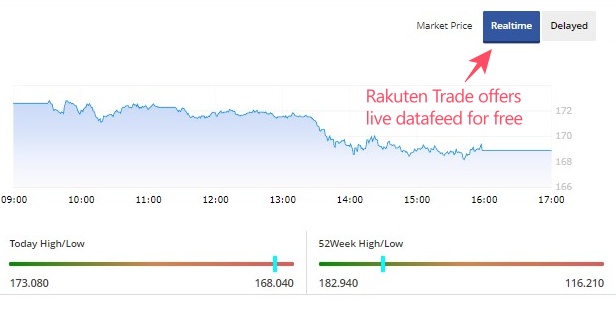
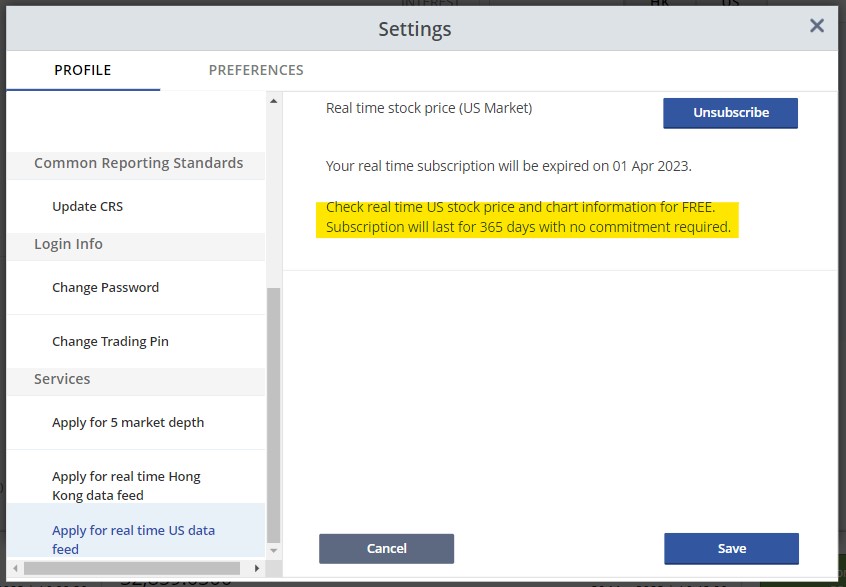
*Update 31/3/2023: Subscribe to continue to get FREE live datafeed for US stock market!
Starting April 2023, users that wish to get access to FREE real-time US stocks datafeed will have to subscribe for it at Dashboard -> Setting -> 'Apply for real-time US datafeed'.
Thereafter, you will continue to enjoy FREE real-time US stocks datafeed - just remember to resubscribe every year!
Related Post: When to buy US stocks in MYR, and when to buy in USD?
#4 Live Conversion + Tight MYR-USD Exchange Rate
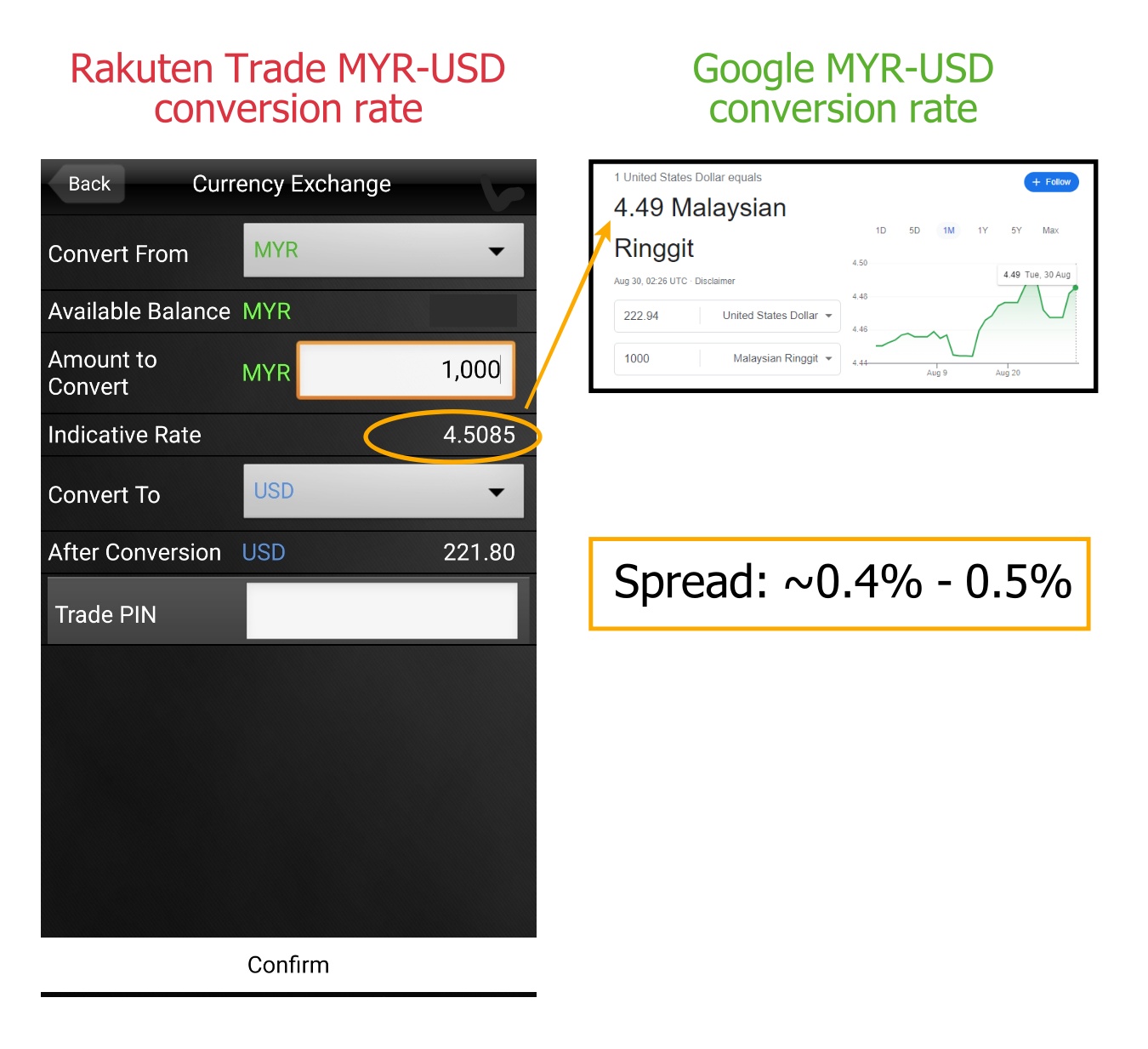
Rakuten Trade offers a relatively tight MYR-USD spread for users to easily convert between both currencies within the platform.
Furthermore, the conversion process happens real-time, enabling users to convert MYR to USD (and vice versa) with the latest rate and trade right away.
Lastly, unlike certain brokers, there are no extra fees involved in currency conversion (aside from the spread) so there are no worries about hidden fees.
#5 No charges for corporate action
Furthermore, just like trading Malaysia stocks, Rakuten Trade handles any corporate action for your US stock investments for FREE.
In other words, you do not have to pay Rakuten Trade in order to receive dividends or execute a right issue (you may have to pay for these on some other platforms).
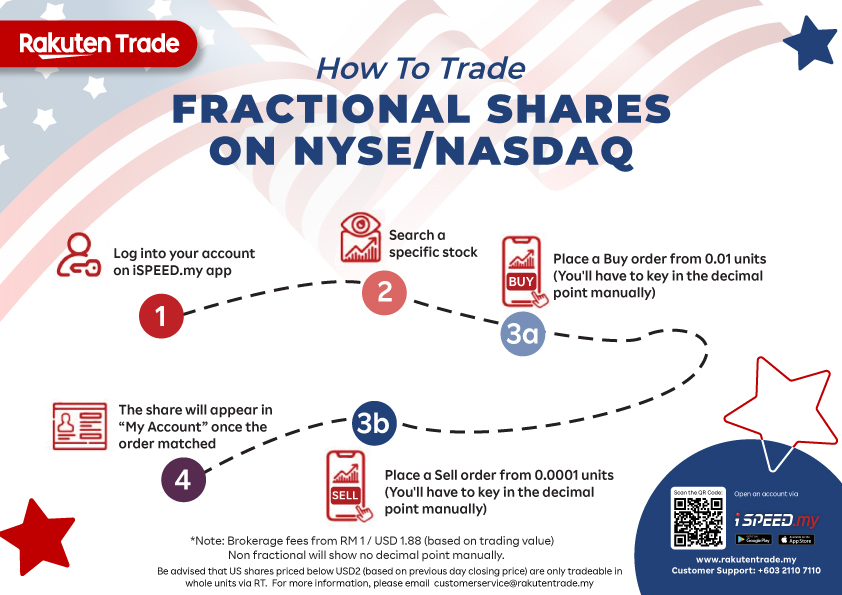
#6 NEW: Fractional Trading for US market
Starting May 2023, Rakuten Trade launched its Fractional Share Trading for US stocks and ETFs.
With fractional trading, Malaysians can buy US shares from 0.01 units instead of the full unit, while selling shares at 0.0001 units. This is a much-awaited feature and it's great to see it landed on Rakuten Trade.
READ MORE: How to buy fractional shares with Rakuten Trade
3 Areas of Improvement & why this might not be for active traders
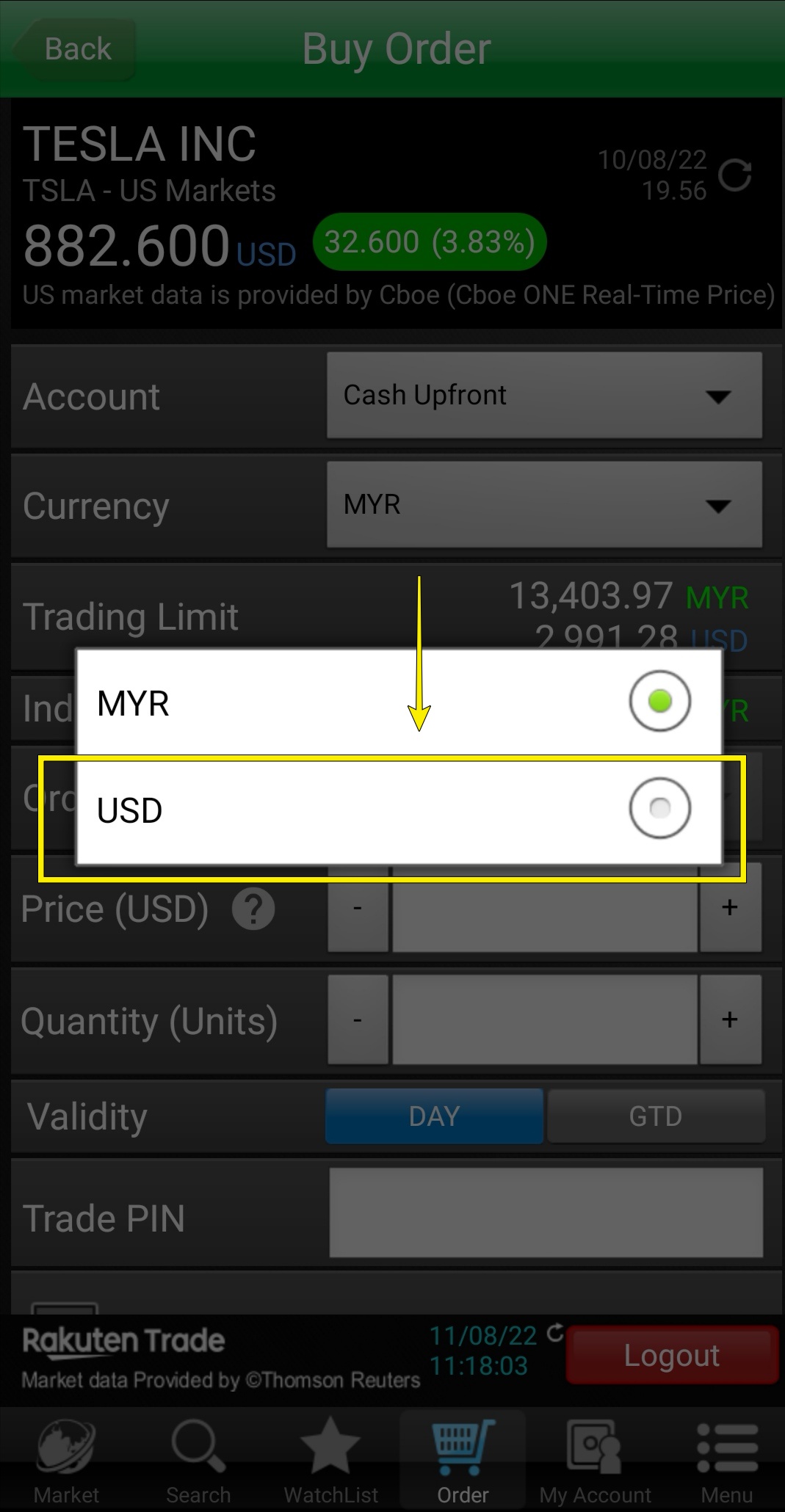
#3: Buy US stocks in MYR or USD – your choice!
Newly launched in August 2022, Rakuten Trade users can now store USD in their Rakuten Trade account.
This allows users the flexibility to trade US stocks and ETFs with either MYR or USD.
Furthermore, users also have the choice to receive USD or MYR when selling their US stocks.
Related Post: When to buy US stocks in MYR, and when to buy in USD?
#4 Live Conversion + Tight MYR-USD Exchange Rate
Rakuten Trade offers a relatively tight MYR-USD spread for users to easily convert between both currencies within the platform.
Furthermore, the conversion process happens real-time, enabling users to convert MYR to USD (and vice versa) with the latest rate and trade right away.
Lastly, unlike certain brokers, there are no extra fees involved in currency conversion (aside from the spread) so there are no worries about hidden fees.
#5 NEW: Fractional Trading for US market
Starting May 2023, Rakuten Trade launched its Fractional Share Trading for US stocks and ETFs.
With fractional trading, Malaysians can buy US shares from 0.01 units instead of the full unit, while selling shares at 0.0001 units. This is a much-awaited feature and it’s great to see it landed on Rakuten Trade.
READ MORE: How to buy fractional shares with Rakuten Trade
3 Areas of Improvement & why this might not be for active traders
With the launch of US stock trading service, Rakuten Trade is set to disrupt the Malaysia brokerage scene.
That said, I think there are some areas of improvement for Rakuten Trade. Below are 5 key areas that I think Rakuten Trade should strive to improve on to serve users better:
(a) Lack of basic order execution features
One thing that I found lacking while using Rakuten Trade to trade US stocks is the missing of (basic) order execution features such as Market Order.
Unfortunately, the only execution option on Rakuten Trade is Limit Order.
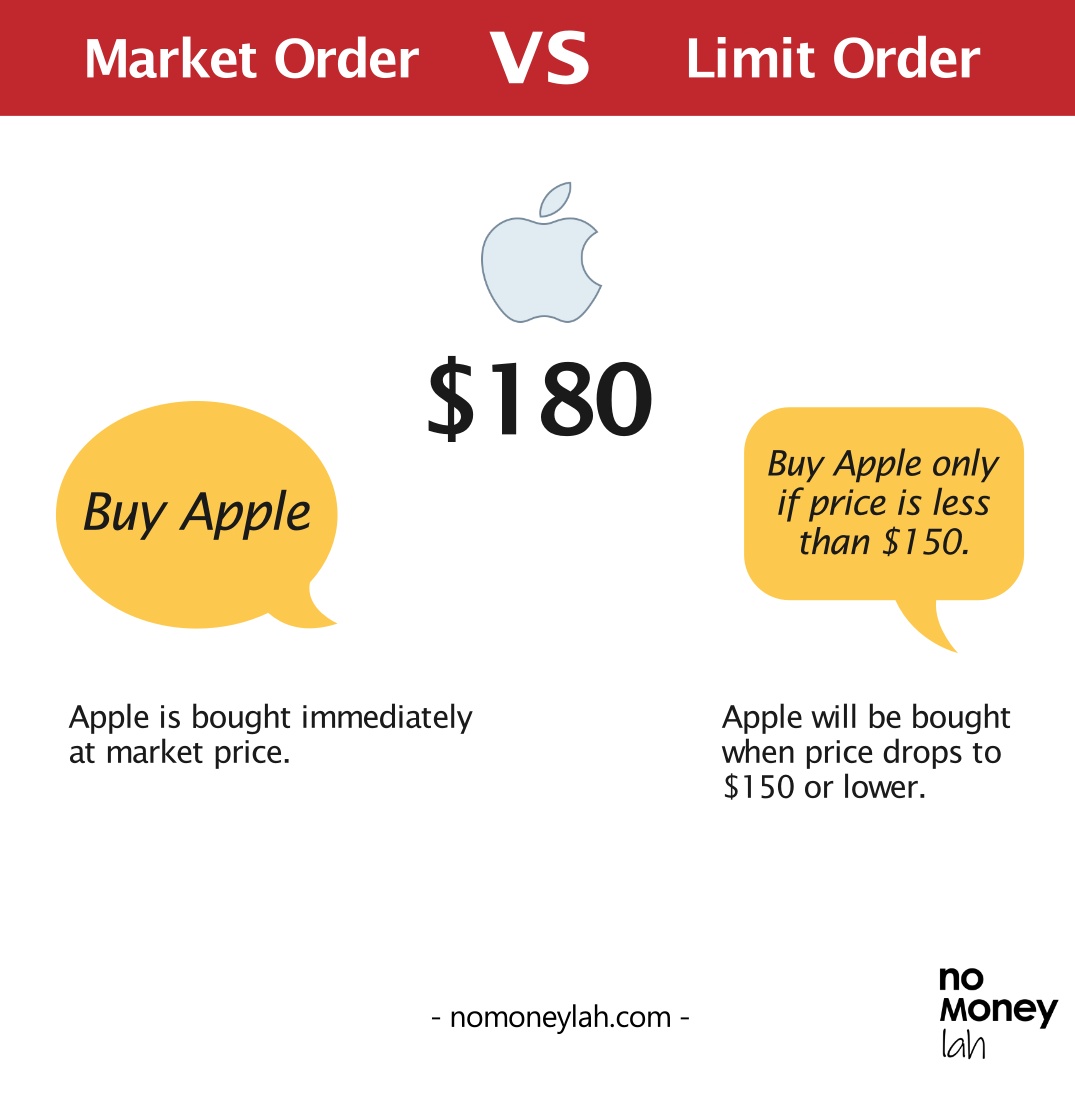
- Market Order is an execution feature that allows investors to buy or sell shares at the immediate best price. As such, it is available in most stock trading platforms that I’ve used in the past (even Rakuten Trade’s own Bursa trading)
- Limit Order allows investors to line up their orders to buy or sell shares at a specific price or better.
While this may not be a huge issue for most long-term investors, a lack of Market Order execution may turn off some investors who prefer not to wait for their orders to be matched, or day-traders that require immediate market execution.
I’ve reached out to Rakuten Trade’s team on this matter, and it seems like there is no plan to add execution features like Market Order on their US stock trading service for the time being.
(b) Limited stocks to trade (but it’s improving!)
Secondly, despite offering access to the US market, Rakuten Trade does not actually offer all of the stocks listed in the US market.
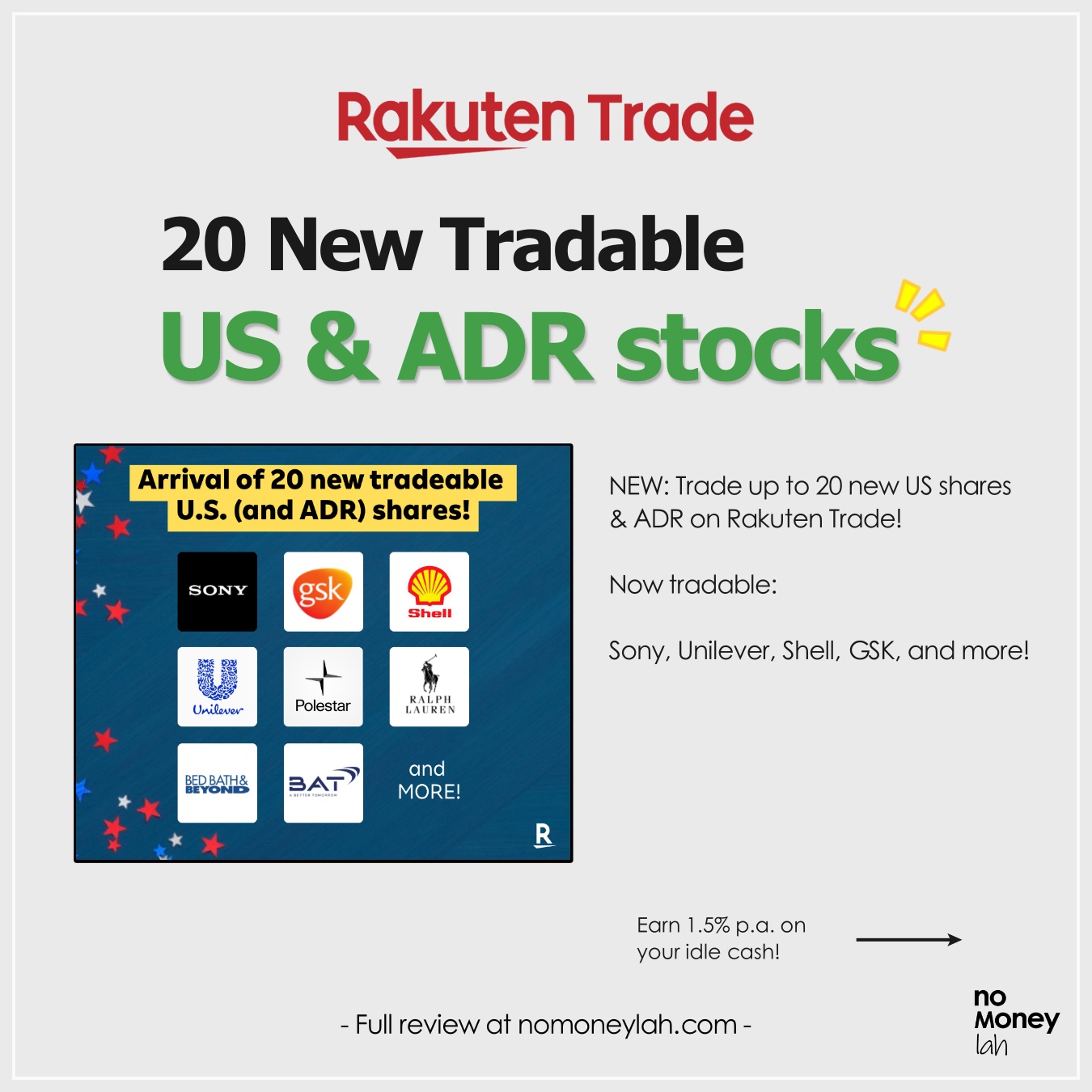
That said, Rakuten Trade has been gradually adding new US stocks and ETFs since their launch. As of July 2023, Rakuten Trade offers about 920+ stocks, 25+ ADRs & 240+ ETFs listed on the NYSE and Nasdaq exchanges.
While you may trade the most well-known US stocks (eg. Apple, Tesla, Microsoft) and ETFs (eg. VOO, VTI) tradable on Rakuten Trade, there are some other US stocks that you may not find on Rakuten Trade.
As an example, as a REIT enthusiast, I have no access to stocks like Innovative Industrial Properties Inc (IIPR), which is a bummer.
[Note]: If you have a stock that you want to trade on Rakuten Trade, you can email your request to Rakuten Trade on the matter.
(c) No short selling and margin trading
Short selling and trading with margin are not available on Rakuten Trade too.
Essentially, this means that the only direction that you can execute on Rakuten Trade is for a stock to go up in price.
Also, you are only able to trade US stocks with the cash that you have in your Rakuten Trade account without access to margin facilities.
While this may turn off some stock traders, it shouldn’t be an issue for most long-term investors.
Regardless, having all these features will certainly help Rakuten Trade serve the needs of different retail participants in the market.
Who should use Rakuten Trade to trade US stocks?
While imperfect, Rakuten Trade has offered something that all local brokers failed to do: Access to the US stock market at a truly affordable fee via a Malaysia-regulated platform.
In my opinion, Rakuten Trade is a great option if you are:
- Seeking for a Malaysia-regulated broker to invest in the US stock market.
- Looking to access the US market at a truly affordable fee.
- Looking for a user-friendly platform to invest in the US stock market.
At the same time, it may not suit people who are:
- Active day traders that require market execution (instead of limit order) or more advanced execution features.
- Traders that need access to margin and the ability to short-sell stocks.
- Investors or traders that want exposure to more exotic stocks that are not within Rakuten Trade’s list of tradable stocks.
In short, unless you are an active trader, chances are you’ll like what Rakuten Trade has to offer.
Summary: Is Rakuten Trade a good platform to invest in the US market?
As a whole, Rakuten Trade has offered Malaysians a game-changing manner to invest in the US stock market via a locally-regulated broker.
An affordable fee structure, user-friendly interface, and transparent conversion rate should convince many investors to forgo the need to open a foreign brokerage account (and experience all the hassle of funding & withdrawals).
Unless you are an active day trader or you require access to less familiar stocks, I am sure you’ll be happy with what Rakuten Trade has to offer.
If you are keen to open a Rakuten Trade account, consider using my referral link by clicking on the button below!
Open A Rakuten Trade Account Today!
How to sign up to trade US stocks via Rakuten Trade
(A) How to sign up for US stock trading if you are new to Rakuten Trade:
Step 1: Sign up for Cash upfront account
If you are new, you’ll have to sign up for a Rakuten Trade Cash Upfront account.
Consider using my Rakuten Trade referral link by clicking the button below, and you’ll get 1000 RT points (RM10) which can be used to offset your brokerage fee!
Open A Rakuten Trade Account Today!
If you need help, click HERE for my step-by-step guide to open a Rakuten Trade account.
Step 2: Get your Rakuten Trade account within 2 working hours
Your Rakuten Trade account will be activated within 2 working hours.
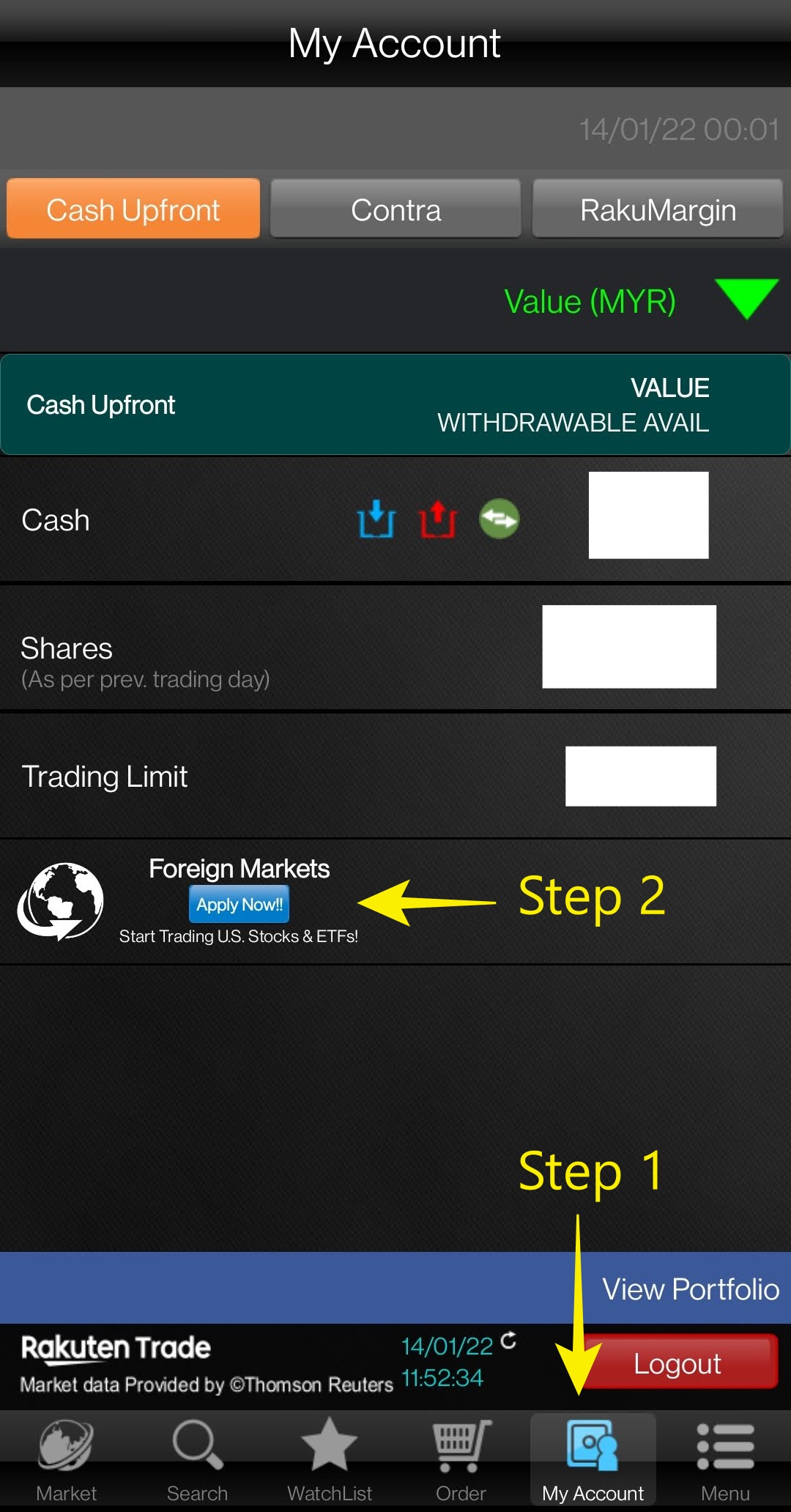
Step 3: Log in to your Rakuten Trade account and apply for Foreign Stock Trading
Log in to your Rakuten Trade account either via the website or Rakuten Trade’s iSpeed app. You can locate the Foreign Trading activation button easily within the Rakuten Trade platform.
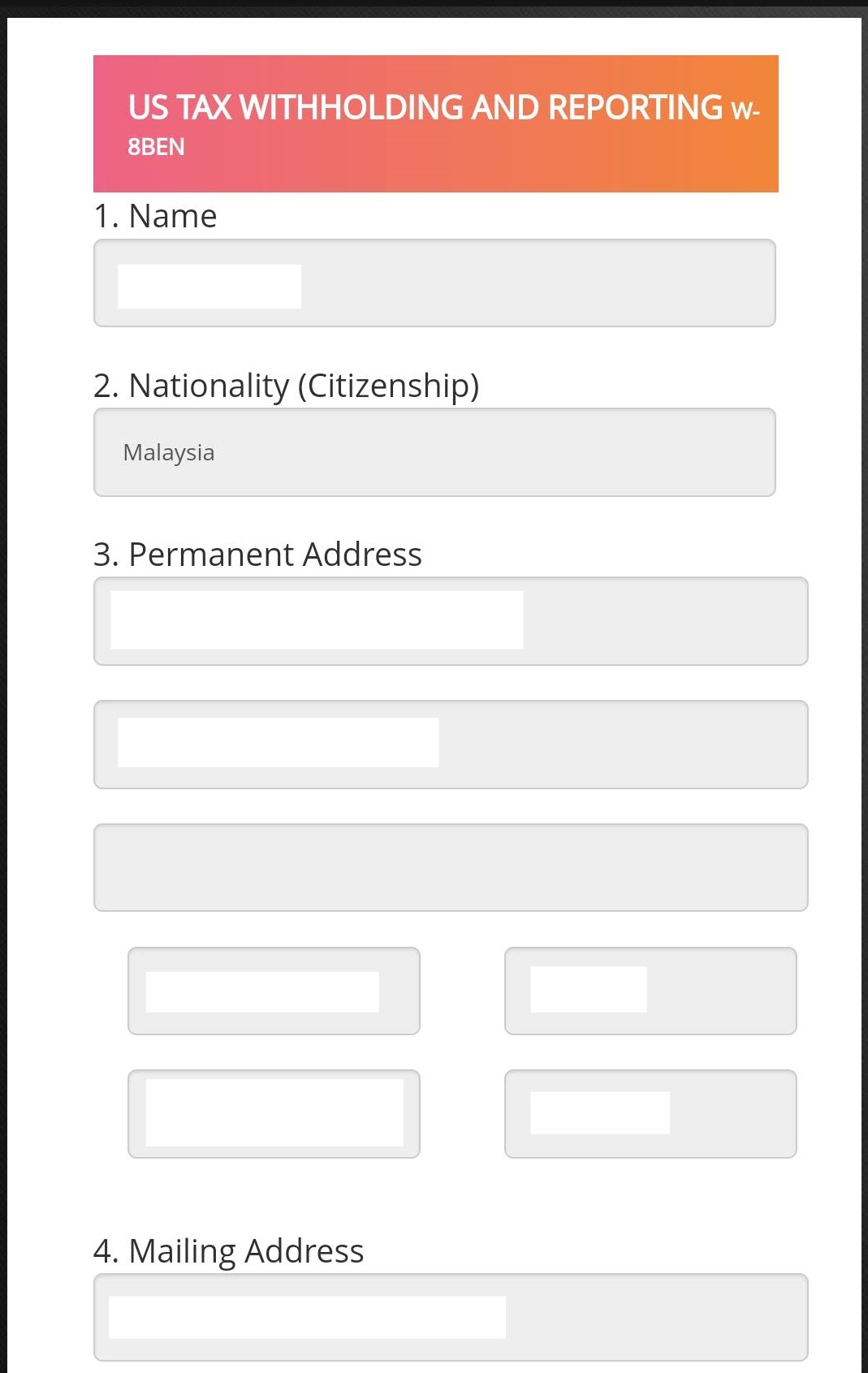
Step 4: Submit your application for US stock trading
Spend 1 minute to share some info required to trade the US stock market. Then, submit your application.
Step 5: Your Foreign Trading account will be enabled within 2-3 working days
(B) How to sign up for foreign trading if you are an existing Rakuten Trade user:
If you are an existing Rakuten Trade user, just follow Step 3 to Step 5 above and you’ll be good to go!
Disclaimer:
This post contains affiliate links, which afford No Money Lah a small referral (and in return, support this blog) if you sign up for an account using my referral link. The information stated above is based on my personal experience and for purpose of sharing such experience only. It is not intended as professional investment advice. Please contact Rakuten Trade for more information.

Moomoo Malaysia (MY): 5 must-use features that will change how you invest!
Moomoo Malaysia, one of the fastest-growing investment platforms has recently expanded to Malaysia and is open for trading for the US and Malaysia stock markets!
In this post, let me show you my top 5 favorite features within the Moomoo app that will help you become a better investor!
RELATED POST:
- Moomoo Malaysia (MY) review (coming soon!)
Highlights of Moomoo MY:
- Locally-regulated broker: Moomoo MY is regulated by the Securities Commission Malaysia (SC). This ensures that Moomoo MY’s operation and business are conducted within the rules set by the authority to protect Malaysian investors.
- Access to US and Malaysia stock markets: Invest in the US and Malaysia stock markets within the Moomoo app.
- Best fee structure for Malaysia-regulated brokers: Moomoo MY offers the most competitive fees for the US and Malaysia stock markets among Malaysia-regulated brokers, with 0 commission trading for all Moomoo users for the first 180 days.
- Powerful features: Investors of all levels and experience will appreciate the useful features that will alleviate their investing experience, such as a powerful stock screener, 24/7 news, Moo community, and more.
My short summary:
I am pleasantly impressed by how the Moomoo trading app can offer so many feature-packed tools while keeping the app so simple to navigate around.
It is truly one of the most feature-rich yet easy-to-use investing apps available in the market now.
My Top 5 Favourite Features of Moomoo MY:
Feature #1: FREE level 2 US market data when you register for your Moomoo MY account
While most brokers will make users pay for level 2 data, Moomoo MY gives you level 2 US market data for FREE when you register for your account.
What exactly is Level 2 US market data?
Essentially, Level 2 US market data allows you to see transaction details (ie. Buy & sell activities) across multiple price levels:
Having level 2 US market data is equivalent to having an aerial view of the market. For instance, with Level 2 US market data, you can detect in real-time should buyers are buying aggressively (or vice versa) and make better entry decisions.
In short, with level 2 US market data, you can get a better gauge of market strength.
Feature #2: Get big-picture business views via 'Industry Chain'
'Industry chain' is also one of my favorite features in the Moomoo app. With Industry chain, you can have a big-picture view of a specific industry.
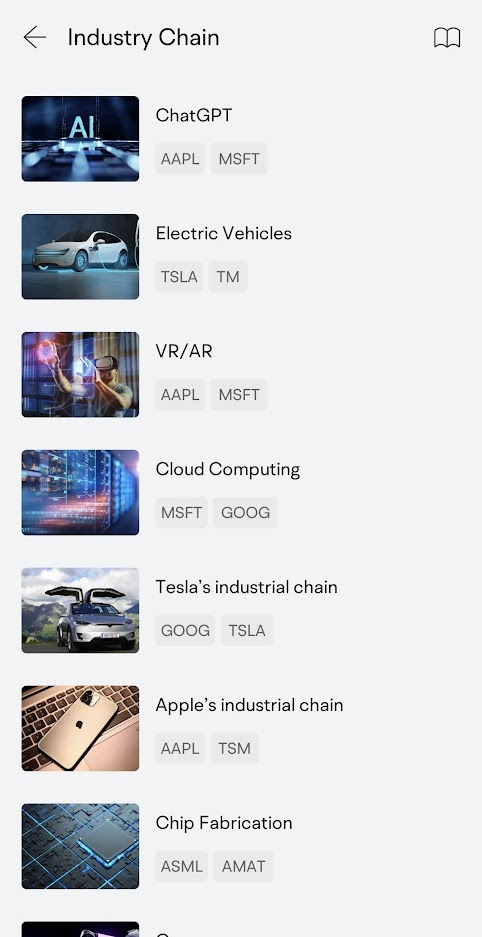
For instance, you can instantly learn how the whole Electric Vehicle (EV) industry work, alongside companies that fall under each segment.
In addition, you can also discover what companies are there in a specific role in the business chain in an ecosystem.
Simply put, you can gain a big picture of any industry that you are interested to learn.
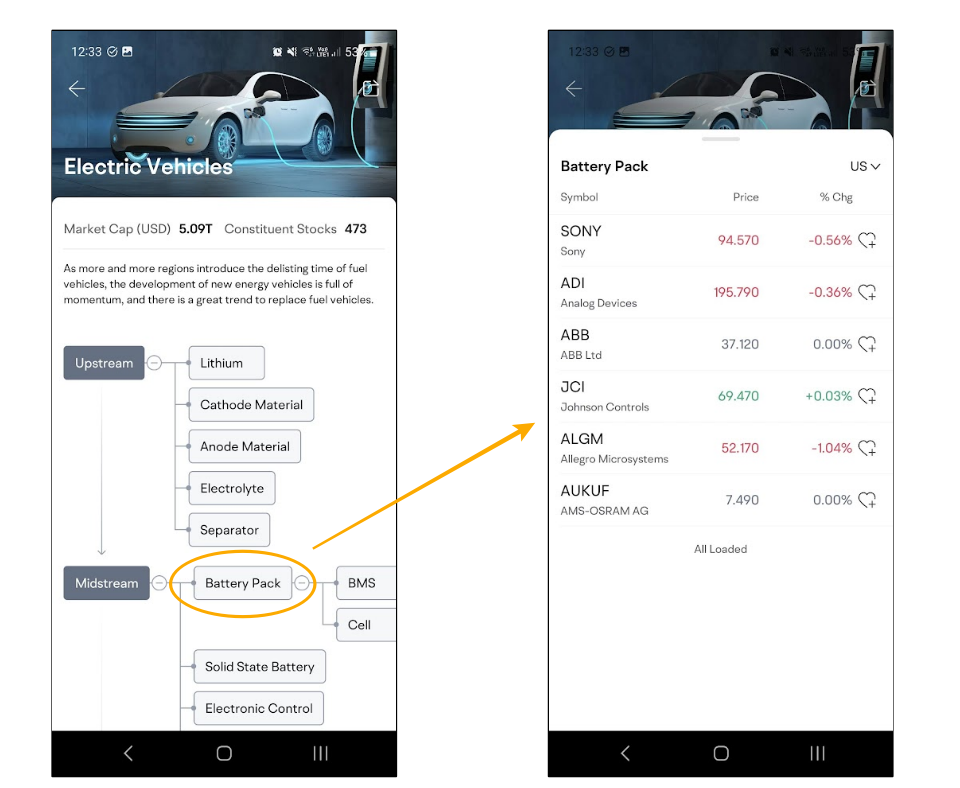
Where to find: 'Markets' > 'US' > 'Industry Chain'
Feature #3: Track the performance & insights of a specific theme with 'Concepts'
Concepts is a unique feature within the moomoo app that allows you to track the overall performance and news of companies that fall under a specific theme, such as 'EV charger', 'Gene Editing', 5G, and more:
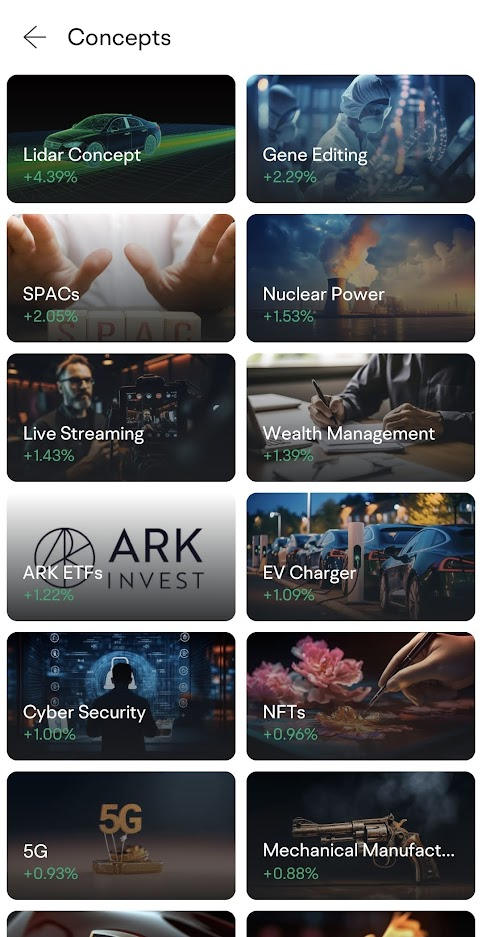
As an example, check out how I can view the overall & individual performances of the companies that fall under the ‘EV Charger’ concept:
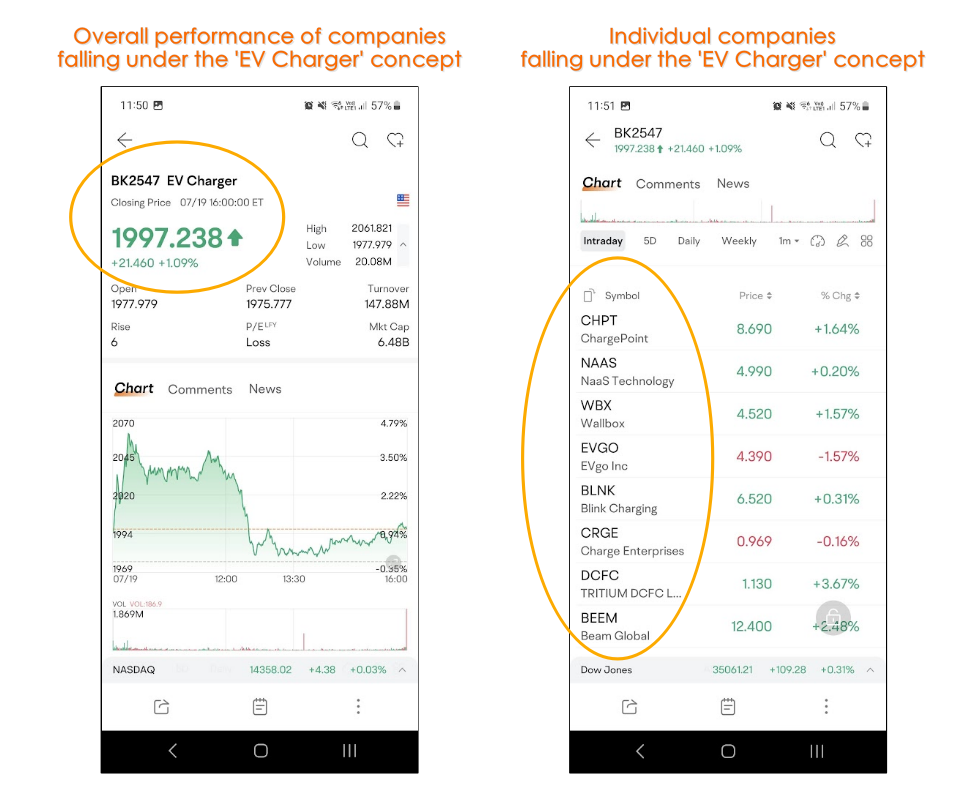
With Concepts, you can have a clear view of how certain themes perform, as well as research for a specific theme with ease - all within the moomoo app.
Where to find: 'Markets' > 'US' > 'Concepts'
Feature #4: See what other investors are doing with Market Position Overview
Another useful feature of the Moomoo app is Market Position Overview. Essentially, it shows the number of shares held at different prices by investors in an easy-to-see visual.
As an example, in this example of Apple (AAPL) stock below, we can see that most Apple shareholders are in a profitable position (shown in green), as their entry price is below the market price ($195).
In addition, you can also spot the price where most investors bought their shares based on how long the horizontal bar is:
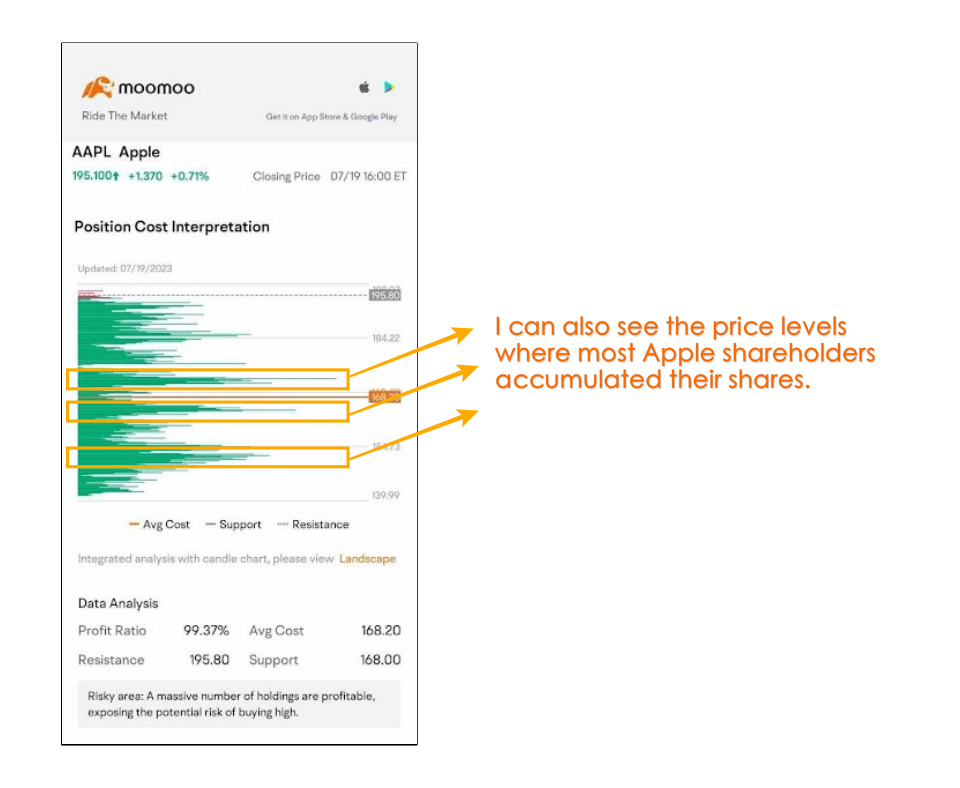
Where to find: Search for a stock > 'Market Position Overview'
Feature #5: One of the most flexible stock screeners around
The stock screener within the Moomoo app also impressed me. This screener can be super simple, or as sophisticated as you want.
From fundamental to technical filters, you can filter for stocks based on your preferred criteria:
It is definitely one of the most complete stock screeners within an investing app that I’ve used in my investing journey so far.
Where to find: 'Markets' > 'US' > 'Screener'
Other useful features within the Moomoo app:
- #1 Gauge bearish sentiment via Short Sale Analysis
Short sale analysis is a solid feature that allows you to identify (i) the volume of a company’s shares that are being shorted in the market, and (ii) the percentage of shares that are being shorted but not yet closed (ie. People that are betting for the market to go down) in the market.
This is a very useful feature to gauge the market's bearish sentiment on a specific stock.
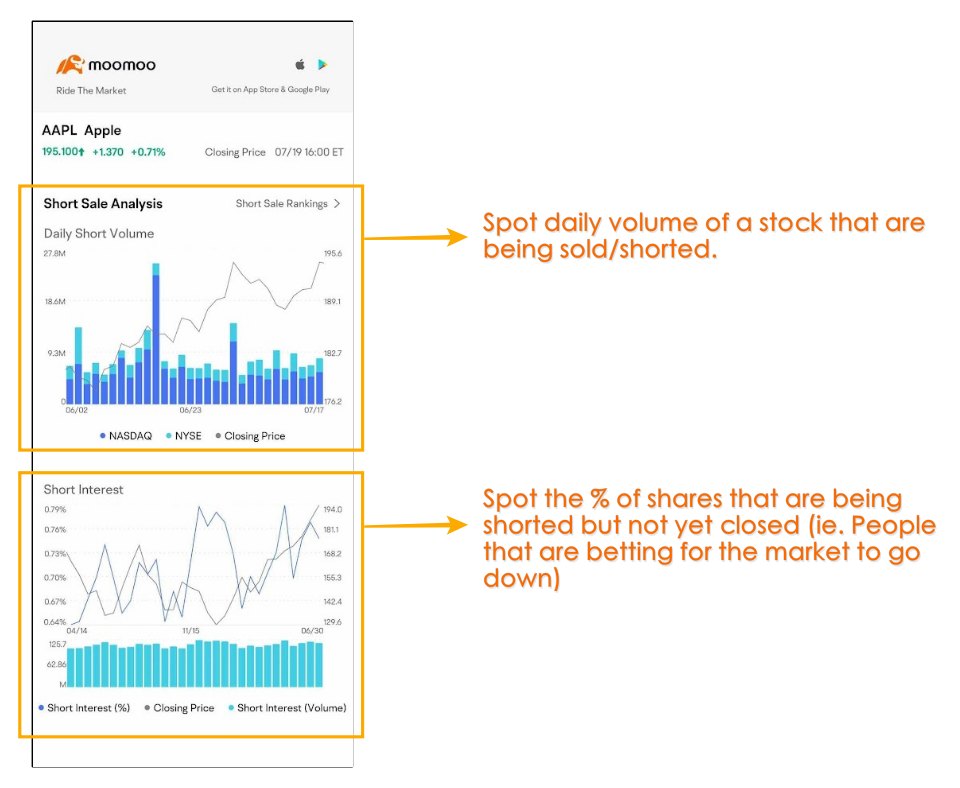
Where to find: Search for a stock > 'Short Sale Analysis'
- #2 Use Trade Overview to confirm your conviction
With Trade Overview, you can identify the movement of funds in and out of a specific stock.
Furthermore, you can go further by looking at the capital flow breakdown of XL, L, M, and S orders.
This can give you an idea of whether the stock you are looking to buy has the conviction of other players (big or small) in the market.
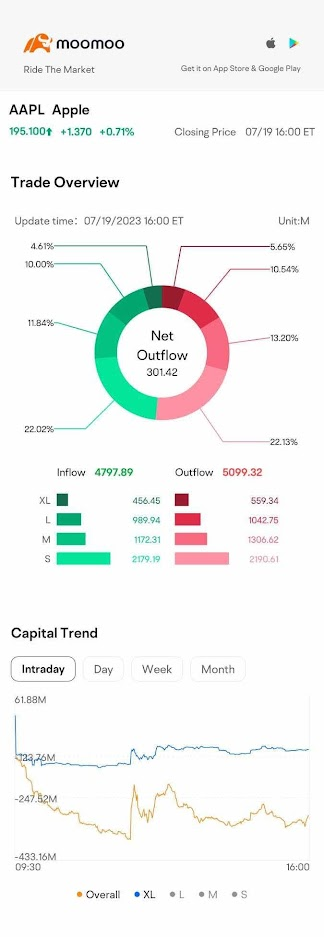
Where to find: Search for a stock > 'Trade Overview'
- #3 Get real-time, 24/7 financial news in the moomoo app
It is also extremely convenient to get the latest financial news in the moomoo app.
Even better, the news is real-time and updated 24/7, making it easy for you to get in touch with the latest updates of the market and the companies that you are investing in.
Where to find: 'Discover' > 'News'
Disclaimers
All views expressed are the independent opinions of myself, which are not necessarily shared by Futu Malaysia Sdn. Bhd. ("Moomoo MY"). No content shall be considered financial advice or recommendation. Moomoo MY links are included in this post, through which referrals are made and I may receive certain commissions. Please contact Moomoo MY for more information.

Guide: How to make your first trade on Interactive Brokers (IBKR)
Interactive Brokers (IBKR) is my go-to platform to invest in the US stock market, as well as accessing other markets such as the London and Canadian stock market.
In this guide, let’s go through 2 of my favourite ways on how to make your first trade on IBKR, either via IBKR's Client Portal or IBKR Mobile!
USEFUL IBKR TIPS & GUIDE:
-
p.s. A word to fellow readers:
Dear friends, if you find this post helpful, I'd appreciate it if you can click on the button below to learn about IBKR via IBKR's official site.
Doing so will help the earn the blog a small fee at no extra cost to you.
This will help supporting the blog in creating more useful content - thanks in advance my friends!
Before you start: Fund your IBKR account
Make sure you have funded your Interactive Brokers (IBKR) account before placing your trades.
Check out my IBKR funding guide HERE.
#1 Placing trades via IBKR Client Portal
IBKR Client Portal is my favorite way to buy stocks/ETFs on IBKR as it is the most straightforward approach in my opinion.
Step 1: Log in to your IBKR Client Portal
Click HERE to log in to your IBKR Client Portal.
Step 2: Search for your stock/ETF
At the search bar, search for the stocks or ETFs that you want to invest in:
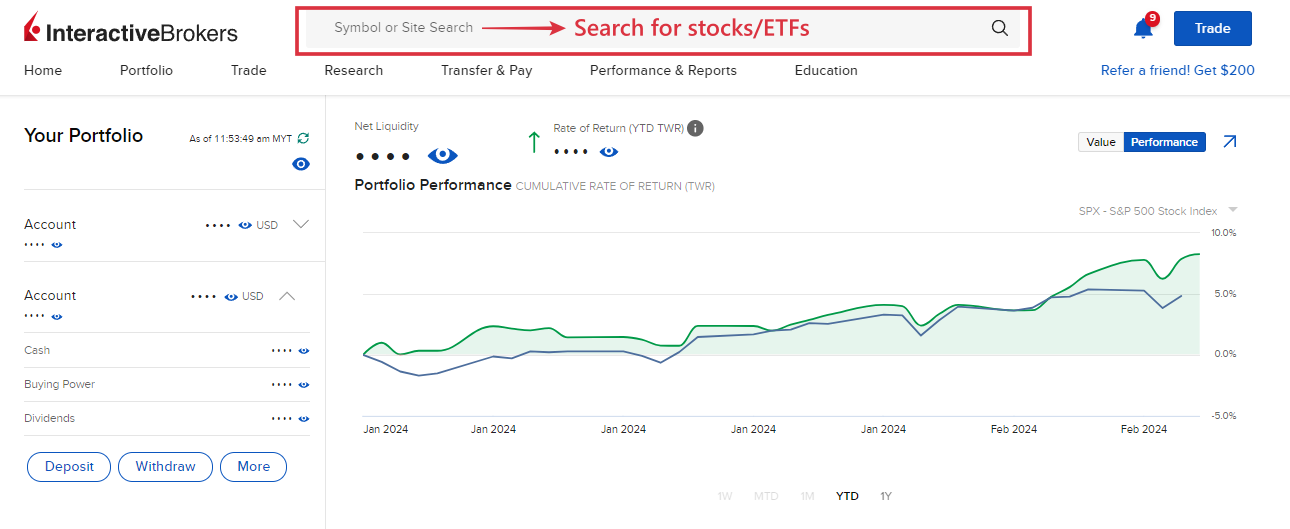
As an example, let's say I am looking to invest in the share of Apple.
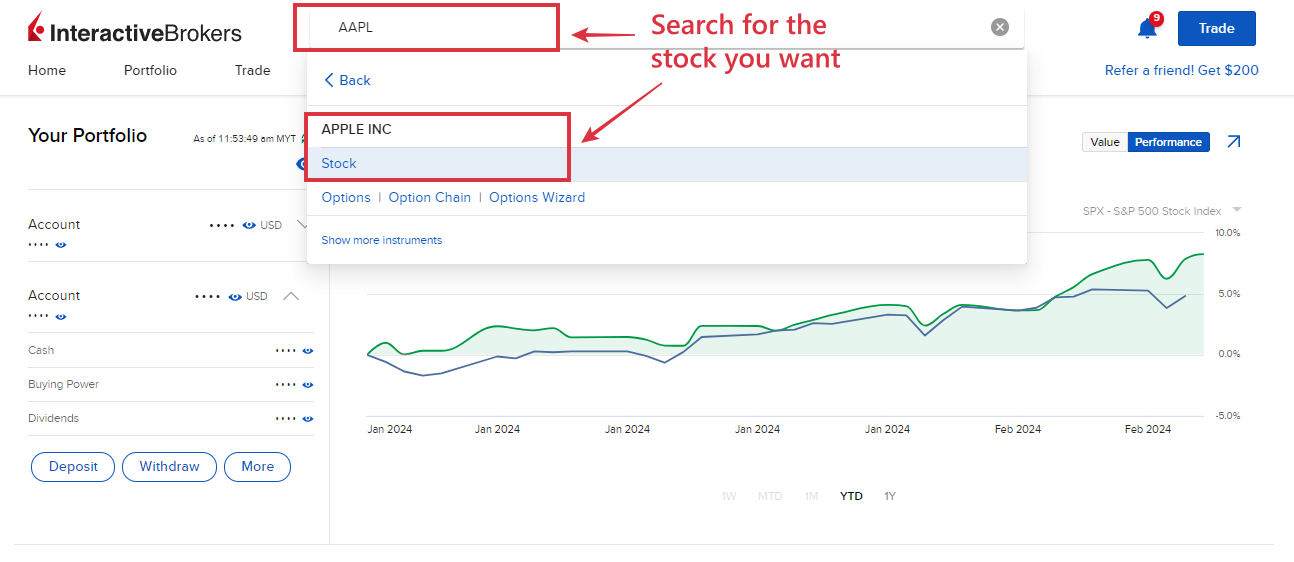
Step 3: Next, click on the 'Buy' button.
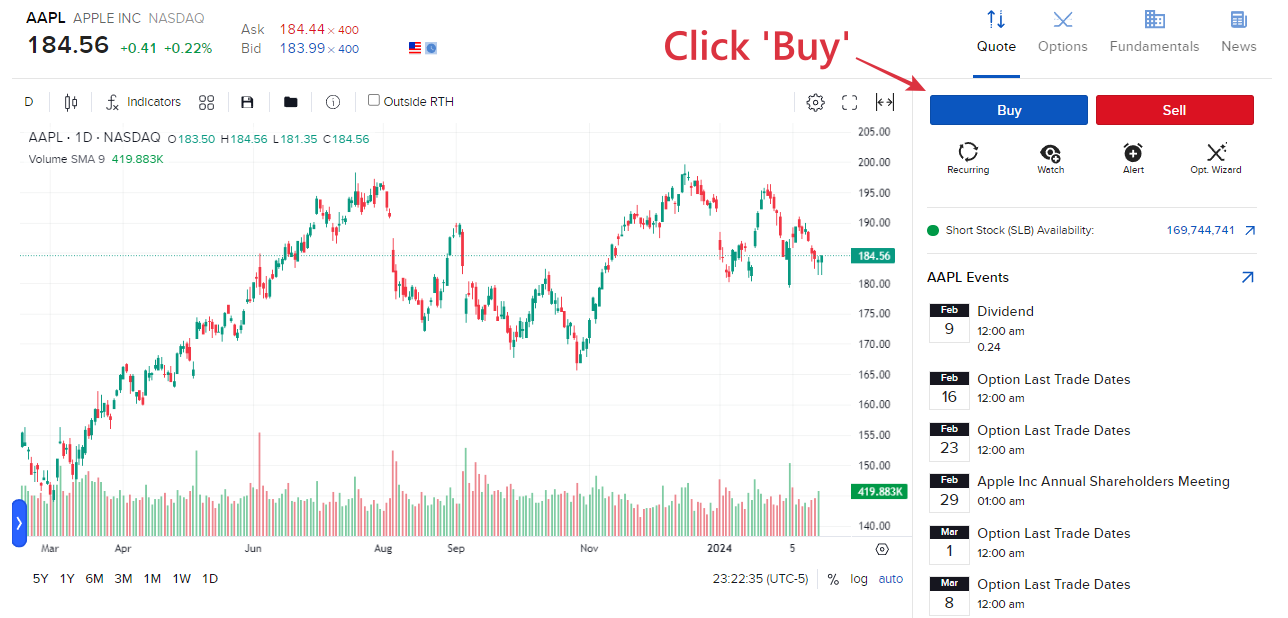
Step 4: Determine your order type
Within IBKR, there are a few order types available for investors to choose from while executing trades. Check out the bottom section of this post where I explain more about the different order types on IBKR.
For this example, let's say I want to set a buy limit order for Apple shares at $180.00. Meaning, instead of trying to buy Apple shares at its market price, I am lining up to buy the share when the price drops to $180.00.
Buying via limit order indicates that I may miss my entry IF the price goes up and never pulls back to $180.00, but I will get a better price if it does pull back to my desired price level.
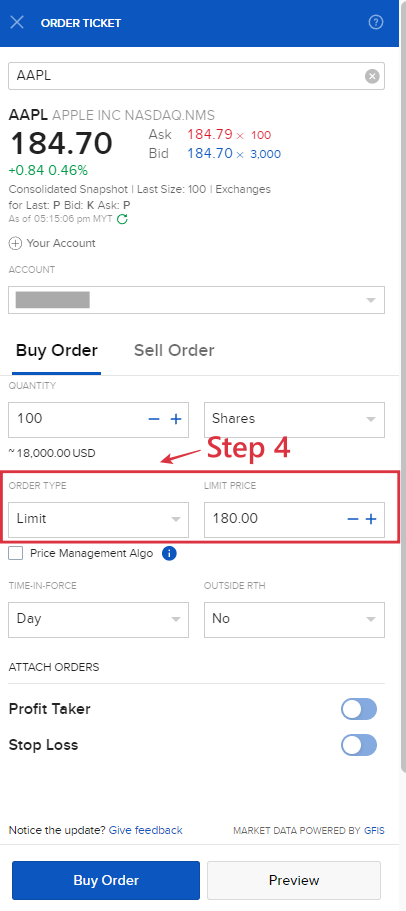
Step 5: Determine the number of units of shares to buy, OR simply key in the amount to invest in:
- 5a: Determine the number of shares you want to buy, and you'll be shown the amount required for you to buy the shares. In this case, buying 100 Apple shares at my limit price of $180.00 will require about $18,000 on my end (before commission).
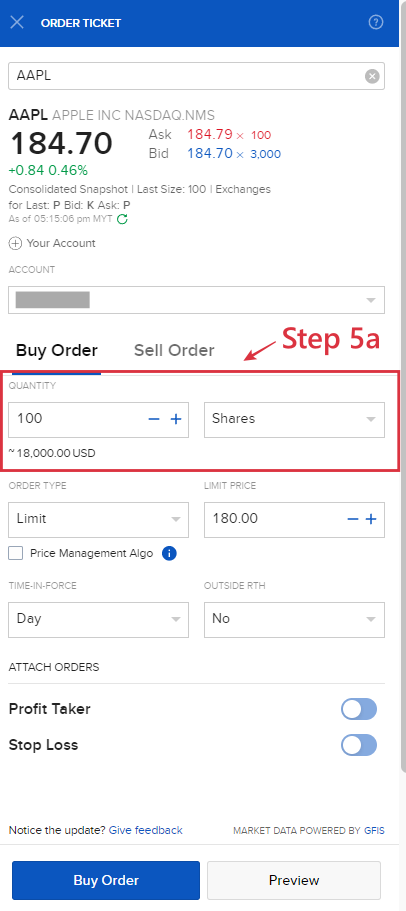
- 5b: Alternatively, you can key in the amount you want to invest in, and you'll be shown the number of shares that you can buy. In this scenario, for $1000, I would be able to buy about 5.56 units of Apple shares.
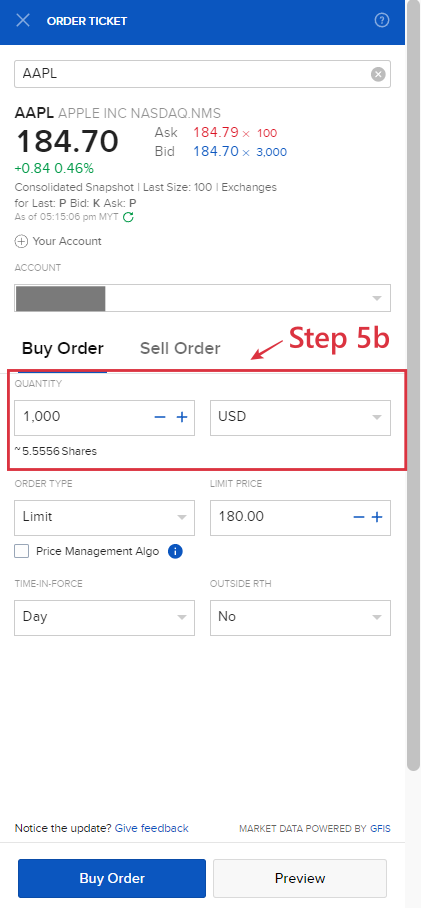
Step 6: Determine Time-In-Force of your trade order
Next, decide the Time-In-Force of your order. Time-In-Force determines how long your trade order will stay valid.
There are 4 types of Time-In-Force mechanisms in IBKR Client Portal, but I will go through 2 most common ones, namely:
- Day: A 'Day' order will stay valid until the end of the trading session and cancel itself should the order is not filled. For instance, if my buy limit order of $180.00 for Apple share is not filled by the end of the trading session where I execute my order, my order will be canceled automatically.
- Good till Cancel (GTC): A GTC order will stay valid until it is filled, or you cancel the order yourself.
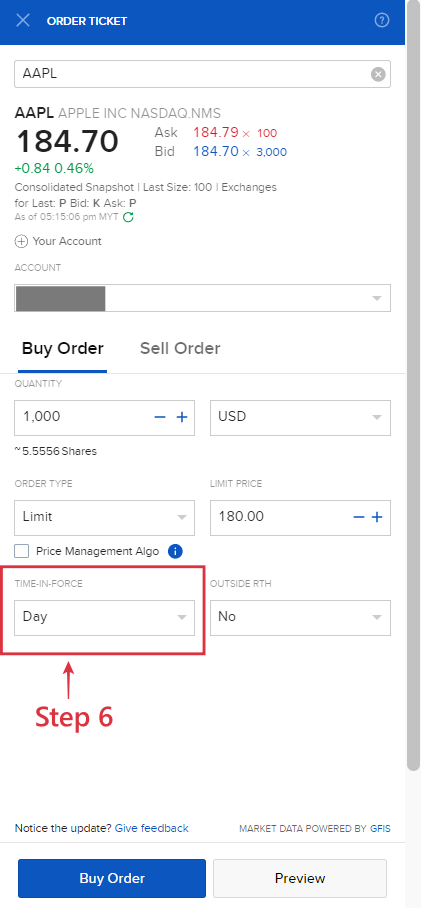
Step 7: Fill outside Regular Trading Hours (RTH)?
Some markets tend to allow orders to be filled outside of RTH, such as pre-market open hours and after the market is closed.
Depending on your preference, you can allow your trade order to be filled outside RTH.
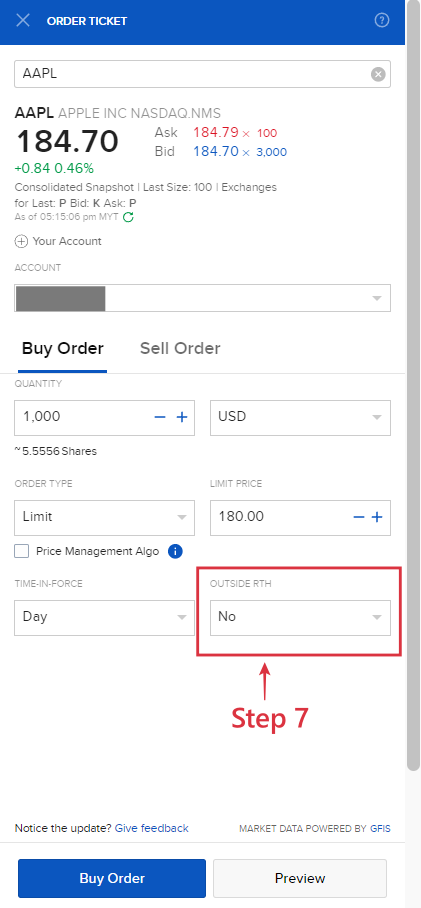
Step 8: Preview and submit your trade order
Clicking preview before submitting your order allows you to see the commission that'll incur for the trade. Once all details are good on your end, submit your trade.
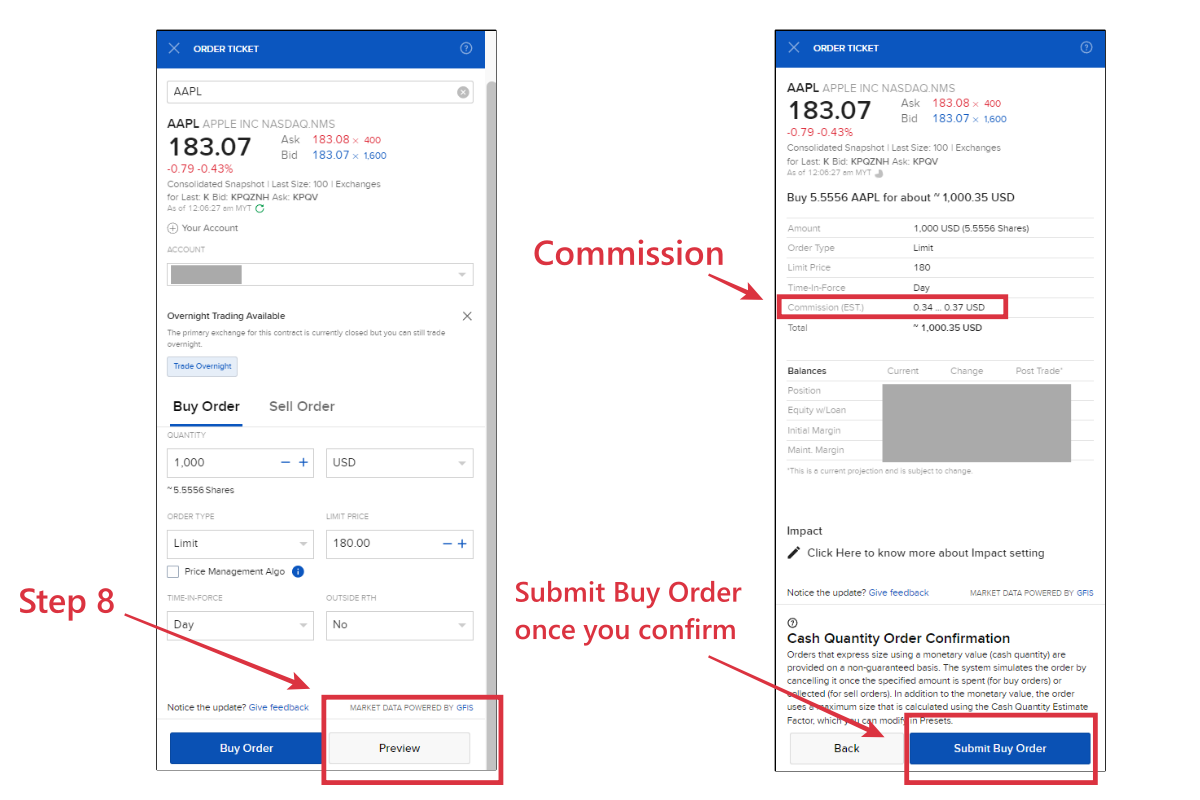
Step 9: Check your order and Modify the order if needed
Once you placed your trade, you can head over to 'Trade' and select 'Orders & Trades' to check the status of your trade.
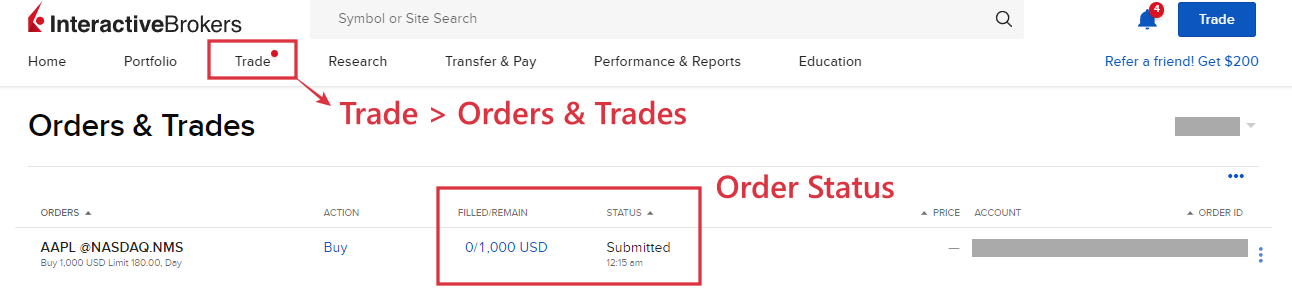
Should you want to modify your trades while it is not filled, you can do so by clicking the 3 dots on the far right, and select 'Modify':
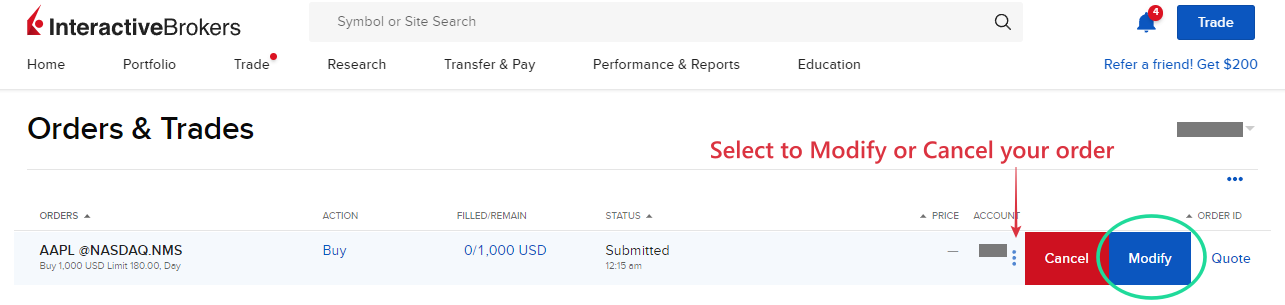
#2 Placing trades via IBKR Mobile
If you are investing on the go, installing the IBKR Mobile app is a must for you.
In this section, let's look at how you can place your trade via the IBKR Mobile app:
Step 1: Install IBKR Mobile app
Next log in to your IBKR account HERE.
Step 2: At the search bar, search for the stocks or ETFs that you want to invest in:
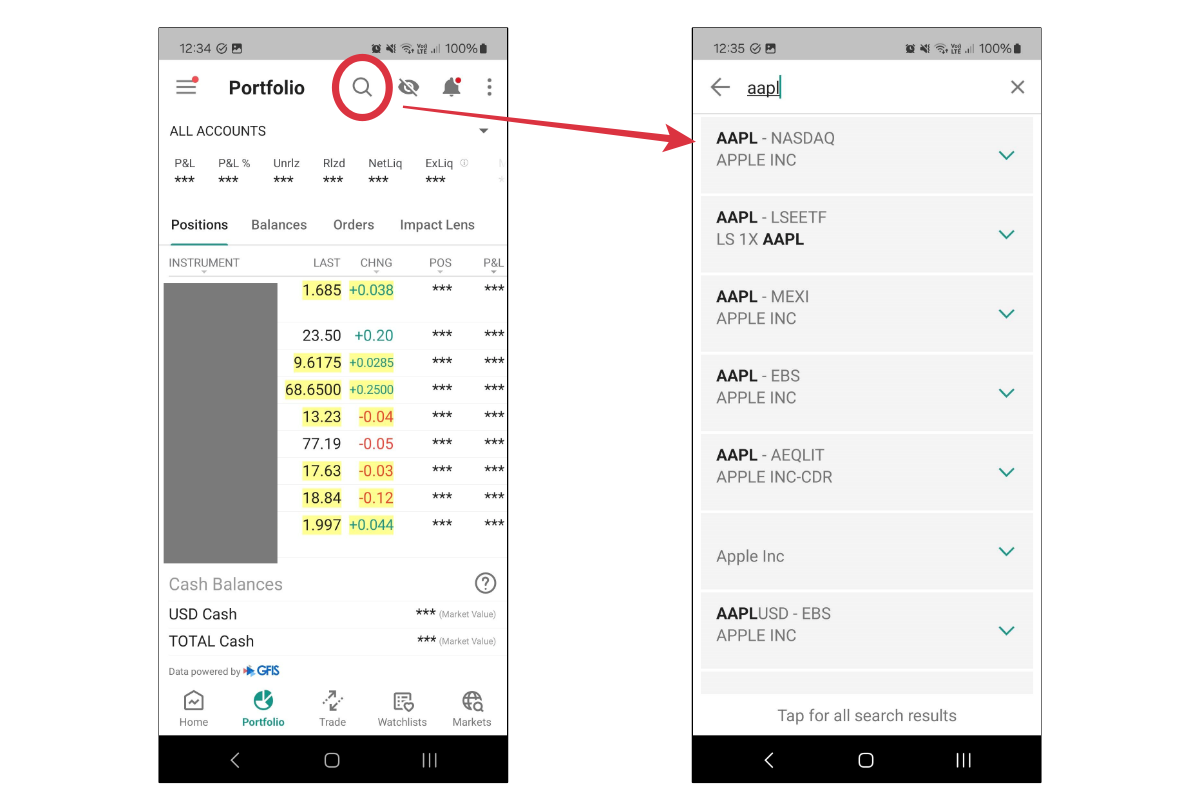
Step 3: Next, click on the 'Buy' button.
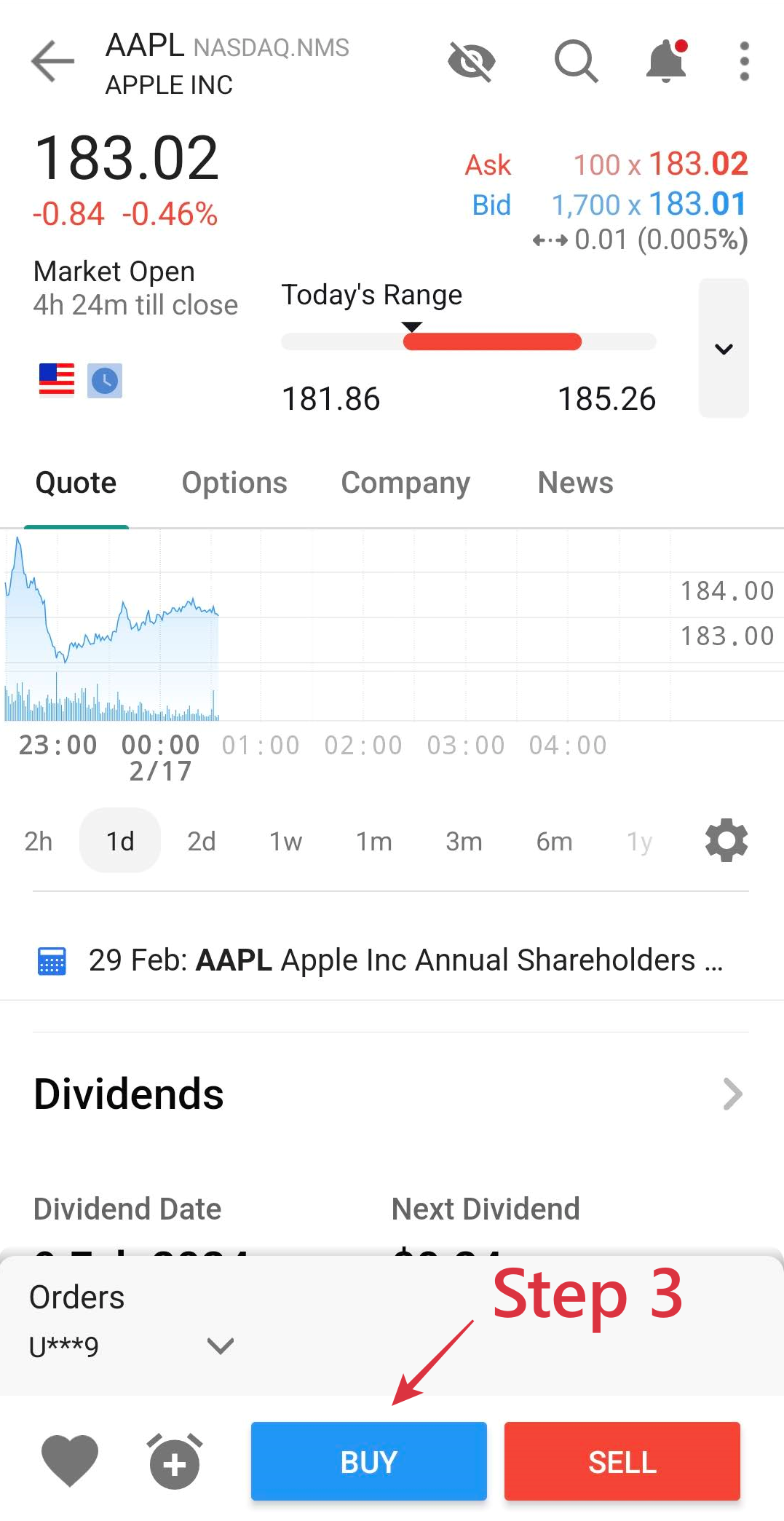
Step 4: Determine your order type
Within the IBKR Mobile app, the default order types are 'Market' and 'Limit' order.
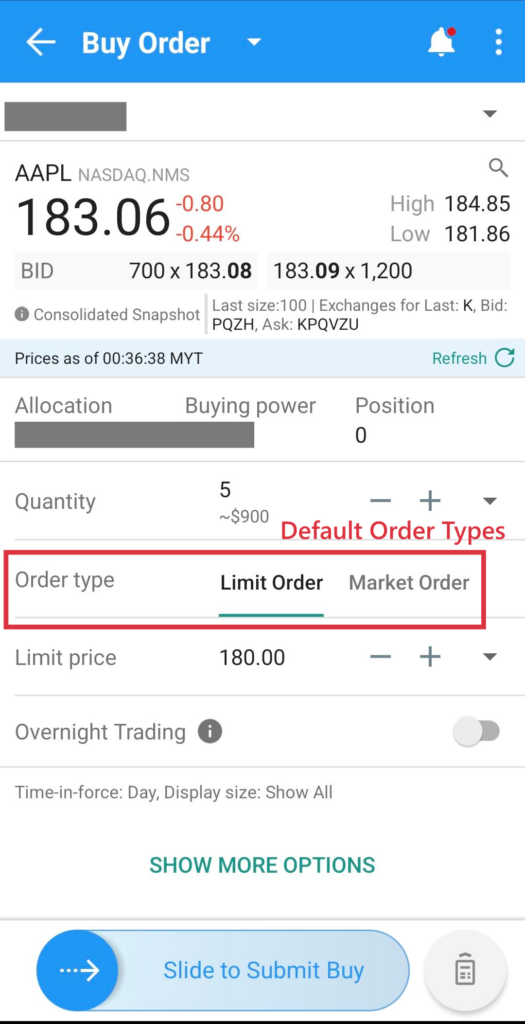
That said, users who need more advanced order types can select 'Show More Options' to access the different order types within the app. Refer to the next section to learn about the meaning of different order types.
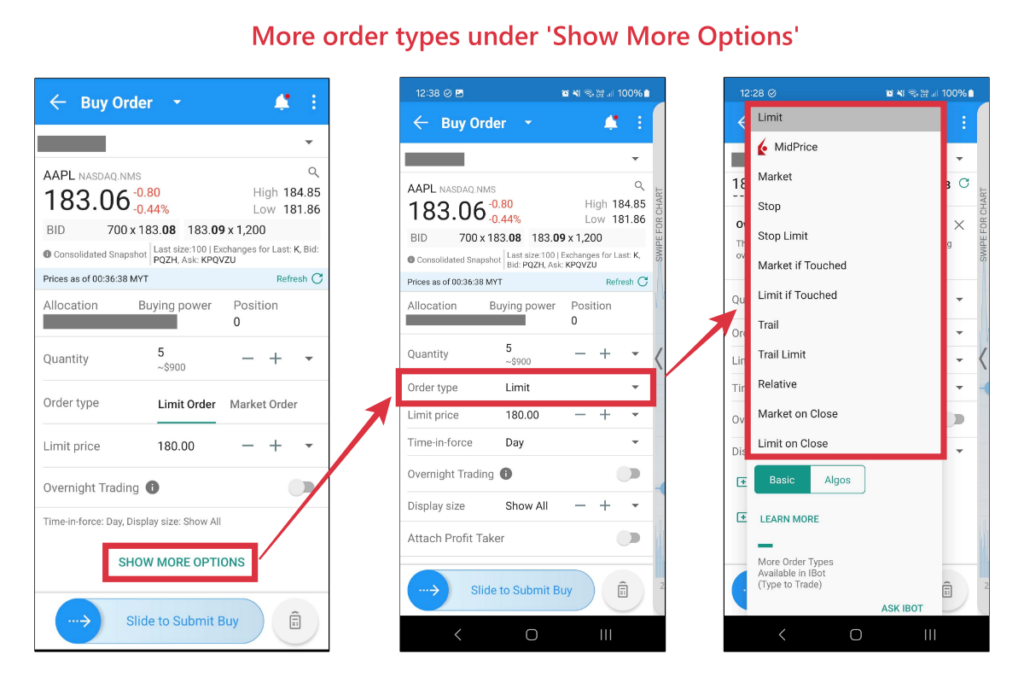
Similar to the example in the prior section, let's say I want to set a buy limit order for Apple shares at $180.00.
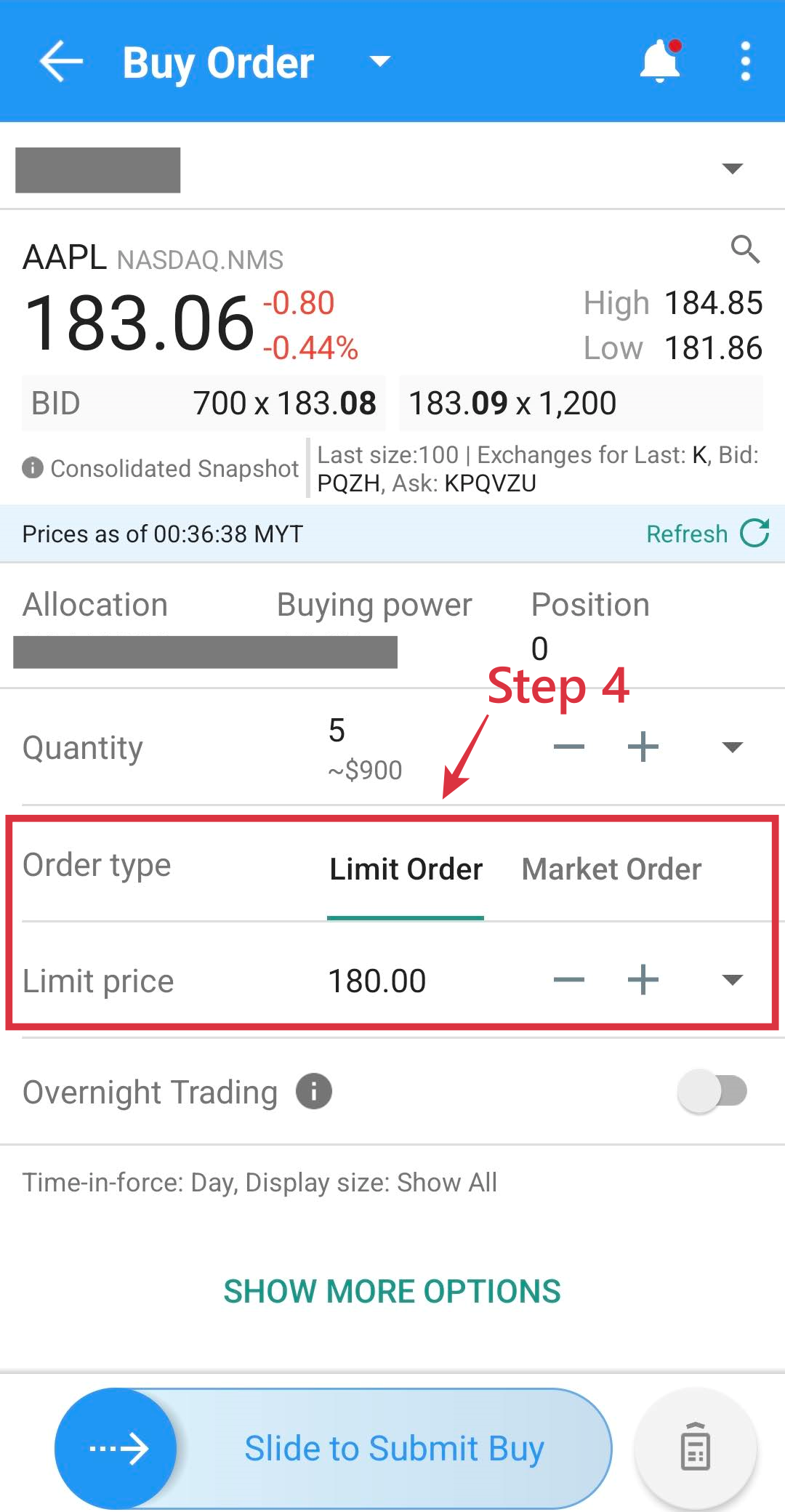
Step 5: Determine the number of units of shares you want to buy:
You'll be shown the amount required for you to buy the shares.
In this case, buying 5 Apple shares at my limit price of $180.00 will require about $900 on my end (before commission).
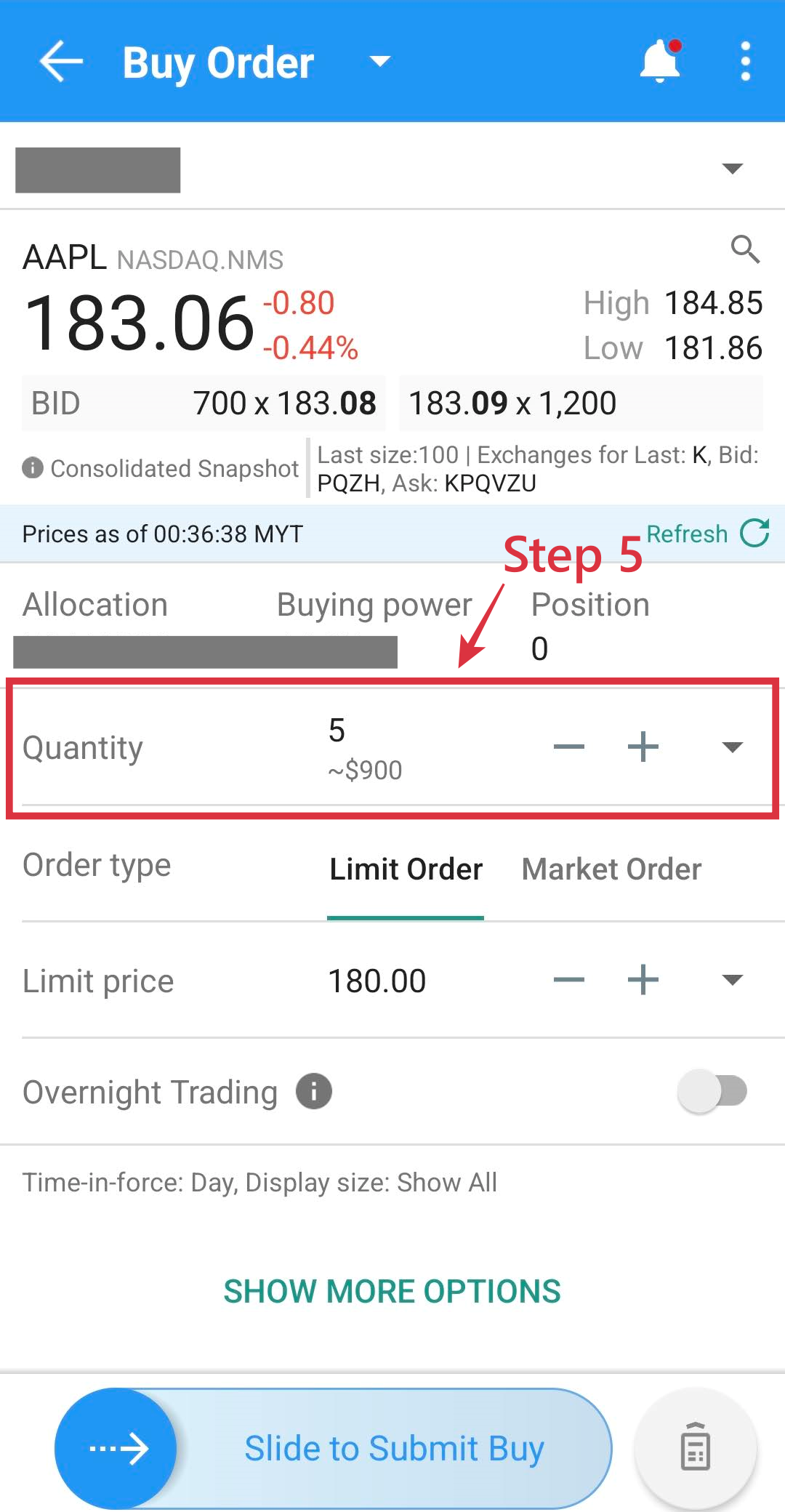
Step 6: Determine Time-In-Force of your trade order
Next, decide the Time-In-Force of your order. Time-In-Force determines how long your trade order will stay valid.
The 2 most common Time-In-Force mechanisms are:
- Day: A 'Day' order will stay valid until the end of the trading session and cancel itself should the order is not filled. For instance, if my buy limit order of $180.00 for Apple share is not filled by the end of the trading session where I execute my order, my order will be canceled automatically.
- Good till Cancel (GTC): A GTC order will stay valid until it is filled, or you cancel the order yourself.
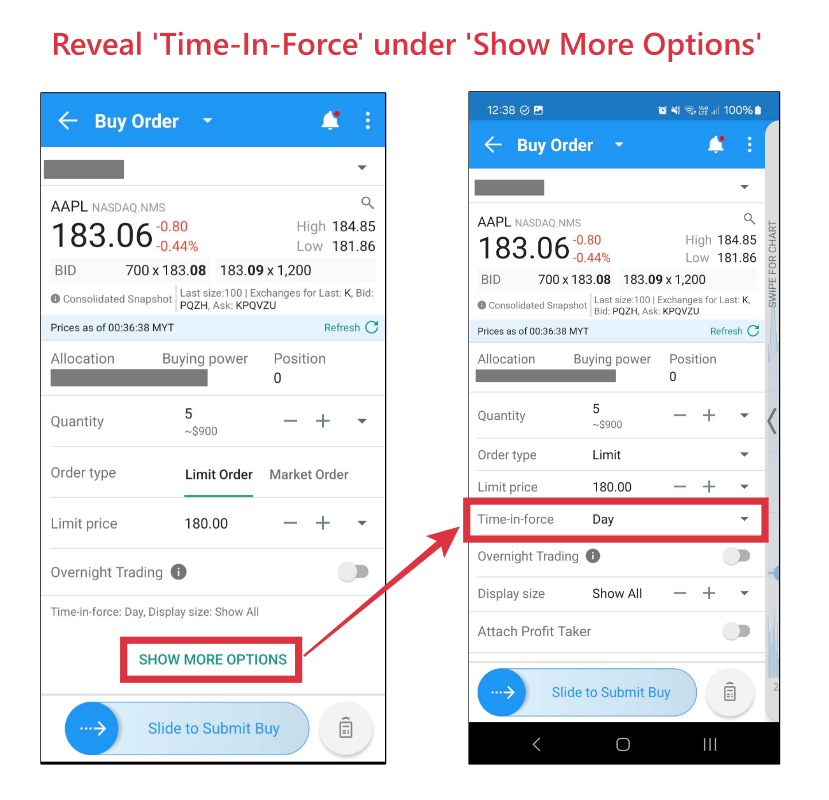
Step 7: Preview and submit your trade order
Clicking preview before submitting your order allows you to see the commission that'll incur for the trade. Once all details are good on your end, slide to submit your trade.
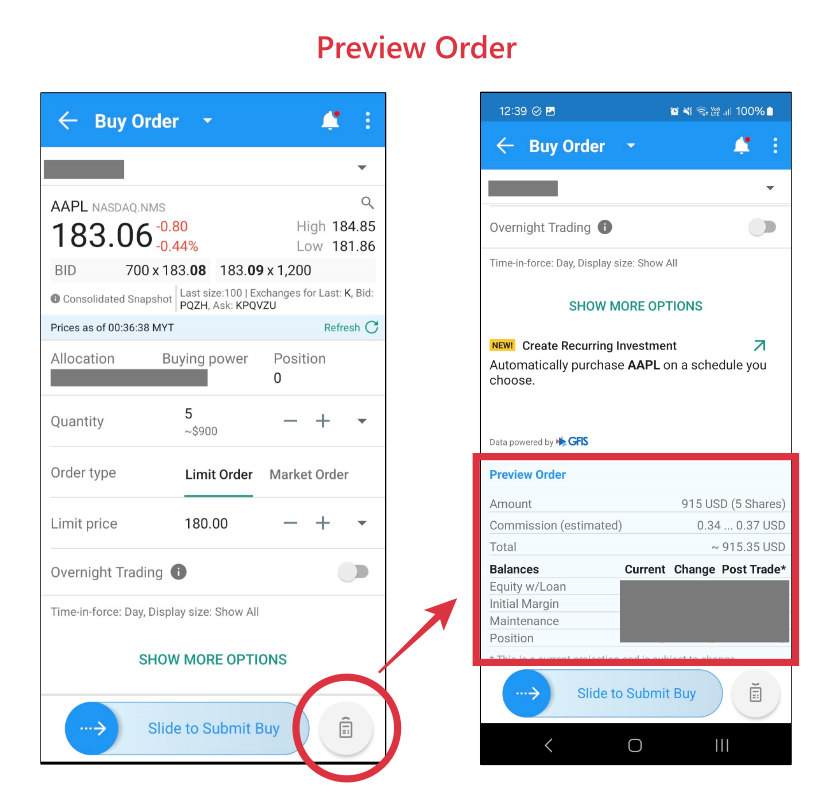
Note: What is IBKR Mandatory Cap Price?
Upon placing your trade, you might come across a pop-up to seek your acknowledgment on IBKR Mandatory Cap Price.
IBKR Mandatory Cap Price refers to IBKR's initiative to avoid traders placing trades at price levels at are way outside the normal level capped by IBKR.
One key benefit of IBKR Mandatory Cap Price is it helps traders avoid typo (by denying the order), such as me mistakenly typing my buy limit price of Apple shares at $18,000 instead of $180.
For me, I'll just go ahead and select 'Accept and Continue' when I get this pop-up while placing my trades.
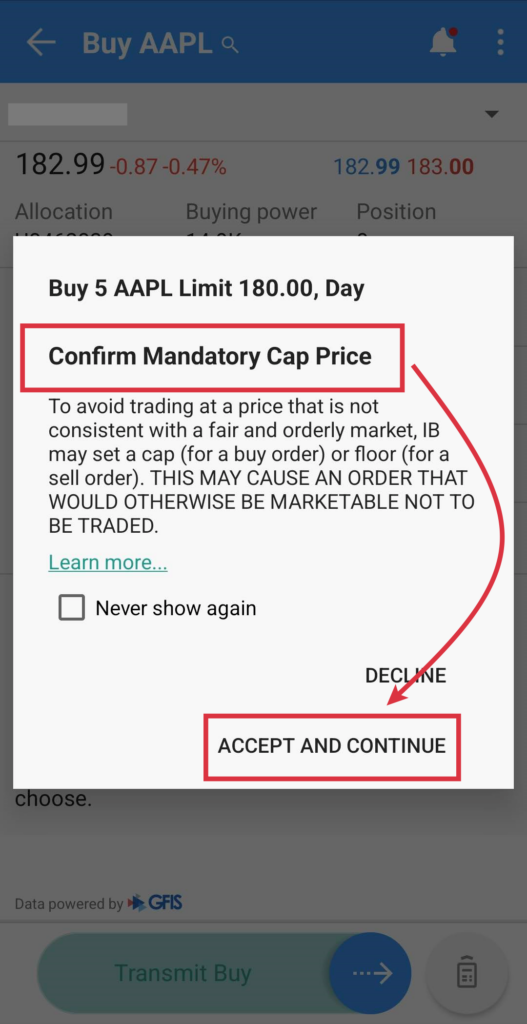
Step 8: Cancel or Modify the order if needed
Once you placed your trade, you can adjust or cancel your trade if needed:
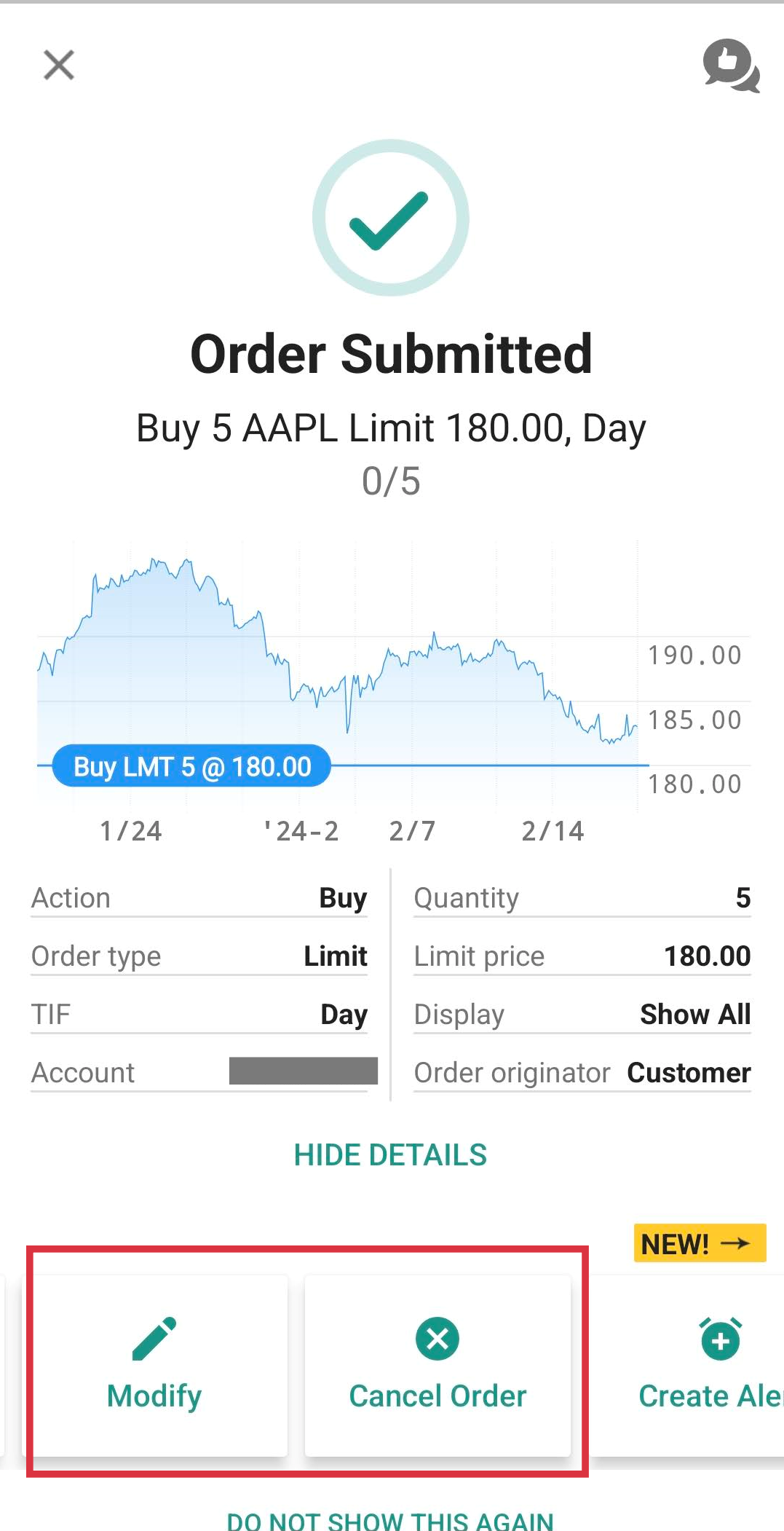
A beginner's Guide to Different Order Types on Interactive Brokers (IBKR)
While trying to place your trades on IBKR, you'll come across a variety of order types on the platform.
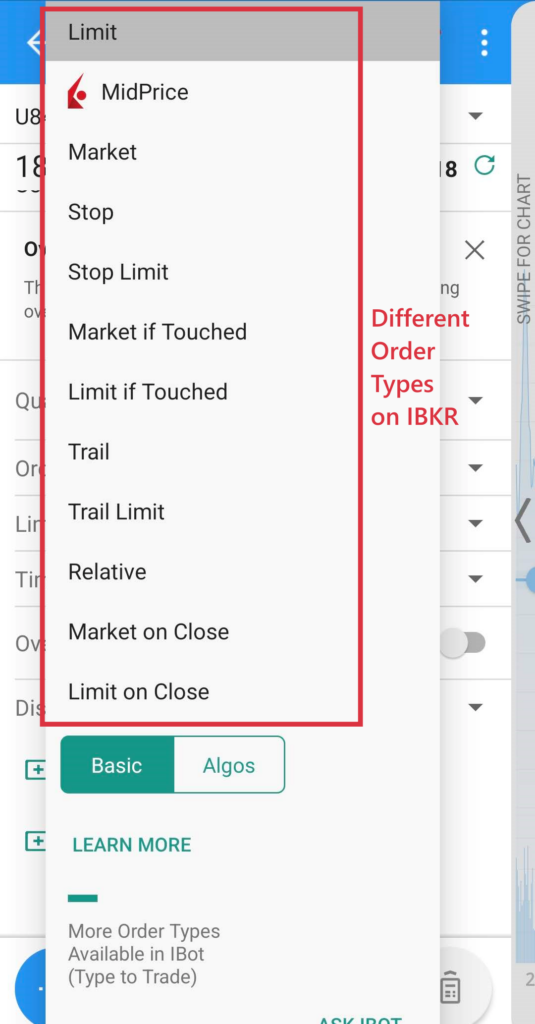
In this section, let's go through the 3 common order types that you may use while placing your buy trades on IBKR:
#1 Limit Order
A Buy Limit Order allows investors to line up their orders to buy shares at a specific price or better.
- Example: As shown in the screenshot below, Apple’s share price is $184.70.
- If you want to buy Apple shares at a lower price, say $180.00, then set your limit price to $180.00. Essentially, what you are doing is telling the system that ‘Execute Buy Order ONLY if the price drops to $180.00 or less.
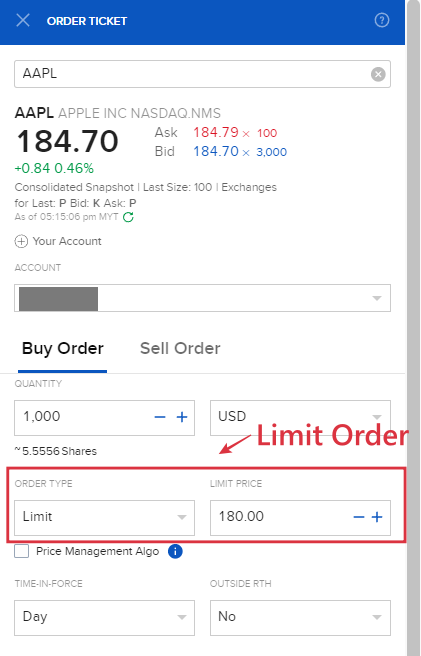
#2 Market Order
A Buy Market Order allows investors to enter immediately at market price. In other words, to enter the market immediately, you as a buyer will need to accept whatever the Ask Price that the most immediate sellers are asking for.
- Example: In the screenshot below Apple's share price is $184.70, with Ask Price at $184.79.
- If you want to buy Apple shares immediately at market price, you will find yourself entering at the Ask price of $184.79, which is the price that the most immediate sellers are asking for.
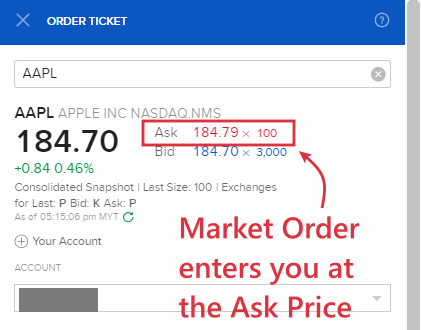
#3 Stop Order
A Buy Stop Order is an order that is triggered when the price hits a specific level defined by the investor.
- For instance, Apple share price is priced at $184.70. I'd only like to buy the share once there is a bullish momentum that pushes the price above $190.00.
- To do this, I'll set a Buy Stop order at $190.00. Once Apple's share price reaches $190.00, my Buy Stop order will be triggered and my order will be filled at the most immediate available price at that moment.
- The downside of using a Stop Order is the execution price is NOT guaranteed. In a scenario where Apple's share price breaches above $190.00 in an aggressive market move where there are no sellers at $190.00, then I'd find my Buy Stop order being filled at a higher immediate price where there are sellers to meet my buy order (eg. $191, 192).
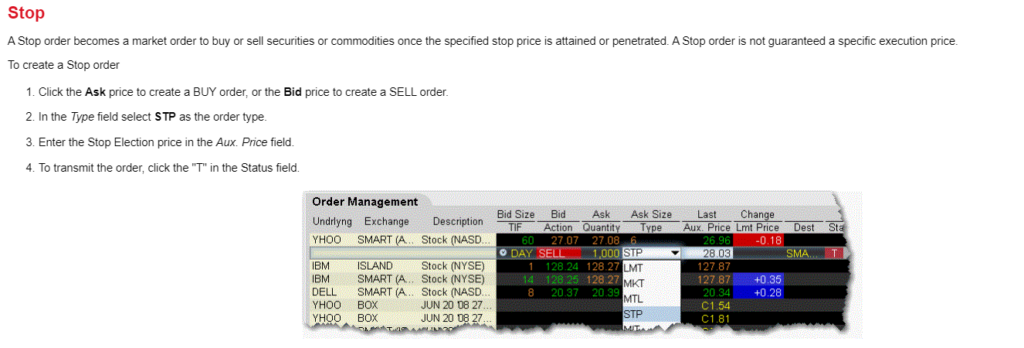
Verdict – Use IBKR to access the global stock market!
So there you have it - a detailed step-by-step guide on how to buy your first stock or make your first trade via Interactive Brokers (IBKR) Client Portal or the IBKR Mobile app!
I hope this is helpful and if you have any questions just leave them in the comment section below!
Disclaimer:
This review is purely based on my personal experience and is updated as of the time of writing.
This article may contain affiliate links that will earn the blog a small fee if you click on them. This comes at no extra cost to you as a reader.
Interactive Brokers (IBKR) Long-Term Review: The BEST broker in the world?
Interactive Brokers (IBKR) is a global broker that offers users access to different asset classes across 150 markets.
I've been an IBKR user for some time and in this review, let’s learn about IBKR, and if it is for you!
RELATED:
Highlights of Interactive Brokers (IBKR)
- Strong regulation background: IBKR is a global broker regulated in 10 countries including the US, Canada, the UK, Ireland, Europe, Australia, Hong Kong, and Singapore.
- Global market access at highly affordable commission: IBKR offers access to over 150 markets in 33 countries, such as the US, UK, HK, Singapore, Australia, Canada, Europe, Singapore, Japan, and more at a highly competitive commission.
- Trade multi-assets with just one account: In addition, IBKR users also gain access to a huge variety of products/instruments such as stocks, bonds, ETFs, FX, futures, and options at a highly competitive commission.
- For who: IBKR is a no-brainer for investors looking to gain access to global markets at a low commission. However, IBKR's downside (in my opinion) is a platform design and user experience that is not as beginner-friendly as other investing platforms around.
Regulation and Safety
With financial scams on the rise globally, it is crucial to choose a broker that is well-regulated and reliable.
IBKR is one of the most reliable global brokers in the world as it is regulated by financial authorities in over 10 countries. Regulation by the major financial authorities in the world ensures that IBKR users’ interests are always protected.
Some of the key regulations that IBKR has obtained include:
- US: Securities Exchange Commission (SEC) and Commodity Futures Trading Commission (CFTC)
- UK: The Financial Conduct Authority (FCA)
- Australia: Australian Securities and Investments Commission (ASIC)
- Hong Kong: Hong Kong Securities and Futures Commission
- Singapore: Monetary Authority of Singapore (MAS)
In addition, IBKR is a publicly-listed company in the US (NASDAQ: IBKR) with a strong presence globally. It handles over 2M client accounts worldwide.
4 reasons why IBKR is the best global broker
If you have been investing for a while, you should be familiar with Interactive Brokers (IBKR) among all other brokerages.
What exactly makes IBKR so well-known compared to other brokers in the market?
#1 IBKR offers a huge selection of markets + asset classes for new & seasoned investors
IBKR is truly a platform that accommodates the needs of beginners and experienced investors alike.
- Multi-assets: Aside from the usual stocks, ETFs, and bonds, IBKR users will get access to instruments such as futures, forex, mutual funds, and options. With an IBKR account, you are almost certainly going to find an investment vehicle that suits your need.
- Global market access: IBKR offers access to over 150 markets in 33 countries. Aside from the usual US market, you get access to markets in the UK, Europe, Canada, Hong Kong, Singapore, Japan, and more with just one account.
--
A personal note as an IBKR user:
The global access that IBKR brings to the table for everyday investors like myself is truly valuable. It brings a lot of flexibility to investors with investing options outside of the US.
Example: As a non-US citizen that wants to invest in the S&P500, in order to avoid the 30% withholding tax that the US government charges on dividends, I have to opt for Ireland-domiciled S&P500 ETF listed in the London Stock Exchange (eg. CSPX, VUAA) instead of US-listed S&P500 ETFs (eg. VOO, SPY).
Since most brokers do not offer access to the UK stock market, IBKR comes in as a solid choice.
#2 Highly competitive commission plans
On top of global market access, IBKR offers these markets at a highly competitive commission.
In my opinion, IBKR is the platform to go for investors looking for affordable access to the global market.
Refer to the next commission section of this article for more detailed elaboration.
#3 Fractional Trading
IBKR offers access to fractional shares in the US and European stock market, which is a rare feature among brokers.
Fractional trading allows investors to buy stocks at a fraction of the price via smaller units. Hence, it makes owning expensive stocks much easier for everyday investors.
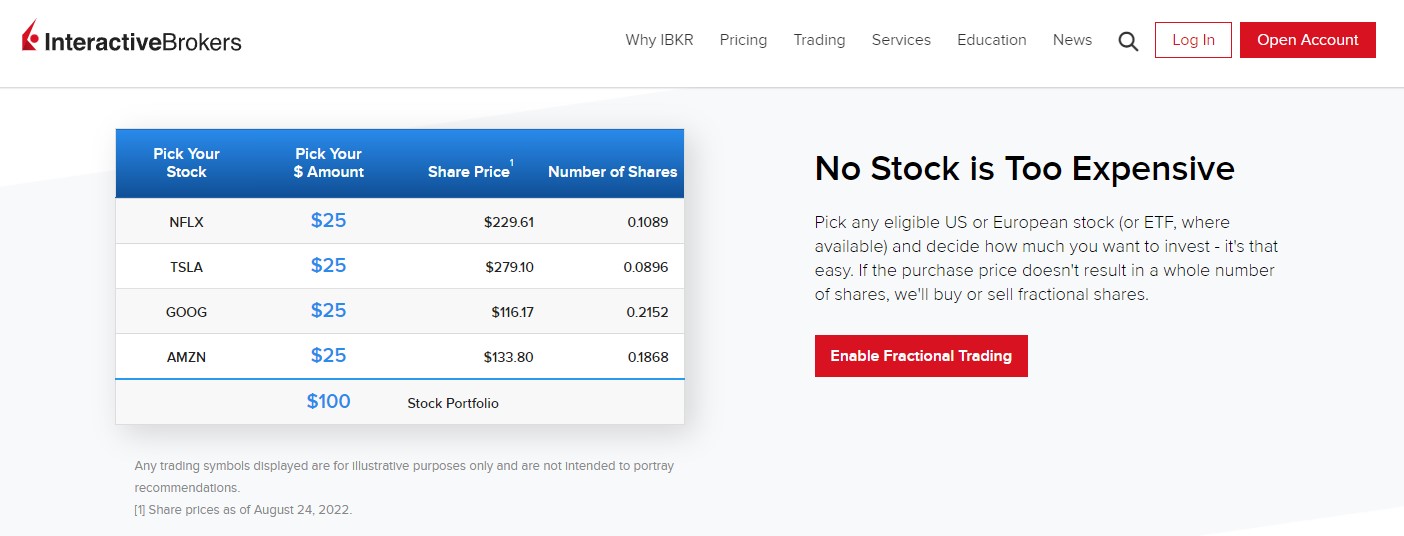
#4 Beginner + advanced trading platforms
To accommodate different investors, IBKR offers several trading platforms for users to select from. 3 of the more commonly used IBKR platforms are:
- Client Portal (web)
Client Portal is the desktop interface that all IBKR users will come across when they log in to their IBKR account.
Client Portal offers a straightforward and featureful interface for users to view their portfolios and execute simple buy and sell orders.
Investors who prefer a simple investing interface would find the Client Portal the most convenient way to navigate around IBKR.
- IBKR Mobile
IBKR Mobile is the simplified mobile version of IBKR's Client Portal. It makes it easy for users to trade on the go via their mobile devices.
- IBKR Trader Workstation (TWS)
TWS is IBKR’s dedicated trading platform for a more in-depth customization and trading experience.
Traders that require more in-depth charting and a platform that is highly customizable could opt for TWS as their go-to platform.
IBKR Commission/Pricing for Stocks & ETFs
When it comes to commission, IBKR offers several commission plans - mainly Tiered or Fixed fees for non-US residents.
In other words, the commission you pay when you trade will differ based on the plans that you choose.
Let’s look at the commission plans for some of the familiar stock markets below:
US market:
| Monthly Volume (shares) | IBKR Pro - Tiered | IBKR Pro - Fixed | IBKR Lite (only for US residents) |
|---|---|---|---|
| ≤ 300,000 | USD 0.0035 | USD 0.005 | USD 0.00 |
| 300,001 - 3,000,000 | USD 0.0020 | USD 0.005 | USD 0.00 |
| 3,000,001 - 20,000,000 | USD 0.0015 | USD 0.005 | USD 0.00 |
| 20,000,001 - 100,000,000 | USD 0.0010 | USD 0.005 | USD 0.00 |
| > 100,000,000 | USD 0.0005 | USD 0.005 | USD 0.00 |
| Min. per order | USD 0.35 | USD 1.00 | USD 0.00 |
| Maximum per order | 1% of trade value | 1% of trade value | USD 0.00 |
| Additional 3rd party fees | Regulatory fees, exchange fees, clearing fees, pass-through fees | Regulatory fees | Regulatory fees |
Canada market (for CAD-denominated stocks/ETFs):
| Monthly Volume (shares) | Tiered | Fixed |
|---|---|---|
| ≤ 300,000 | CAD 0.008 | CAD 0.01 |
| 300,001 - 3,000,000 | CAD 0.005 | CAD 0.01 |
| 3,000,001 - 20,000,000 | CAD 0.004 | CAD 0.01 |
| 20,000,000 | CAD 0.003 | CAD 0.01 |
| Min. per order | CAD 1.00 | CAD 1.00 |
| Maximum per order | 0.5% of trade value | 0.5% of trade value |
| Additional 3rd party fees | Regulatory fees, exchange fees, clearing fees | None |
p.s. Click HERE for IBKR's commission on USD-denominated CAD stocks/ETFs.
UK (GBP-denominated stocks/ETFs):
| Monthly Trade Value (EUR) | Tiered | Fixed – IB SmartRoutine | Fixed - Direct Routing |
|---|---|---|---|
| ≤ 40,000,000 | 0.05% of trade value | 0.05% of trade value | 0.10% of trade value |
| 40,000,000.01 - 80,000,000 | 0.03% of trade value | 0.05% of trade value | 0.10% of trade value |
| 80,000,000.01 - 400,000,000 | 0.02% of trade value | 0.05% of trade value | 0.10% of trade value |
| > 400,000,000 | 0.015% of trade value | 0.05% of trade value | 0.10% of trade value |
| Min. per order | GBP 1.00 | GBP 3.00 | GBP 4.00 |
| Additional 3rd party fees | Regulatory, Exchange & clearing fee | None | None |
UK (for USD-denominated stocks/ETFs):
| Monthly Trade Value (EUR) | Tiered | Fixed – IB SmartRouting | Fixed - Direct Routing |
|---|---|---|---|
| ≤ 50,000,000 | 0.05% of trade value | 0.05% of trade value | 0.10% of trade value |
| 50,000,000.01 - 100,000,000 | 0.03% of trade value | 0.05% of trade value | 0.10% of trade value |
| 100,000,000.01 - 500,000,000 | 0.02% of trade value | 0.05% of trade value | 0.10% of trade value |
| > 500,000,000 | 0.015% of trade value | 0.05% of trade value | 0.10% of trade value |
| Min. per order | USD 1.70 | USD 4.00 | USD 6.00 |
| Additional 3rd party fees | Exchange & clearing fee | None | None |
Hong Kong (HKD-denominated stocks/ETFs):
| Monthly Trade Value (HKD) | Tiered | Fixed |
|---|---|---|
| ≤ 15,000,000 | Tier I - 0.05% of Trade Value | 0.08% of Trade Value |
| 15,000,000.01 - 300,000,000 | Tier II - 0.05% of Trade Value | 0.08% of Trade Value |
| 300,000,000.01 - 900,000,000 | Tier III - 0.03% of Trade Value | 0.08% of Trade Value |
| 900,000,000.01 - 2,000,000,000 | Tier IV - 0.02% of Trade Value | 0.08% of Trade Value |
| > 2,000,000,000 | Tier V - 0.015% of Trade Value | 0.08% of Trade Value |
| Min. per order | Tier I - HKD 18.00 Tier II - HKD 12.00 Tier III - HKD 8.00 Tier IV - HKD 6.00 Tier V - HKD 4.00 |
HKD 18.00 |
| Maximum per order | 0.5% of trade value | 0.5% of trade value |
| Additional 3rd party fees | Regulatory fees, exchange fees, clearing fees | Regulatory Fees |
p.s. Refer HERE for IBKR's commission on China RMB-denominated stocks/ETFs listed in Hong Kong.
Singapore (SGD-denominated stocks/ETFs):
| Monthly Trade Value (SGD) | Tiered | Fixed |
|---|---|---|
| ≤ 2,500,000 | Tier I - 0.08% of Trade Value | 0.08% of Trade Value |
| 2,500,000.01 - 50,000,000 | Tier II - 0.05% of Trade Value | 0.08% of Trade Value |
| 50,000,000.01 - 150,000,000 | Tier III - 0.03% of Trade Value | 0.08% of Trade Value |
| > 150,000,000 | Tier IV - 0.02% of Trade Value | 0.08% of Trade Value |
| Min. per order | Tier I - SGD 2.50 Tier II - SGD 1.60 Tier III - SGD 1.20 Tier IV - SGD 0.90 |
SGD 2.50 |
| Additional 3rd party fees | Exchange fees | None |
p.s. Refer HERE for IBKR's commission on USD, GBP, HKD, and EUR-denominated stocks/ETFs listed in Singapore.
IBKR Commission for Futures, Options, Forex, CFD, Mutual Funds, and more
Aside from stocks, IBKR also offers access to instruments such as Futures, Options, Forex, CFD, Bonds, Mutual Funds, and more.
Feel free to view IBKR's full list of commission below:
Which IBKR commission plan to choose?
As you can see, IBKR offers access to a lot of markets, alongside different plans, mainly Tiered and Fixed.
The question is, which IBKR fee structure should you choose?
In my opinion, IBKR’s Tiered plan makes the most sense for most investors. This is because it has a lower minimum commission per trade, and it gets cheaper as your trade value or trade volume increases.
While opening your IBKR account, you will be asked to select the kind of account (Tiered/Fixed) you are planning to open. But don’t worry, you can always change your account types once you open an account.
What I don’t like about IBKR
Despite all the good things about IBKR, it is not a perfect platform.
The irony is, IBKR's biggest downside stems from its pursuit of offering every market and feature available in the investing world to the users.
As a result, it makes IBKR rather not beginner-friendly to navigate around. As a new IBKR user, it is easy to feel overwhelmed to use IBKR.
You will most likely need to google for guides on most things relating to IBKR (in order to do it right) - from account opening, funding & withdrawals, how to make a trade, and more.
The bright side?
Resources and guides around IBKR are plentiful on the internet so it is not the end of the world.
However, the fact that I have to google around for guides just to navigate around the IBKR platform is still annoying at times.
Is Interactive Brokers (IBKR) for you?
In my opinion. IBKR is the most featured-packed investing platform that the investing world can offer so far.
As such, it is more than fair to say that IBKR is created for all investors and traders – beginners to seasoned alike.
If I need to be more specific, here are 3 reasons why you should consider IBKR over other brokers:
- You want to have affordable access to global markets aside from the usual US market offered by all other brokers. (eg. I get access to Ireland-domiciled ETFs on the London Stock Exchange via IBKR)
- You want to invest in a reliable platform that has gone through the test of time.
- You want to trade different instruments (eg. Forex, futures, options) aside from the usual stocks and ETFs offered by most of the other brokers.
How to open an Interactive Brokers (IBKR) account: A step-by-step guide
Before you open an account, you will need to create a username & password on IBKR.
Click the button below to start creating your username and password. Once done, you will need to verify your email address.
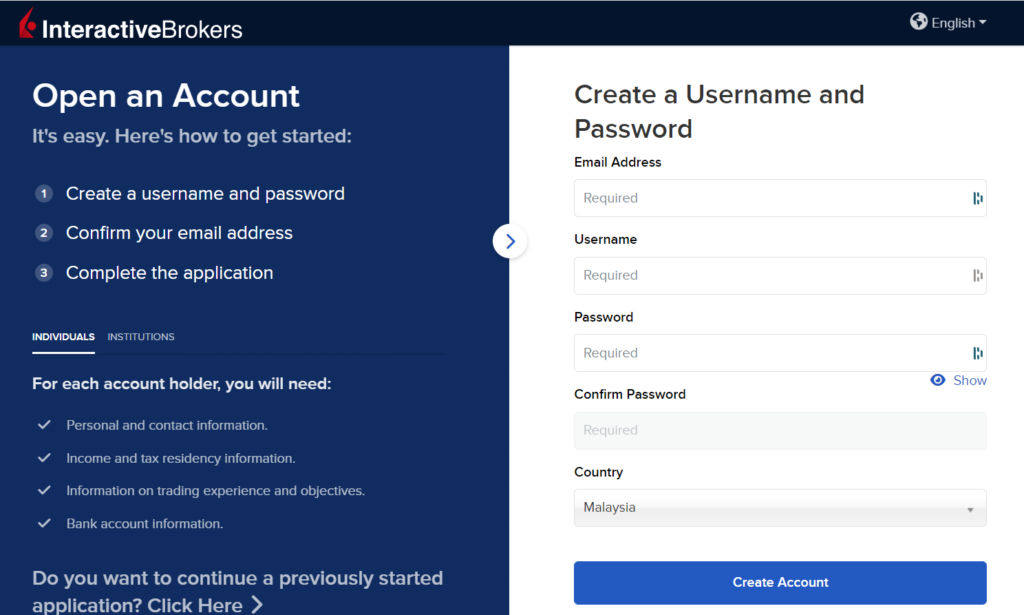
Once done, login to IBKR and begin your application.
Step 1: Personal Information
Select your account type (Individual) and key in your personal information.
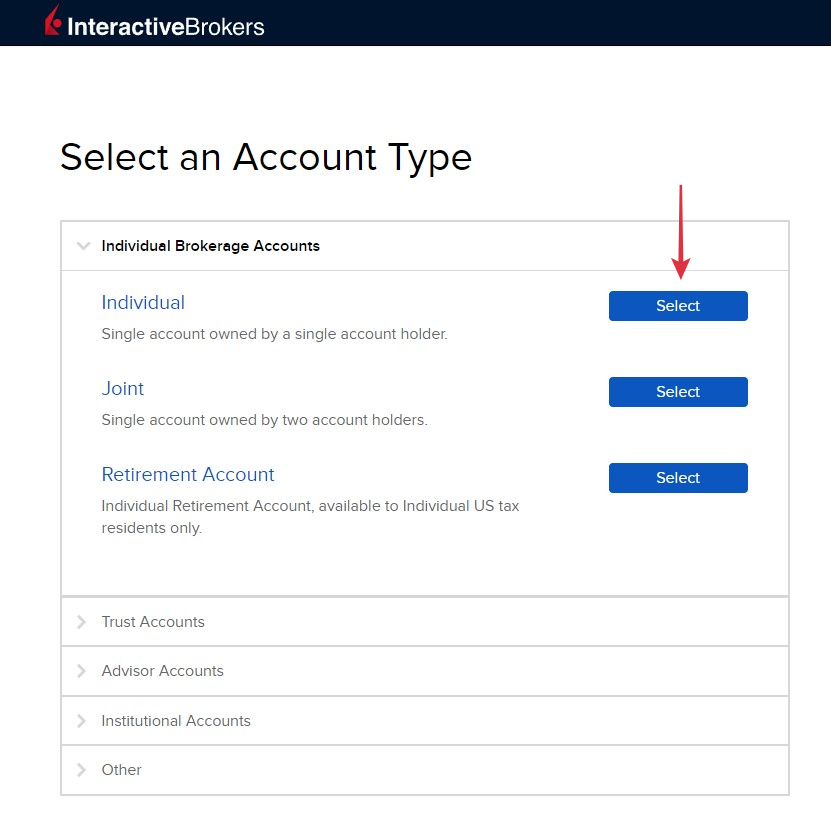
You will also be required to key in your Tax Identification Number (TIN) [LHDN number if you are from Malaysia].
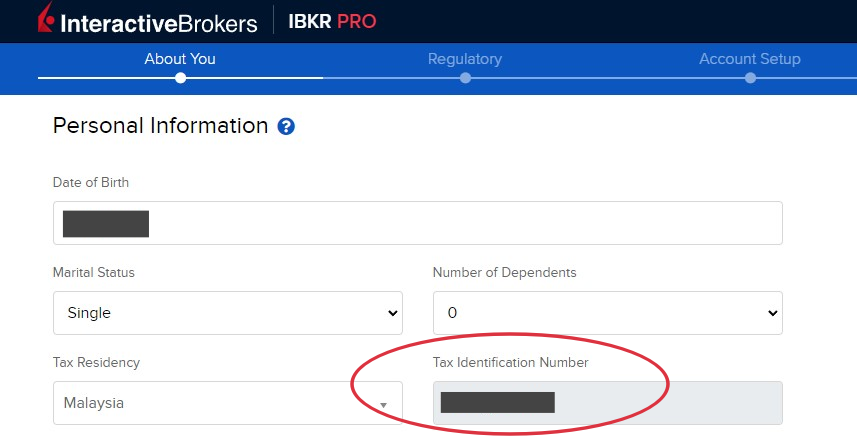
Tips: Do not have a TIN?
If you are a student or do not have a TIN for some reason (eg. Housewife), click 'Not Applicable' and justify why you don’t have a TIN under ‘Other’ (eg. I am still a student).
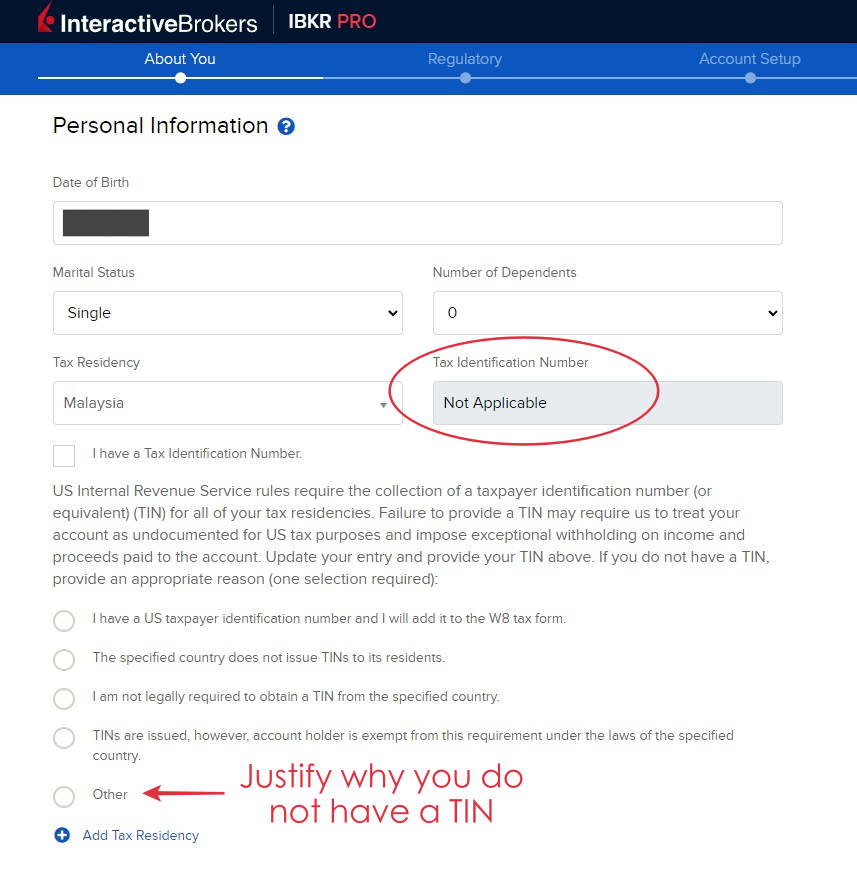
Next, select the base currency (USD) for your account.
This streamlines all the figures displayed in your IBKR account in USD. Don’t worry too much about this, as your IBKR account can hold other currencies and you can still trade in different currencies.
Step 2: Configure your trading account.
Account type: Cash or Margin
In this step, you will be asked if you want to open a Cash or Margin account.
- IBKR cash account: You will only be using your existing funds in IBKR to trade. Hence, you have to ensure that your funds cover the cost of the stocks and commission. A key downside is:
- Trading limitation: You cannot trade products that require margin, such as futures. You also cannot day-trade US stocks.
- IBKR margin account: You get access to margin and hence, can trade in margin (ie. loaned money). But it is not necessary to trade in margin even though you have a margin account. Upsides include access to more instruments and products and the ability to day-trade US stocks.
Personally, I opened a Margin account myself (even though I do not trade with margin) as there are certain product/service limitations with a Cash account. (eg. You need a margin account to day-trade US stocks)
Income & Worth, Investment Objectives, Trading Experience:
Your answer to these questions determines the kind of products/markets you will gain access to. Don’t worry this can still be updated once you open your trading account.
Select the assets/instruments that you’d like to invest in or trade. Whether you are eligible to trade these assets depends on your income, investment objectives, and experience:
Step 3: Regulation and Tax
Confirm that you are not a public figure with any conflict of interest.
Then, decide if you want to opt-in for IBKR’s Stock Yield Enhancement Program which will pay you interest by loaning your shares to IBKR. This is optional.
Then, confirm your tax residence and whether you qualify for treaty benefits with other countries based on the country of your residence.
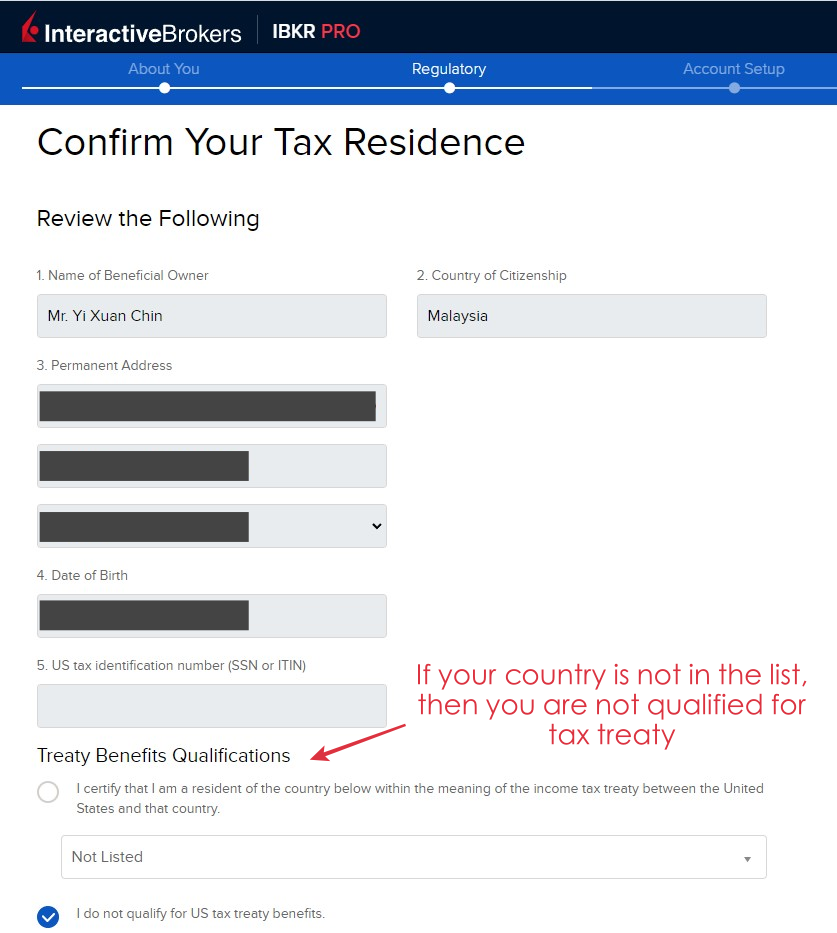
Step 4: Review and sign agreements

Step 5: Upload documents & fund your IBKR account

Funding your IBKR account
Refer HERE to a full guide on how to fund your IBKR account.
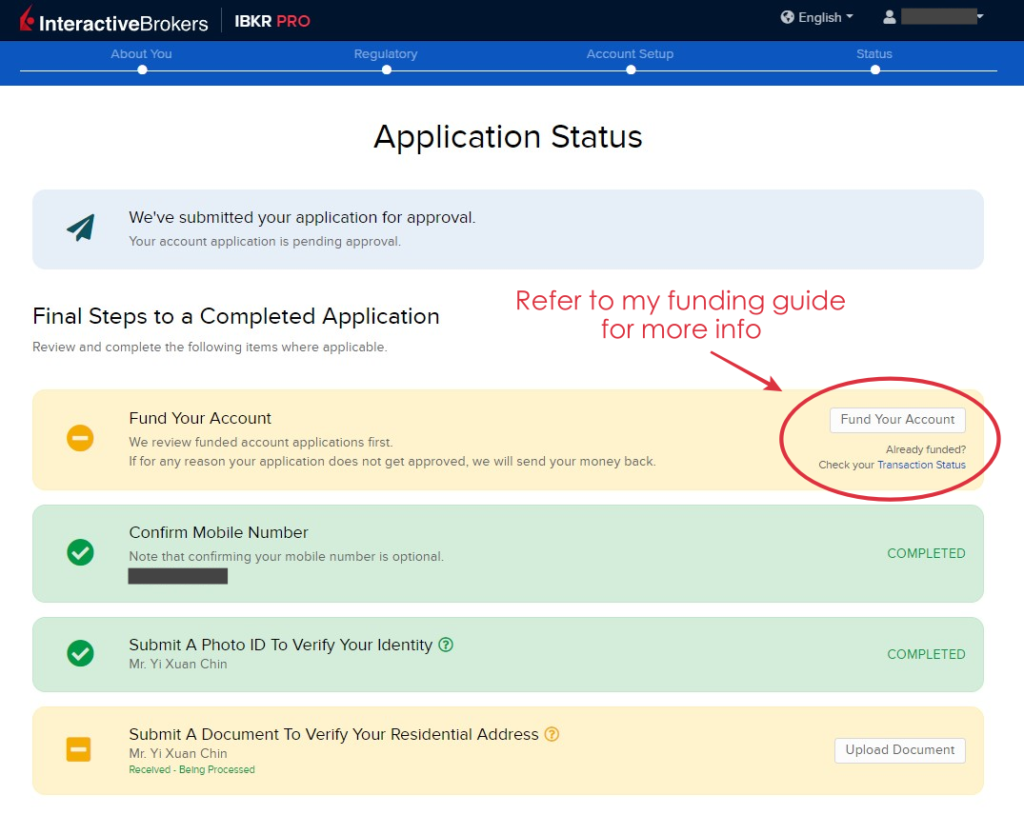
Step 6: You will receive an email once your account is approved.
For me, my IBKR account is approved within 1 working day.
Verdict - IBKR is the only global broker you need (to get used to)
As an investor and reviewer, I have tried and used many brokers in my investing journey.
Of all, it is not exaggerating to say that IBKR is the most complete global broker that the investing world has to offer to everyday investors right now.
With just one account, IBKR allows me access to almost all tradable instruments in the financial market at an affordable price.
If you can get used to its overwhelming features, IBKR is THE account you must have as an investor in the global market.
Disclaimer:
This review is purely based on my personal experience and is updated as of the time of writing.
This article may contain affiliate links that will earn the blog a small fee if you click on them. This comes at no extra cost to you as a reader.
Wise or Instarem? - IBKR Funding Methods Compared!
Interactive Brokers (IBKR) is one of the most complete global brokers that I've used in my investing journey.
It offers users access to over 150 markets in 33 countries at a highly competitive commission. Moreover, IBKR users gain access to a huge variety of products/instruments such as stocks, bonds, ETFs, FX, futures.
As an IBKR user, I find Wise and Instarem to be 2 of the best methods to deposit funds to my IBKR account.
However, which one should you choose?
In this post, let me compare Wise and Instarem deposit methods, and see which is a more ideal IBKR deposit method!
RELATED:
--
p.s. A word to fellow readers:
Dear friends, if you find this post helpful, I’d appreciate it if you can click on the button below to learn about IBKR via IBKR’s official site.
Doing so will help the earn the blog a small fee at no extra cost to you.
This will help supporting the blog in creating more useful content – thanks in advance my friends!
#1 Fees & Exchange Rate Comparison
Firstly, let's compare the fees and exchange rate if we were to use Wise and Instarem to fund our IBKR account.
Scenario #1: RM1,000 MYR-USD transfer
For this, I take similar RM1,000 MYR-USD transfers and see how much we have to pay in fees, as well as the exchange rate for both platforms:
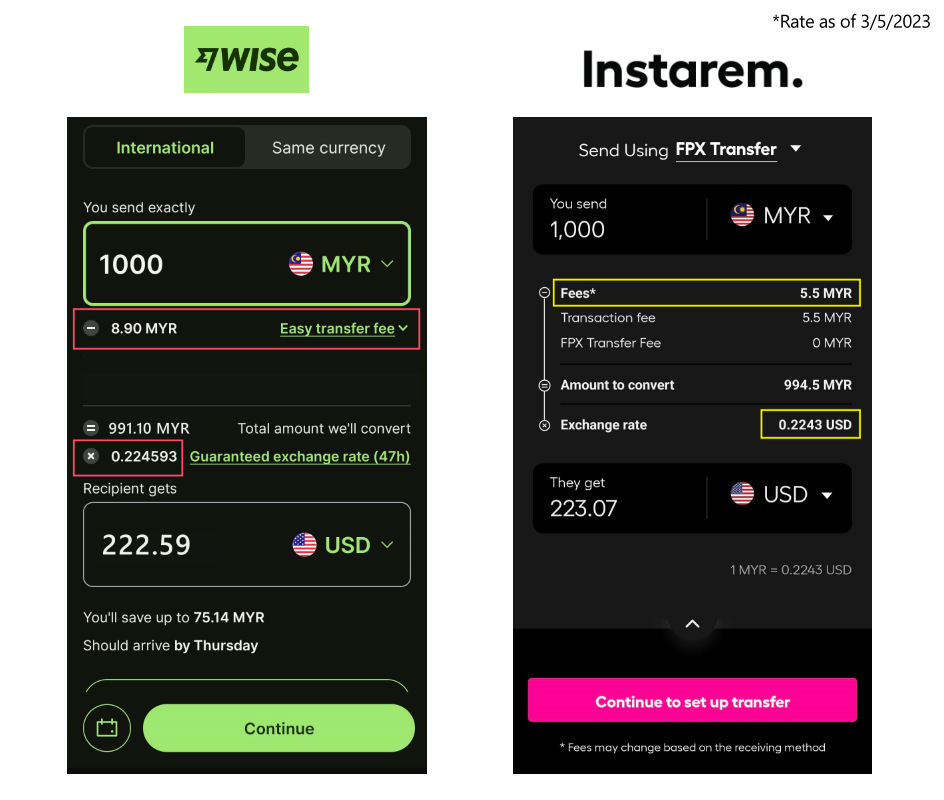
Putting the info side-by-side, we can see that:
| Wise | Instarem | |
| Fee for RM1,000 MYR-USD transfer | RM8.90 | RM5.50 |
| Exchange Rate (as of 3/5/2023) | 0.224593 | 0.2243 |
| Final amount in USD | USD 222.59 | USD 223.07 |
- Instarem offers a cheaper fee of RM5.50 for my RM1,000 MYR-USD transfer.
- Wise offers a more competitive exchange rate of 0.224593 compared to 0.2243 from Instarem. (Rate as of 3/5/2023)
- That said, taking into account of fee + exchange rate, I'd still get slightly more USD from Instarem for my transfer.
Scenario #2: RM10,000 MYR-USD transfer
Let's see if a larger transfer amount of RM10,000 MYR-USD transfer would make any difference:
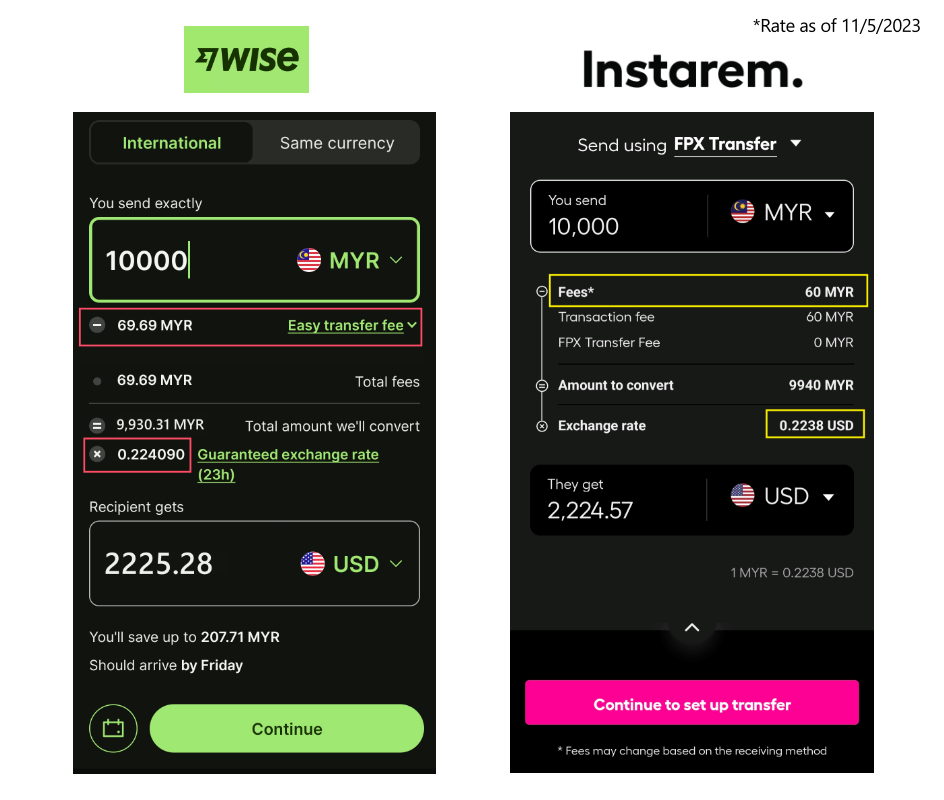
Does a larger transfer amount make any difference for the fees?
Putting the info side-by-side, we can see that:
| Wise | Instarem | |
| Fee for RM10,000 MYR-USD transfer | RM69.69 | RM60 |
| Exchange Rate (as of 11/5/2023) | 0.224090 | 0.2238 |
| Final amount in USD | USD 2225.28 | USD 2224.57 |
- Instarem still offers a cheaper fee of RM60 for my RM10,000 MYR-USD transfer.
- Wise still offers a more competitive exchange rate of 0.224090 compared to 0.2238 from Instarem. (Rate as of 11/5/2023)
- However, this time around, Wise is able to transfer slightly more USD in my RM10,000 MYR-USD transfer.
Summary: Use Instarem for smaller amount transfer, Wise for larger amount transfer
In essence, when you make a transfer in a small amount, Instarem's lower fee structure makes it up to a slightly high exchange rate.
On the other hand, in a bigger transfer, Wise's lower exchange rate is a better deal despite a higher fee.
#2 Deposit Process Comparison
There is a slight difference between Wise and Instarem when it comes to the deposit process to IBKR:
| Wise | Instarem | |
| Deposit Process | Transfer directly from Wise balance (easier) | ACH funding via Instarem |
Essentially, the biggest difference is when it comes to setting up the initial transfer.
- It is easier to set up a Wise transfer as IBKR users can make a transfer directly from their Wise account. Read about my full Wise-IBKR transfer guide HERE.
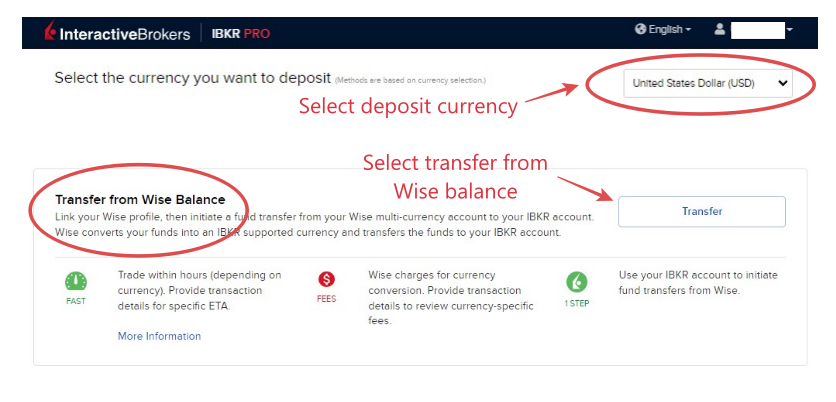
- As for Instarem, IBKR users will need to key in some additional details in order to set up an initial transfer. (though it is pretty simple as well) Read about my full Instarem-IBKR transfer guide HERE.
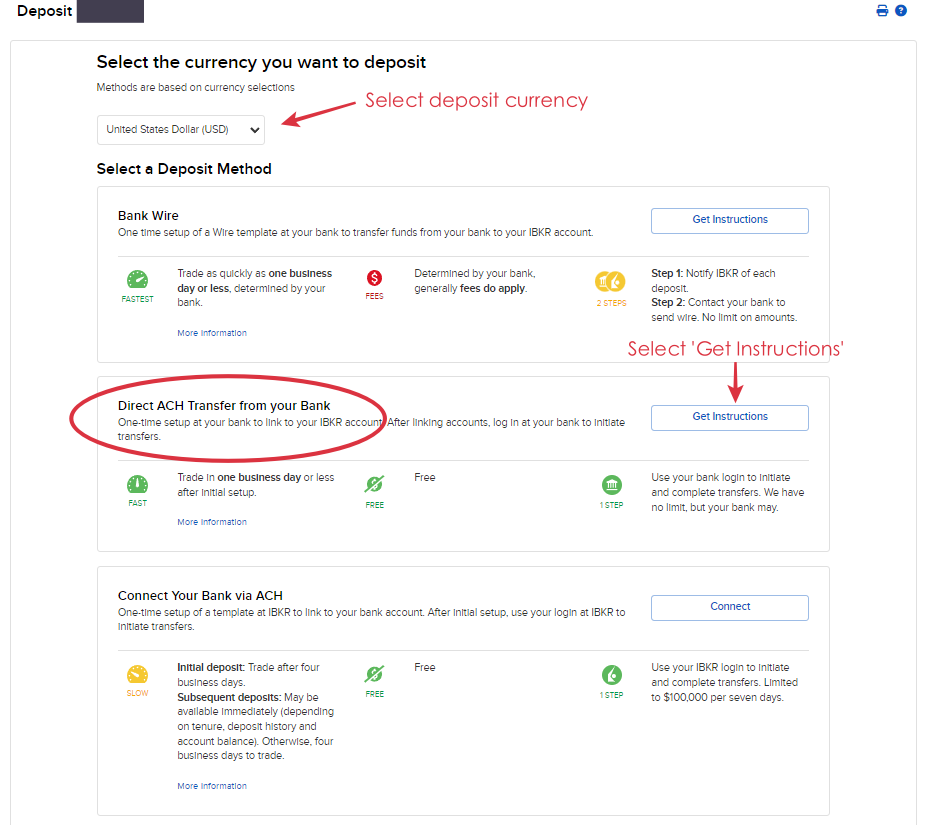
Summary: Wise provides an easier initial setup
Once the setup is done, all future transfers are very simple for both methods.
RELATED: Guide - How to fund your IBKR using Wise, Instarem, and SG bank account
#3 Deposit Speed Comparison
Fees aside, it is also important that my funds reach my IBKR account ASAP whenever I make my deposit.
So, how long does it take for my funds to reach my IBKR account with Wise and Instarem?
For this example, I did a transfer on both Wise and Instarem on the same day (3/5/2023), first with Wise, then Instarem a few hours later.
Let's look at the result:
(i) Wise-IBKR transfer: About 13 hours (<1 day)
I initiated my Wise transfer on 3/5/2023 after lunch and I receive my successful deposit notification from IBKR at 1:11am the next day (4/5/2023).
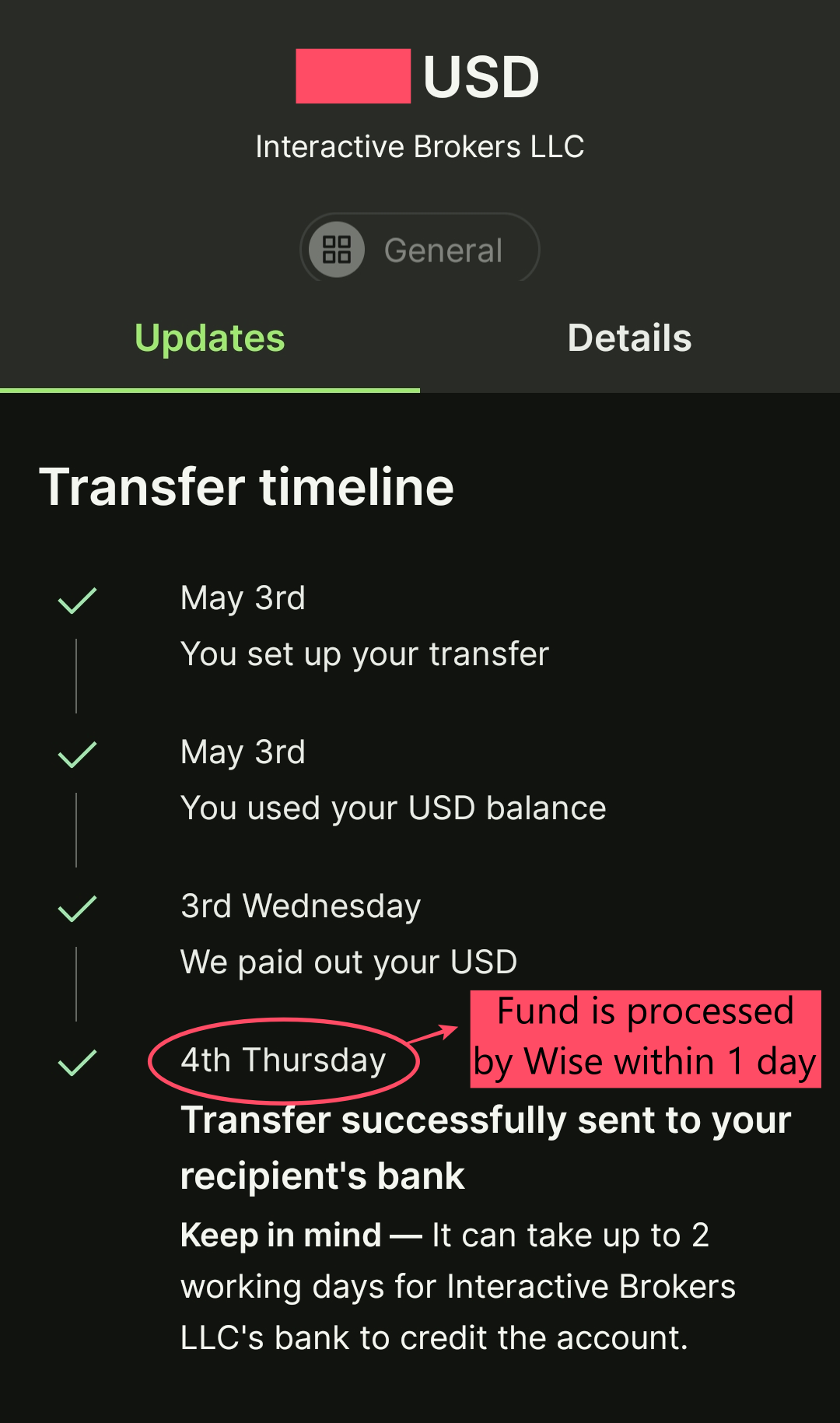

(ii) Instarem-IBKR transfer: About 14 hours (<1 day)
Meanwhile, I initiated my Instarem-IBKR transfer at late noon (4:38pm) on 3/5/2023. I received my successful deposit notification from IBKR at 6:33am the next day (4/5/2023).

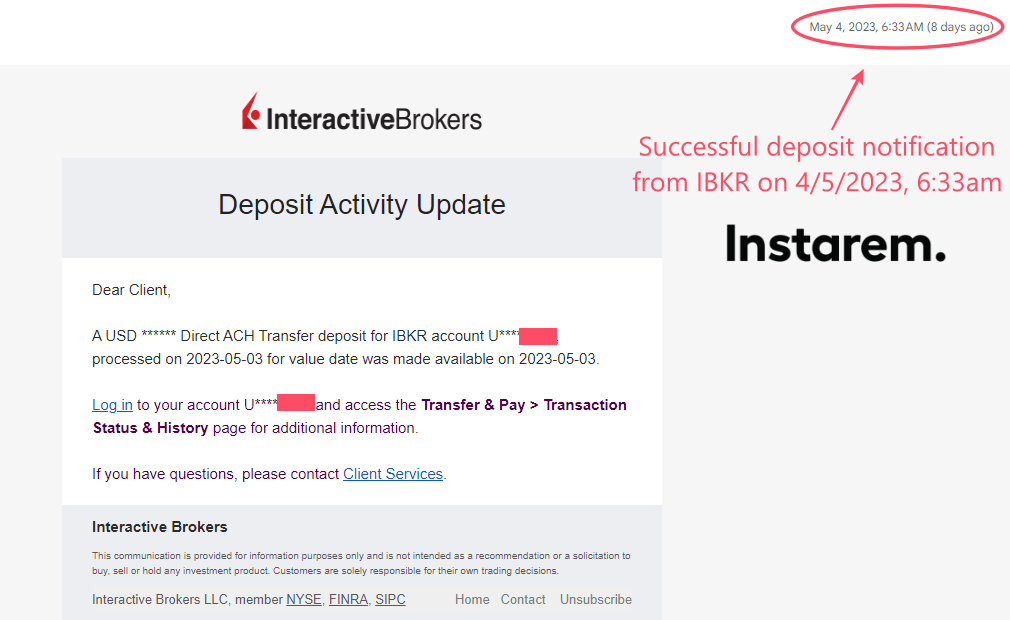
Summary: Deposit speed is pretty much the same for Wise and Instarem
In essence, from my experience, there is no significant difference between the deposit speed of Wise and Instarem transfers.
I find both transfer experiences smooth and reliable.
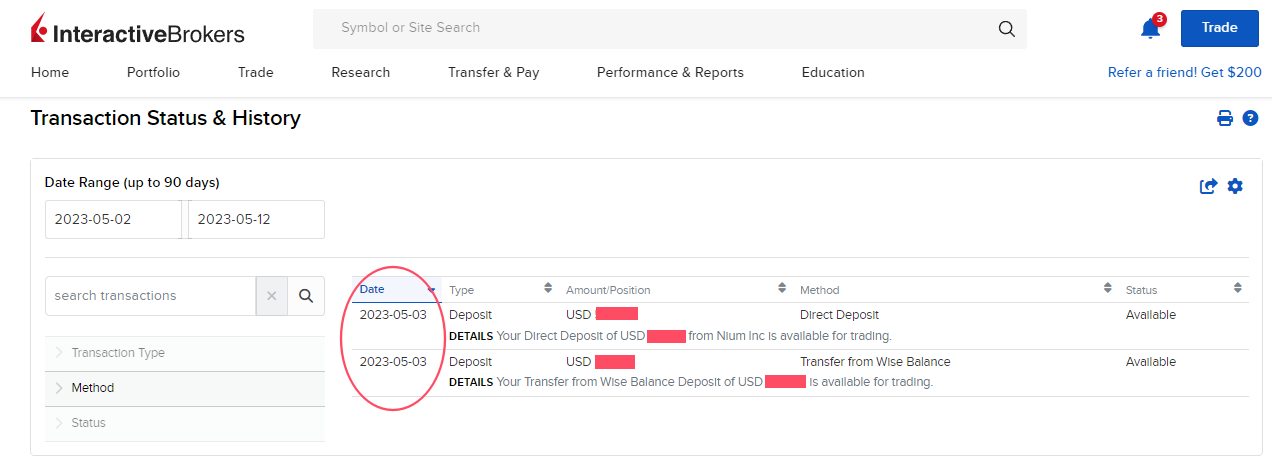
Promotions for new Wise & Instarem users
(i) Wise: Get a free transfer on your first 500 GBP (~RM2600) transfer!
Use my Wise referral link below and get a free transfer on your first 500 GBP (~RM2600) transfer!
(ii) Instarem: Get 200 InstaPoints (worth RM12) for your money transfer!
Open an Instarem account via my referral link by clicking on the button below, and get 200 InstaPoints (worth RM12) which can be redeemed for your money transfer (no min. transaction amount required)!

Verdict: Use Wise and Instarem to save on your IBKR deposit fee!
To summarize, for small amount transfers, Instarem-IBKR makes up for better value thanks to its lower fee structure. For bigger amount transfers, Wise-IBKR is better thanks to Wise's more competitive exchange rates.
Be it Wise or Instarem, both IBKR deposit methods allow users to save massively on fees & exchange rates compared to traditional foreign bank telegraphic transfer.
For new users of Wise and Instarem, I recommend taking advantage of the promotions so you can get more value out of your IBKR transfers!
Do you have any other tips on how to fund your IBKR account? Feel free to leave your tips and thoughts in the comment section below!
Disclaimer:
This review is purely based on my personal experience and is updated as of the time of writing.
This article may contain affiliate links that will earn the blog a small fee if you click on them. This comes at no extra cost to you as a reader.